

গো-টু অ্যাকশন ব্যবহারকারীকে আপনার ওয়েবসাইটে নিয়ে যায়, যেখানে কাজটি সম্পন্ন করা যায়। ওয়ান ক্লিক অ্যাকশনের মতো নয়, গো-টু অ্যাকশন একাধিকবার ব্যবহার করা যায়।
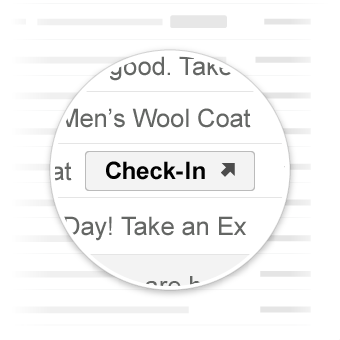
জিমেইলে করণীয় কাজগুলো।
ব্যবহারের ক্ষেত্র
জিমেইল বর্তমানে যে সকল প্রধান কার্যক্রম সমর্থন করে, সেগুলো হলো:
ভবিষ্যতে আরও পদক্ষেপ সমর্থন করা হতে পারে।
অ্যাকশন দেখুন
আপনি ইমেইলে একটি ViewAction বাটন যোগ করতে পারেন, যার মাধ্যমে ব্যবহারকারীদের কাজটি সম্পন্ন করার জন্য আপনার সাইটে যেতে হবে।
নিম্নলিখিত ডিক্লারেশনটি একটি ইমেইলে একটি ViewAction বাটন যোগ করে:
JSON-LD
<script type="application/ld+json">
{
  "@context": "http://schema.org",
  "@type": "EmailMessage",
  "potentialAction": {
    "@type": "ViewAction",
    "url": "https://watch-movies.com/watch?movieId=abc123",
    "name": "Watch movie"
  },
  "description": "Watch the 'Avengers' movie online"
}
</script>
মাইক্রোডেটা
<div itemscope itemtype="http://schema.org/EmailMessage">
  <div itemprop="potentialAction" itemscope itemtype="http://schema.org/ViewAction">
    <link itemprop="target" href="https://watch-movies.com/watch?movieId=abc123"/>
    <meta itemprop="name" content="Watch movie"/>
  </div>
  <meta itemprop="description" content="Watch the 'Avengers' movie online"/>
</div>
প্রকাশকের তথ্য
publisher ফিল্ডটি সেট করার মাধ্যমে আপনি ইমেল বার্তা প্রেরণকারী সংস্থা সম্পর্কে বিস্তারিত তথ্য যোগ করতে পারেন:
JSON-LD
<script type="application/ld+json">
{
  "@context": "http://schema.org",
  "@type": "EmailMessage",
  "description": "Watch the 'Avengers' movie online",
  "potentialAction": {
    "@type": "ViewAction",
    "url": "https://watch-movies.com/watch?movieId=abc123",
    "name": "Watch movie"
  },
  "publisher": {
    "@type": "Organization",
    "name": "Google Play",
    "url": "https://play.google.com",
    "url/googlePlus": "https://plus.google.com/106886664866983861036"
  }
}
</script>
মাইক্রোডেটা
<div itemscope itemtype="http://schema.org/EmailMessage">
  <meta itemprop="description" content="Watch the 'Avengers' movie online"/>
  <div itemprop="potentialAction" itemscope itemtype="http://schema.org/ViewAction">
    <link itemprop="target" href="https://watch-movies.com/watch?movieId=abc123"/>
    <meta itemprop="name" content="Watch movie"/>
  </div>
  <div itemprop="publisher" itemscope itemtype="http://schema.org/Organization">
    <meta itemprop="name" content="Google Play"/>
    <link itemprop="url" href="https://play.google.com"/>
    <link itemprop="url/googlePlus" href="https://plus.google.com/106886664866983861036"/>
  </div>
</div>
ট্র্যাক অ্যাকশন
ডেলিভারি হওয়া প্যাকেজ ট্র্যাক করার জন্য ব্যবহারকারীদের আপনার সাইটে যেতে উৎসাহিত করতে আপনি ইমেইলে একটি TrackAction বাটন যোগ করতে পারেন।
আপনি যখন trackingUrl প্রপার্টিটি নির্দিষ্ট করেন, তখন একটি অ্যাকশন স্বয়ংক্রিয়ভাবে তৈরি হয়। সরাসরি কোনো মোবাইল অ্যাপ্লিকেশনে লিঙ্ক করতে, দেখানো অনুযায়ী একটি TrackAction ও অন্তর্ভুক্ত করুন:
JSON-LD
<script type="application/ld+json">
{
  "@context": "http://schema.org",
  "@type": "ParcelDelivery",
  "deliveryAddress": {
    "@type": "PostalAddress",
    "streetAddress": "24 Willie Mays Plaza",
    "addressLocality": "San Francisco",
    "addressRegion": "CA",
    "addressCountry": "US",
    "postalCode": "94107"
  },
  "expectedArrivalUntil": "2013-03-12T12:00:00-08:00",
  "carrier": {
    "@type": "Organization",
    "name": "FedEx"
  },
  "itemShipped": {
    "@type": "Product",
    "name": "iPod Mini"
  },
  "partOfOrder": {
    "@type": "Order",
    "orderNumber": "176057",
    "merchant": {
      "@type": "Organization",
      "name": "Bob Dole"
    }
  },
  "trackingUrl": "http://fedex.com/track/1234567890"
  "potentialAction": {
    "@type": "TrackAction",
    "target": "http://fedex.com/track/1234567890"
  },
}
</script>
মাইক্রোডেটা
<div itemscope itemtype="http://schema.org/ParcelDelivery">
  <div itemprop="deliveryAddress" itemscope itemtype="http://schema.org/PostalAddress">
    <meta itemprop="streetAddress" content="24 Willie Mays Plaza"/>
    <meta itemprop="addressLocality" content="San Francisco"/>
    <meta itemprop="addressRegion" content="CA"/>
    <meta itemprop="addressCountry" content="US"/>
    <meta itemprop="postalCode" content="94107"/>
  </div>
  <meta itemprop="expectedArrivalUntil" content="2013-03-12T12:00:00-08:00"/>
  <div itemprop="carrier" itemscope itemtype="http://schema.org/Organization">
    <meta itemprop="name" content="FedEx"/>
  </div>
  <div itemprop="itemShipped" itemscope itemtype="http://schema.org/Product">
    <meta itemprop="name" content="iPod Mini"/>
  </div>
  <div itemprop="partOfOrder" itemscope itemtype="http://schema.org/Order">
    <meta itemprop="orderNumber" content="176057"/>
    <div itemprop="merchant" itemscope itemtype="http://schema.org/Organization">
      <meta itemprop="name" content="Bob Dole"/>
    </div>
  </div>
  <link itemprop="trackingUrl" href="http://fedex.com/track/1234567890"/>
  <div itemprop="potentialAction" itemscope itemtype="http://schema.org/TrackAction">
    <link itemprop="target" href="http://fedex.com/track/1234567890"/>
  </div>
</div>
আপনার মার্কআপ পরীক্ষা করুন
আপনি ইমেল মার্কআপ টেস্টার টুল ব্যবহার করে আপনার মার্কআপ যাচাই করতে পারেন। আপনার মার্কআপ কোড পেস্ট করুন এবং বিষয়বস্তু স্ক্যান করতে ও কোনো ত্রুটি থাকলে তার রিপোর্ট পেতে ' ভ্যালিডেট' বোতামে ক্লিক করুন।
স্পেসিফিকেশন
বিভিন্ন প্রধান অ্যাকশন টাইপের বিবরণের জন্য, নির্দিষ্ট টাইপ ViewAction বা TrackAction- এর ডকুমেন্টেশন দেখুন।