

使用者可透過一鍵操作功能直接在收件匣中執行作業,不必離開 Gmail。如要執行單鍵操作,請使用服務網址宣告 HttpActionHandler。詳情請參閱處理動作要求。
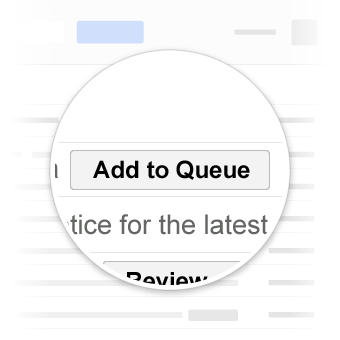
用途
Gmail 支援的一鍵操作包括:
確認動作
如果電子郵件需要使用者核准、確認或瞭解某件事,您可以新增一鍵確認按鈕。使用者點選按鈕後,Google 會向您的服務發出 HTTP 要求,記錄確認資訊。ConfirmAction只能互動一次。
下列宣告會在有關費用報告的電子郵件中新增 ConfirmAction 按鈕:
JSON-LD
<script type="application/ld+json">
{
  "@context": "http://schema.org",
  "@type": "EmailMessage",
  "potentialAction": {
    "@type": "ConfirmAction",
    "name": "Approve Expense",
    "handler": {
      "@type": "HttpActionHandler",
      "url": "https://myexpenses.com/approve?expenseId=abc123"
    }
  },
  "description": "Approval request for John's $10.13 expense for office supplies"
}
</script>
微資料
<div itemscope itemtype="http://schema.org/EmailMessage">
  <div itemprop="potentialAction" itemscope itemtype="http://schema.org/ConfirmAction">
    <meta itemprop="name" content="Approve Expense"/>
    <div itemprop="handler" itemscope itemtype="http://schema.org/HttpActionHandler">
      <link itemprop="url" href="https://myexpenses.com/approve?expenseId=abc123"/>
    </div>
  </div>
  <meta itemprop="description" content="Approval request for John's $10.13 expense for office supplies"/>
</div>
儲存動作
SaveAction 可用來描述互動,例如儲存優待券或將歌曲加入待播清單。SaveAction 只能互動一次。
下列宣告會在有關優惠的電子郵件中新增 SaveAction 按鈕:
JSON-LD
<script type="application/ld+json">
{
  "@context": "http://schema.org",
  "@type": "EmailMessage",
  "potentialAction": {
    "@type": "SaveAction",
    "name": "Save Offer",
    "handler": {
      "@type": "HttpActionHandler",
      "url": "https://offers-everywhere.com/save?offerId=xyz789"
    }
  },
  "description": "$5 meal at Joe's Diner"
}
</script>
微資料
<div itemscope itemtype="http://schema.org/EmailMessage">
  <div itemprop="potentialAction" itemscope itemtype="http://schema.org/SaveAction">
    <meta itemprop="name" content="Save Offer"/>
    <div itemprop="handler" itemscope itemtype="http://schema.org/HttpActionHandler">
      <link itemprop="url" href="https://offers-everywhere.com/save?offerId=xyz789"/>
    </div>
  </div>
  <meta itemprop="description" content="$5 meal at Joe's Diner"/>
</div>
測試標記
您可以使用電子郵件標記測試工具驗證標記。貼上標記程式碼,然後按一下「驗證」按鈕掃描內容,並取得錯誤報表。
規格
如要瞭解這些動作可用的屬性,請參閱ConfirmAction和SaveAction特定類型的說明文件。