

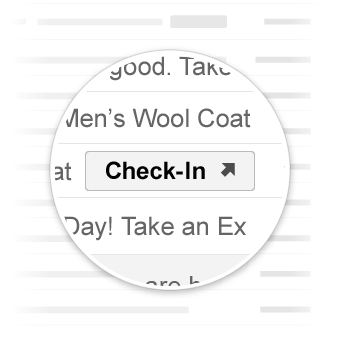
移動アクションは、アクションを完了できるウェブサイトにユーザーを誘導します。ワンクリック アクションとは異なり、移動アクションは複数回操作できます。
ユースケース
Gmail でサポートされている移動アクションは次のとおりです。
今後、他のアクションもサポートされる可能性があります。
アクションを表示
ユーザーがサイトにアクセスして操作を完了する必要があるメールに、ViewAction ボタンを追加できます。
次の宣言では、メールに ViewAction ボタンを追加します。
JSON-LD
<script type="application/ld+json">
{
  "@context": "http://schema.org",
  "@type": "EmailMessage",
  "potentialAction": {
    "@type": "ViewAction",
    "url": "https://watch-movies.com/watch?movieId=abc123",
    "name": "Watch movie"
  },
  "description": "Watch the 'Avengers' movie online"
}
</script>
microdata
<div itemscope itemtype="http://schema.org/EmailMessage">
  <div itemprop="potentialAction" itemscope itemtype="http://schema.org/ViewAction">
    <link itemprop="target" href="https://watch-movies.com/watch?movieId=abc123"/>
    <meta itemprop="name" content="Watch movie"/>
  </div>
  <meta itemprop="description" content="Watch the 'Avengers' movie online"/>
</div>
パブリッシャーのデータ
publisher フィールドを設定することで、メール メッセージの送信元組織に関する詳細情報を追加できます。
JSON-LD
<script type="application/ld+json">
{
  "@context": "http://schema.org",
  "@type": "EmailMessage",
  "description": "Watch the 'Avengers' movie online",
  "potentialAction": {
    "@type": "ViewAction",
    "url": "https://watch-movies.com/watch?movieId=abc123",
    "name": "Watch movie"
  },
  "publisher": {
    "@type": "Organization",
    "name": "Google Play",
    "url": "https://play.google.com",
    "url/googlePlus": "https://plus.google.com/106886664866983861036"
  }
}
</script>
microdata
<div itemscope itemtype="http://schema.org/EmailMessage">
  <meta itemprop="description" content="Watch the 'Avengers' movie online"/>
  <div itemprop="potentialAction" itemscope itemtype="http://schema.org/ViewAction">
    <link itemprop="target" href="https://watch-movies.com/watch?movieId=abc123"/>
    <meta itemprop="name" content="Watch movie"/>
  </div>
  <div itemprop="publisher" itemscope itemtype="http://schema.org/Organization">
    <meta itemprop="name" content="Google Play"/>
    <link itemprop="url" href="https://play.google.com"/>
    <link itemprop="url/googlePlus" href="https://plus.google.com/106886664866983861036"/>
  </div>
</div>
アクションをトラッキングする
ユーザーがサイトにアクセスして配送中の荷物を追跡する必要があるメールに、TrackAction ボタンを追加できます。
trackingUrl プロパティを指定すると、アクションが自動的に生成されます。モバイルアプリに直接リンクするには、次の例に示すように TrackAction も含めます。
JSON-LD
<script type="application/ld+json">
{
  "@context": "http://schema.org",
  "@type": "ParcelDelivery",
  "deliveryAddress": {
    "@type": "PostalAddress",
    "streetAddress": "24 Willie Mays Plaza",
    "addressLocality": "San Francisco",
    "addressRegion": "CA",
    "addressCountry": "US",
    "postalCode": "94107"
  },
  "expectedArrivalUntil": "2013-03-12T12:00:00-08:00",
  "carrier": {
    "@type": "Organization",
    "name": "FedEx"
  },
  "itemShipped": {
    "@type": "Product",
    "name": "iPod Mini"
  },
  "partOfOrder": {
    "@type": "Order",
    "orderNumber": "176057",
    "merchant": {
      "@type": "Organization",
      "name": "Bob Dole"
    }
  },
  "trackingUrl": "http://fedex.com/track/1234567890"
  "potentialAction": {
    "@type": "TrackAction",
    "target": "http://fedex.com/track/1234567890"
  },
}
</script>
microdata
<div itemscope itemtype="http://schema.org/ParcelDelivery">
  <div itemprop="deliveryAddress" itemscope itemtype="http://schema.org/PostalAddress">
    <meta itemprop="streetAddress" content="24 Willie Mays Plaza"/>
    <meta itemprop="addressLocality" content="San Francisco"/>
    <meta itemprop="addressRegion" content="CA"/>
    <meta itemprop="addressCountry" content="US"/>
    <meta itemprop="postalCode" content="94107"/>
  </div>
  <meta itemprop="expectedArrivalUntil" content="2013-03-12T12:00:00-08:00"/>
  <div itemprop="carrier" itemscope itemtype="http://schema.org/Organization">
    <meta itemprop="name" content="FedEx"/>
  </div>
  <div itemprop="itemShipped" itemscope itemtype="http://schema.org/Product">
    <meta itemprop="name" content="iPod Mini"/>
  </div>
  <div itemprop="partOfOrder" itemscope itemtype="http://schema.org/Order">
    <meta itemprop="orderNumber" content="176057"/>
    <div itemprop="merchant" itemscope itemtype="http://schema.org/Organization">
      <meta itemprop="name" content="Bob Dole"/>
    </div>
  </div>
  <link itemprop="trackingUrl" href="http://fedex.com/track/1234567890"/>
  <div itemprop="potentialAction" itemscope itemtype="http://schema.org/TrackAction">
    <link itemprop="target" href="http://fedex.com/track/1234567890"/>
  </div>
</div>
マークアップをテスト
Email マークアップ テスターツールを使用して、マークアップを検証できます。マークアップ コードを貼り付け、[検証] ボタンをクリックしてコンテンツをスキャンし、エラーに関するレポートを受け取ります。
仕様
さまざまな移動アクション タイプの仕様については、特定のタイプ ViewAction または TrackAction のドキュメントをご覧ください。