/** * Lists the titles and IDs of tasksList. * @see https://developers.google.com/tasks/reference/rest/v1/tasklists/list */functionlistTaskLists(){try{// Returns all the authenticated user's task lists.consttaskLists=Tasks.Tasklists.list();// If taskLists are available then print all tasklists.if(!taskLists.items){console.log("No task lists found.");return;}// Print the tasklist title and tasklist id.for(leti=0;i < taskLists.items.length;i++){consttaskList=taskLists.items[i];console.log('Task list with title "%s" and ID "%s" was found.',taskList.title,taskList.id,);}}catch(err){// TODO (developer) - Handle exception from Task APIconsole.log("Failed with an error %s ",err.message);}}
/** * Lists task items for a provided tasklist ID. * @param {string} taskListId The tasklist ID. * @see https://developers.google.com/tasks/reference/rest/v1/tasks/list */functionlistTasks(taskListId){try{// List the task items of specified tasklist using taskList id.consttasks=Tasks.Tasks.list(taskListId);// If tasks are available then print all task of given tasklists.if(!tasks.items){console.log("No tasks found.");return;}// Print the task title and task id of specified tasklist.for(leti=0;i < tasks.items.length;i++){consttask=tasks.items[i];console.log('Task with title "%s" and ID "%s" was found.',task.title,task.id,);}}catch(err){// TODO (developer) - Handle exception from Task APIconsole.log("Failed with an error %s",err.message);}}
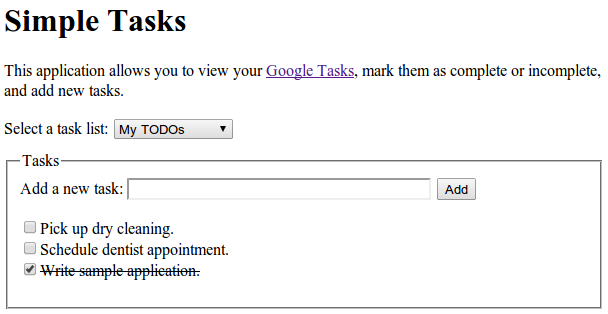
/** * Adds a task to a tasklist. * @param {string} taskListId The tasklist to add to. * @see https://developers.google.com/tasks/reference/rest/v1/tasks/insert */functionaddTask(taskListId){// Task details with title and notes for inserting new tasklettask={title:"Pick up dry cleaning",notes:"Remember to get this done!",};try{// Call insert method with taskDetails and taskListId to insert Task to specified tasklist.task=Tasks.Tasks.insert(task,taskListId);// Print the Task ID of created task.console.log('Task with ID "%s" was created.',task.id);}catch(err){// TODO (developer) - Handle exception from Tasks.insert() of Task APIconsole.log("Failed with an error %s",err.message);}}