

Оптимизация производительности начинается с определения ключевых показателей, обычно связанных с задержкой и пропускной способностью. Добавление мониторинга для сбора и отслеживания этих показателей выявляет слабые места в приложении. С помощью метрик можно проводить оптимизацию для улучшения показателей производительности.
Кроме того, многие инструменты мониторинга позволяют настраивать оповещения для ваших метрик, чтобы вы получали уведомления при достижении определенного порогового значения. Например, вы можете настроить оповещение, которое будет уведомлять вас, когда процент неудачных запросов увеличится более чем на x % от нормального уровня. Инструменты мониторинга могут помочь вам определить, как выглядит нормальная производительность, и выявить необычные всплески задержки, количества ошибок и других ключевых показателей. Возможность отслеживать эти метрики особенно важна в критически важные для бизнеса периоды времени или после того, как новый код был внедрен в продакшн.
Определение показателей задержки
Убедитесь, что ваш пользовательский интерфейс максимально отзывчив, учитывая, что пользователи ожидают от мобильных приложений еще более высоких стандартов. Также следует измерять и отслеживать задержку для серверных служб, особенно потому, что без контроля она может привести к проблемам с пропускной способностью.
В качестве показателей для отслеживания предлагаются следующие:
- Продолжительность запроса
- Продолжительность запроса на уровне подсистемы (например, вызовы API)
- Продолжительность работы
Определите показатели пропускной способности
Пропускная способность — это показатель общего количества обработанных запросов за определенный период времени. На пропускную способность может влиять задержка подсистем, поэтому для повышения пропускной способности может потребоваться оптимизация с учетом задержки.
Вот несколько рекомендуемых показателей для отслеживания:
- Запросов в секунду
- Объем передаваемых данных в секунду
- Количество операций ввода-вывода в секунду
- Использование ресурсов, таких как процессор или память.
- Размер очереди обработки, например, по модели публикации/подписки или по количеству потоков.
Не только среднее значение
Распространенная ошибка при измерении производительности — это рассмотрение только среднего значения. Хотя это и полезно, это не дает представления о распределении задержки. Более подходящим показателем для отслеживания являются процентили производительности, например, 50-й/75-й/90-й/99-й процентиль для метрики.
Как правило, оптимизацию можно проводить в два этапа. Сначала оптимизируем задержку на уровне 90-го процентиля. Затем рассматриваем 99-й процентиль — также известный как «хвостовая» задержка: небольшая часть запросов, выполнение которых занимает гораздо больше времени.
Мониторинг на стороне сервера для получения подробных результатов.
Для отслеживания метрик обычно предпочтительнее использовать профилирование на стороне сервера. Как правило, на стороне сервера гораздо проще проводить мониторинг, он обеспечивает доступ к более детализированным данным и менее подвержен влиянию проблем с подключением.
Мониторинг браузера для обеспечения сквозной видимости.
Профилирование браузера может предоставить дополнительную информацию о пользовательском опыте. Оно может показать, какие страницы запрашиваются медленно, что затем можно сопоставить с данными мониторинга на стороне сервера для дальнейшего анализа.
Google Analytics предоставляет встроенную функцию мониторинга времени загрузки страниц в отчете о времени загрузки страниц . Это позволяет получить несколько полезных представлений для понимания пользовательского опыта на вашем сайте, в частности:
- время загрузки страниц
- Перенаправление времени загрузки
- время отклика сервера
Мониторинг в облаке
Существует множество инструментов, которые можно использовать для сбора и мониторинга показателей производительности вашего приложения. Например, вы можете использовать Google Cloud Logging для записи показателей производительности в свой проект Google Cloud , а затем настроить панели мониторинга в Google Cloud Monitoring для отслеживания и сегментации записанных показателей.
Ознакомьтесь с руководством по логированию, чтобы увидеть пример логирования в Google Cloud Logging с помощью пользовательского перехватчика в клиентской библиотеке Python. Получив эти данные в Google Cloud, вы можете создавать метрики на основе логов, чтобы получить представление о работе вашего приложения с помощью Google Cloud Monitoring. Следуйте руководству по пользовательским метрикам на основе логов, чтобы создавать метрики, используя логи, отправляемые в Google Cloud Logging.
В качестве альтернативы вы можете использовать клиентские библиотеки мониторинга для определения метрик в вашем коде и отправки их непосредственно в систему мониторинга, отдельно от логов.
Пример метрик на основе логов
Предположим, вы хотите отслеживать значение is_fault , чтобы лучше понимать частоту ошибок в вашем приложении. Вы можете извлечь значение is_fault из логов и преобразовать его в новую метрику-счетчик ErrorCount .
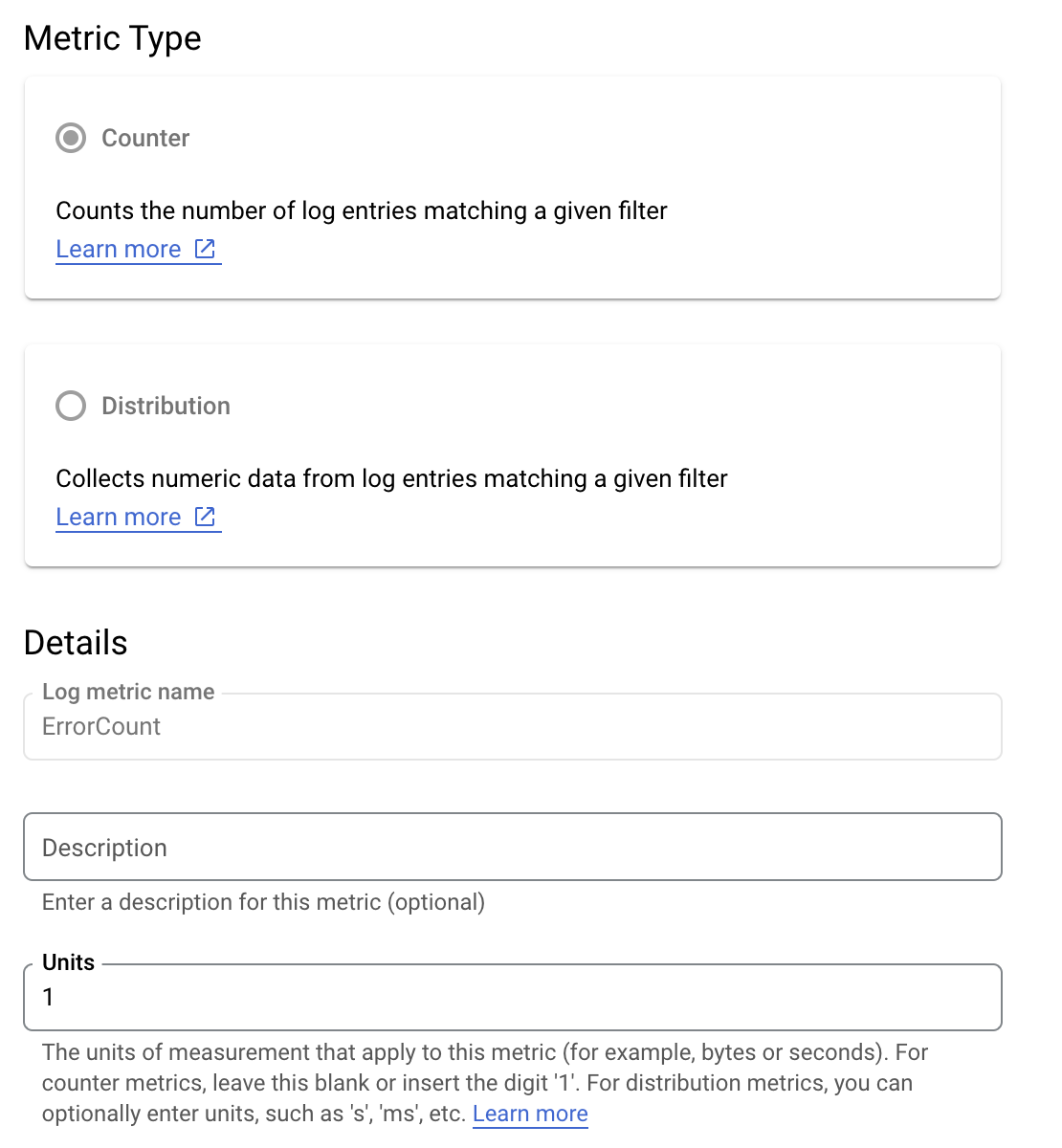
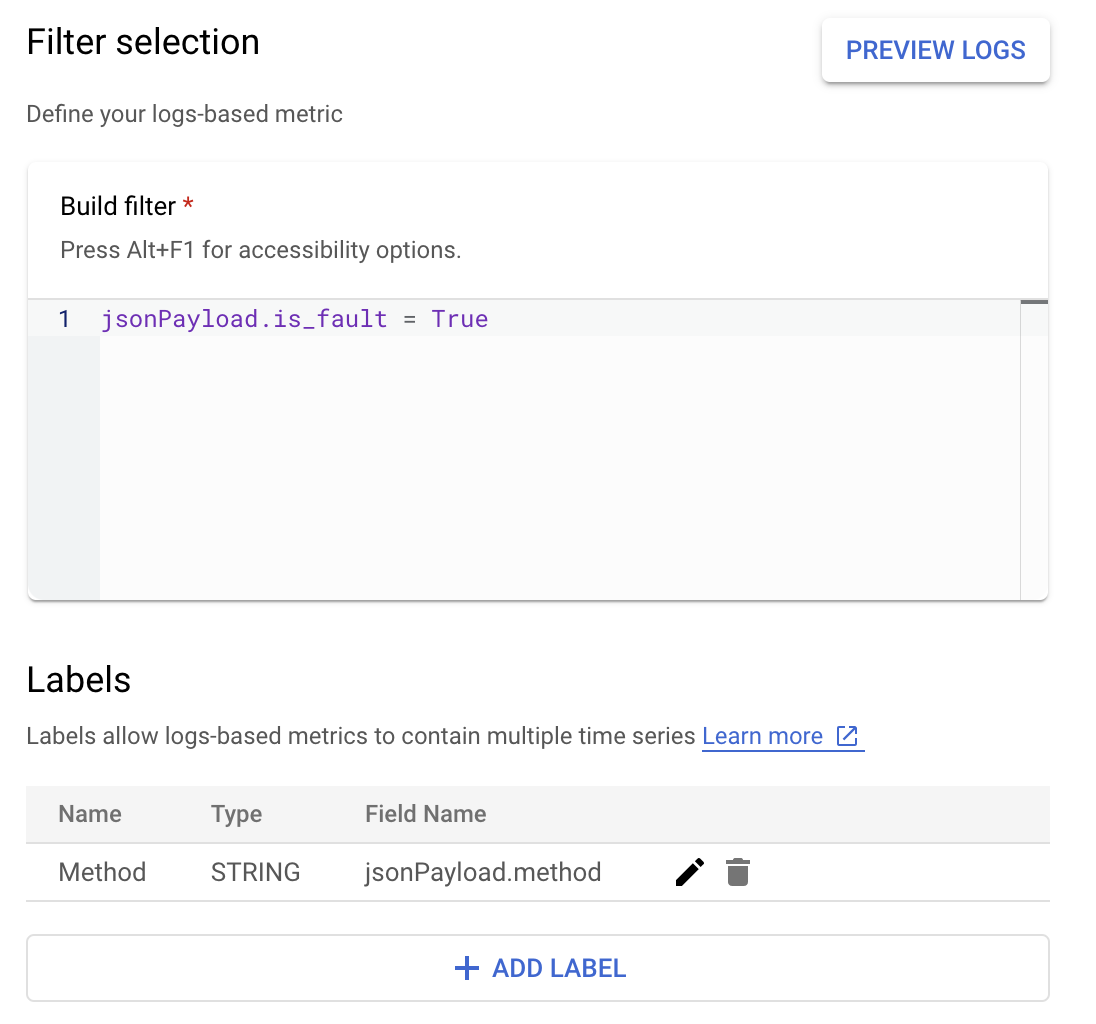
В Cloud Logging метки позволяют группировать метрики по категориям на основе других данных в журналах. Вы можете настроить метку для поля method , отправляемого в Cloud Logging, чтобы посмотреть, как количество ошибок распределяется по методу API Google Ads.
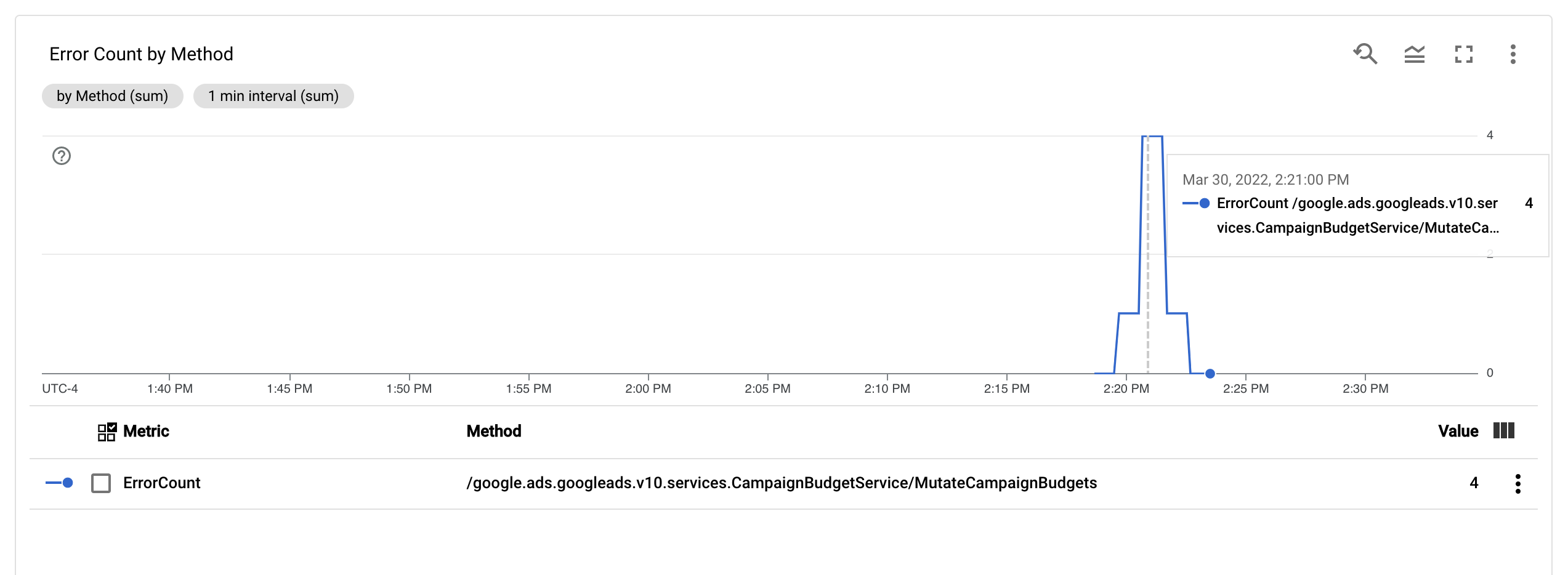
Настроив метрику ErrorCount и метку Method , вы можете создать новый график на панели мониторинга для отслеживания ErrorCount , сгруппированный по Method .
Оповещения
В Cloud Monitoring и других инструментах можно настроить политики оповещений, определяющие, когда и как должны срабатывать оповещения на основе ваших метрик. Инструкции по настройке оповещений в Cloud Monitoring см. в руководстве по оповещениям .