
This guide explains the common security requirements for Google Ads and Google Ads API users.
What is 2-step verification?
2-step verification or 2SV, also known as 2-factor authentication (2FA) is a form of Multi-factor authentication or MFA, which adds a second possession factor ("what you have") in addition to username and password.
2SV is more secure than Single-Factor Authentication systems, where the authentication is done by a username, and a single knowledge factor ("what you know"), typically a password. Requiring a second factor makes it harder for unauthorized users to breach your account. Passwords can be compromised, but the use of 2SV means that a compromised password by itself is not enough to gain access.
2-step verification requirements
The following sections detail 2-step verification requirements for using Google Ads and the Google Ads API.
Google Ads requirements
Google Ads supports manager account security mandates that let a manager account administrator enforce minimum security settings on all current and future sub-accounts that a manager account has administrative ownership over. One such policy lets the administrators of manager accounts require that users of owned sub-accounts enable 2-step verification on their accounts to login.
Existing OAuth refresh tokens are not affected by this policy, other than for calls to the Google Ads API. These tokens will continue to work as usual, and users won't be prompted for reauthorization when obtaining OAuth access tokens. However, Google Ads API calls will fail with a TWO_STEP_VERIFICATION_NOT_ENROLLED error until the user enables 2-step verification in their Google Account.
Google Ads API requirements
The Google Ads API requires 2SV for all its users following the user authentication workflow to generate new OAuth 2.0 refresh tokens. Users will always be challenged with a second factor for authentication in addition to a username and password.
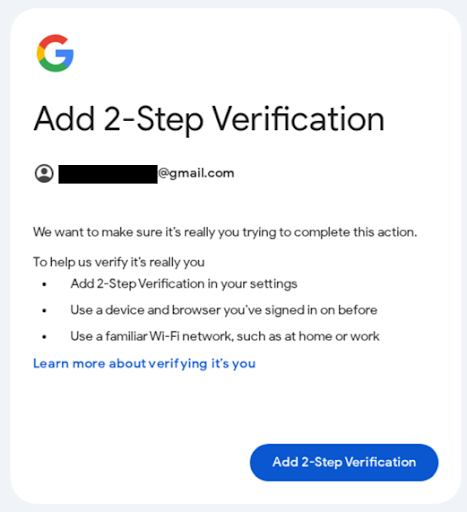
If the user doesn't have 2-step verification enabled, they will be prompted to add a 2-step verification method.
Existing OAuth refresh tokens are not affected by this policy. They will continue to work as usual, and users won't be prompted for reauthorization when obtaining OAuth access tokens.
What are passkeys?
A passkey is a form of multi-factor authentication that combines public key cryptography with your device's existing security (such as your fingerprint, face scan, or screen lock PIN) to verify an account owner's identity. Passkeys use possession of your device ("what you have", for example, your smartphone, or a FIDO2 key) with the knowledge of how to unlock the device ("what you know"), thus providing a convenient alternative to passwords.
Passkeys are considered more secure than 2FA because of the following reasons:
- Domain-bound: Passkeys are tied to specific domains (e.g. google.com), and won't work on fraudulent websites that impersonate the original website (for example, google-fake.com).
- Device-bound: Passkeys are locked behind your device's local authentication, and requires the user's physical presence to be unlocked.
- No secrets to steal: Passkeys use a public-key based cryptographic challenge-response method between your device and the server and don't use one-time passcodes or passwords that can be intercepted.
How to set up a passkey
To set up a passkey,
- Go to g.co/passkeys.
- Click Create a Passkey to sign in to the Security Key Manager.
- Create a passkey by following the steps provided by your device.
Passkey requirements
The following sections detail passkey requirements for using Google Ads and the Google Ads API.
Google Ads requirements
Google Ads supports using a passkey to log into your account. Some advertisers may be required to use a passkey to authorize sensitive actions within their Google Ads account.
Google Ads API requirements
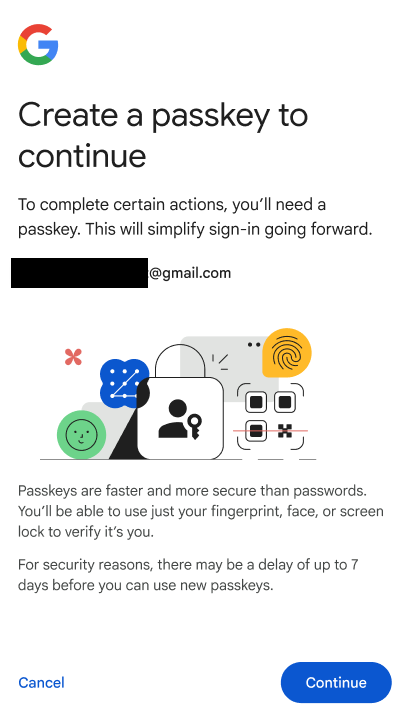
The Google Ads API may require some users to require passkeys. Enforced users will always be required to authenticate using a passkey when following theuser authentication workflow to generate new OAuth 2.0 refresh tokens for Google Ads API. If you haven't created a passkey, you will be asked to create one, and use it to complete the authentication workflow. Other forms of authentication that use password alone, or 2-factor authentication (2FA) mechanisms such as Time-based One-Time Password (TOTP) or SMS-based codes will be disallowed.
Existing OAuth refresh tokens are not affected by this policy. They will continue to work as usual, and users won't be prompted for reauthorization when obtaining OAuth access tokens.