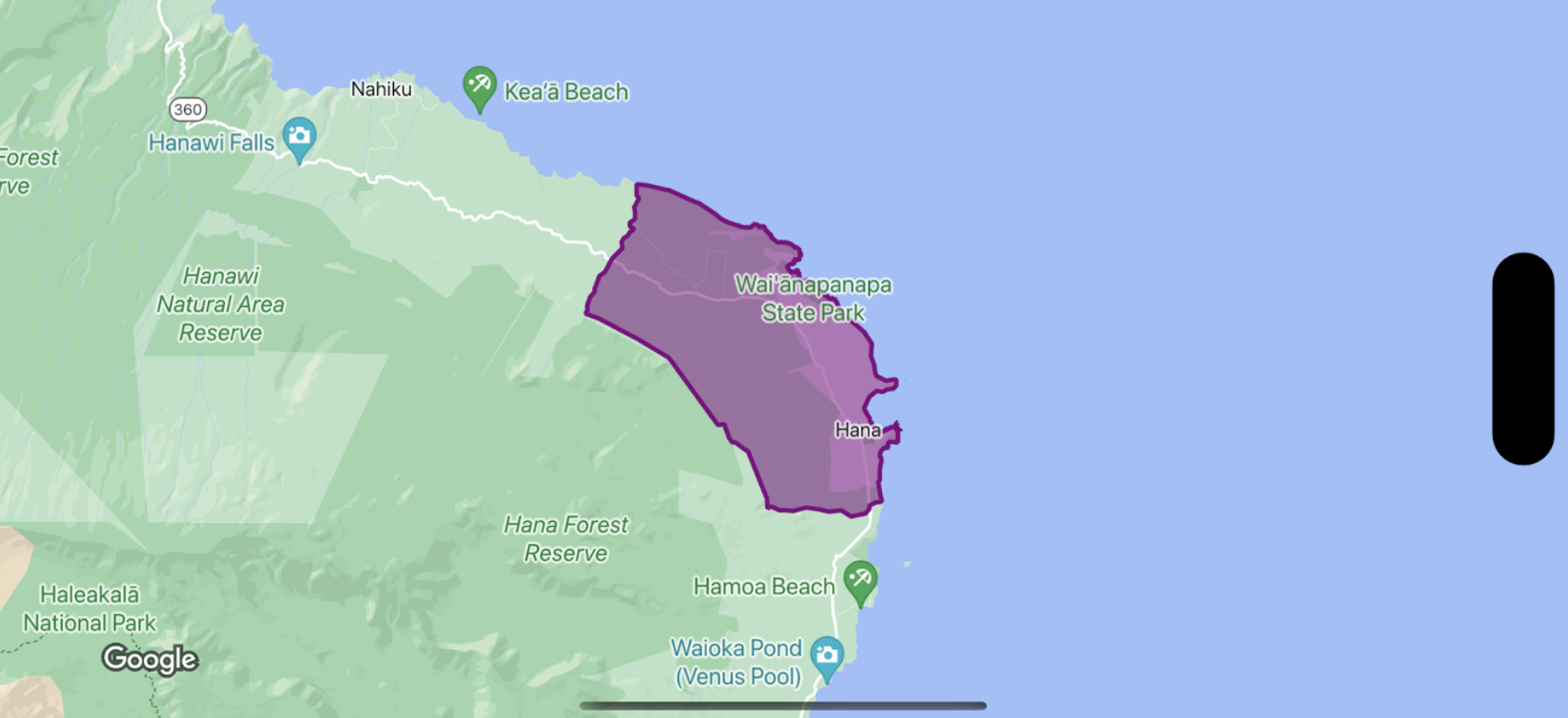
Sie können Füllung und Strich eines Begrenzungspolygons gestalten. Dazu verwenden Sie einen Stilabschluss, der eine GMSPlaceFeature akzeptiert und eine GMSFeatureStyle zurückgibt, um Stilattribute zu definieren. Legen Sie dann für die Stileigenschaft einen Stilabschluss fest, der die Stillogik enthält.
Swift
letmapView=GMSMapView(frame:.zero,mapID:GMSMapID(identifier:"YOUR_MAP_ID"),camera:GMSCameraPosition(latitude:20.773,longitude:-156.01,zoom:12))letlayer=mapView.featureLayer(of:.locality)// Define a style with purpleletstyle=FeatureStyle(fill:.purple.withAlphaComponent(0.5),stroke:.purple,strokeWidth:3.0)// Apply the style to a single boundary.layer.style={($0.placeID=="ChIJ0zQtYiWsVHkRk8lRoB1RNPo"/* Hana, HI */)?style:nil}
Objective-C
GMSMapView*mapView=[GMSMapViewmapWithFrame:CGRectZeromapID:[GMSMapIDmapIDWithIdentifier:@"MAP_ID"]camera:[GMSCameraPositioncameraWithLatitude:20.773longitude:-156.01zoom:12]];GMSFeatureLayer<GMSPlaceFeature*>*layer=[mapViewfeatureLayerOfFeatureType:GMSFeatureTypeLocality];// Define a style with purple fill and border.GMSFeatureStyle*style=[GMSFeatureStylestyleWithFillColor:[[UIColorpurpleColor]colorWithAlphaComponent:0.5]strokeColor:[UIColorpurpleColor]strokeWidth:3.0];// Apply the style to a single boundary.layer.style=^(GMSPlaceFeature*feature){return[feature.placeIDisEqual:@"ChIJ0zQtYiWsVHkRk8lRoB1RNPo"/* Hana, HI */]?style:nil;};
[[["Leicht verständlich","easyToUnderstand","thumb-up"],["Mein Problem wurde gelöst","solvedMyProblem","thumb-up"],["Sonstiges","otherUp","thumb-up"]],[["Benötigte Informationen nicht gefunden","missingTheInformationINeed","thumb-down"],["Zu umständlich/zu viele Schritte","tooComplicatedTooManySteps","thumb-down"],["Nicht mehr aktuell","outOfDate","thumb-down"],["Problem mit der Übersetzung","translationIssue","thumb-down"],["Problem mit Beispielen/Code","samplesCodeIssue","thumb-down"],["Sonstiges","otherDown","thumb-down"]],["Zuletzt aktualisiert: 2026-07-12 (UTC)."],[],[]]