

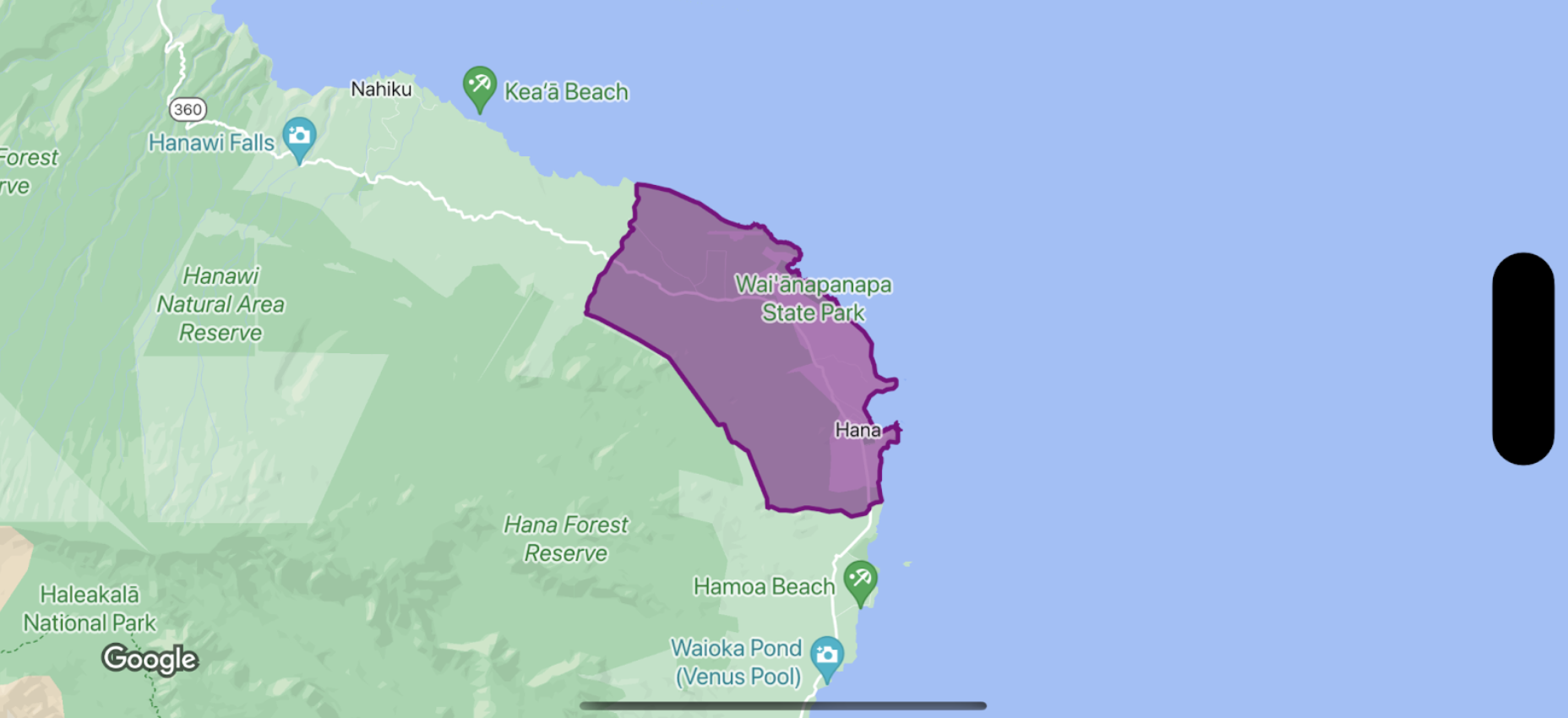
Để tạo kiểu tô và nét cho đa giác ranh giới, hãy sử dụng một hàm đóng tạo kiểu chấp nhận GMSPlaceFeature và trả về GMSFeatureStyle để xác định các thuộc tính kiểu. Sau đó, đặt thuộc tính kiểu thành một hàm đóng kiểu chứa logic định kiểu.
Swift
let options = GMSMapViewOptions()
options.mapID = GMSMapID(identifier: "YOUR_MAP_ID")
options.camera = GMSCameraPosition(latitude: 20.773, longitude: -156.01, zoom: 12)
let mapView = GMSMapView(options: options)

let layer = mapView.featureLayer(of: .locality)

// Define a style with purple
let style = FeatureStyle(fill: .purple.withAlphaComponent(0.5), stroke: .purple, strokeWidth: 3.0)

// Apply the style to a single boundary.
layer.style = { ($0.placeID == "ChIJ0zQtYiWsVHkRk8lRoB1RNPo"/* Hana, HI */) ? style : nil }
Objective-C
GMSMapViewOptions *options = [[GMSMapViewOptions alloc] init];
options.camera = [GMSCameraPosition cameraWithLatitude:20.773 longitude:-156.01 zoom:12];
options.mapID = [GMSMapID mapIDWithIdentifier:@"MAP_ID"];
GMSMapView *mapView = [[GMSMapView alloc] initWithOptions:options];

GMSFeatureLayer<GMSPlaceFeature *> *layer = [mapView featureLayerOfFeatureType:GMSFeatureTypeLocality];

// Define a style with purple fill and border.
GMSFeatureStyle *style = [GMSFeatureStyle styleWithFillColor:[[UIColor purpleColor] colorWithAlphaComponent:0.5] strokeColor:[UIColor purpleColor] strokeWidth:3.0];

// Apply the style to a single boundary.
layer.style = ^(GMSPlaceFeature *feature) {
  return [feature.placeID isEqual:@"ChIJ0zQtYiWsVHkRk8lRoB1RNPo"/* Hana, HI */] ? style : nil;
};