
Kuruluş (Organization) yapılandırılmış verileri
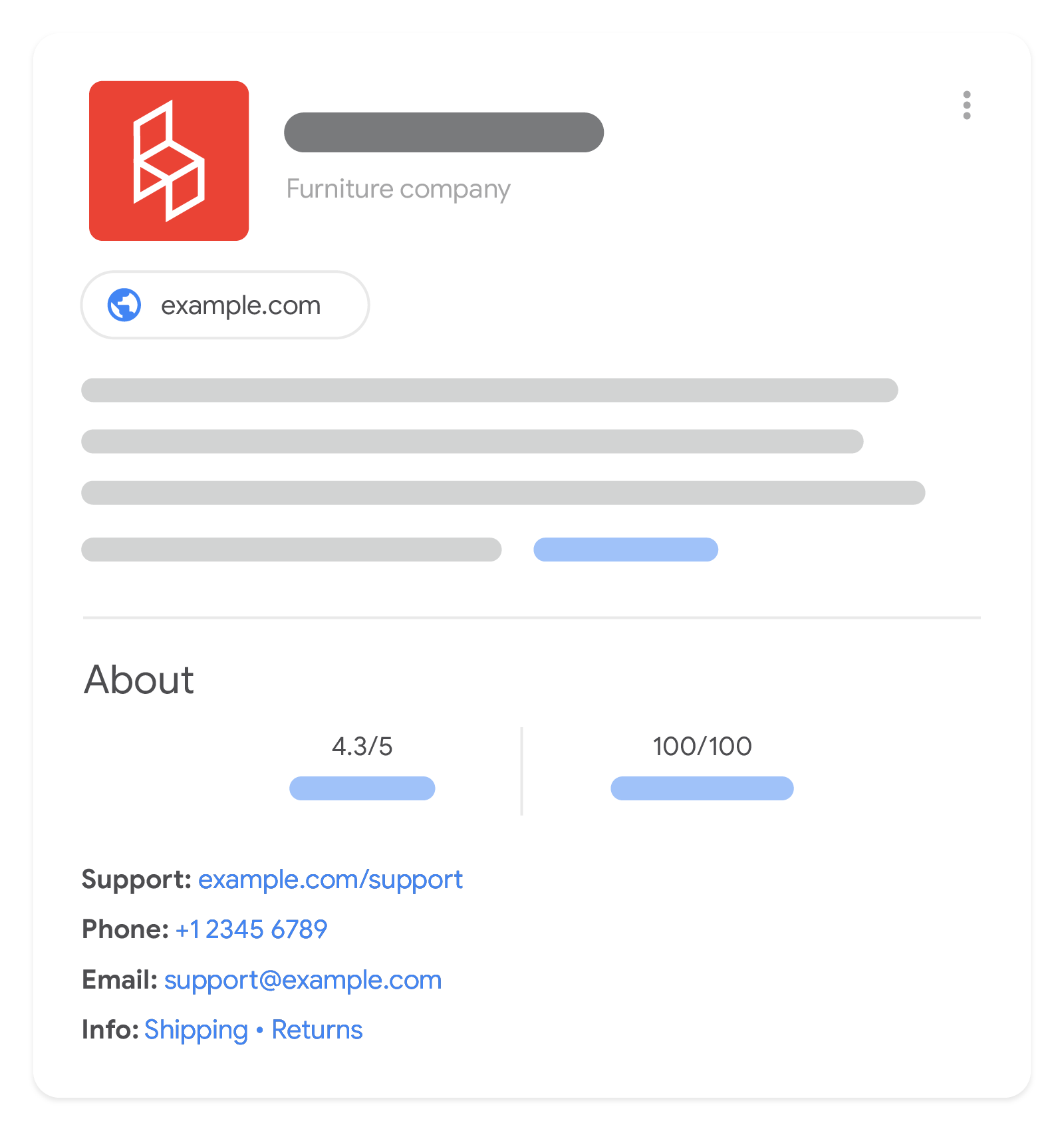
Ana sayfanıza kuruluş yapılandırılmış verileri eklemeniz, Google'ın kuruluşunuzun idari ayrıntılarını daha iyi
anlamasına ve arama sonuçlarında kuruluşunuzu ayırt etmesine yardımcı olabilir. Bazı
özellikler, kuruluşunuzu diğer kuruluşlardan ayırt etmek için arka planda kullanılırken (örneğin iso6523 ve
naics) diğer özellikler ise Arama sonuçlarındaki görsel öğeleri etkileyebilir
(örneğin Arama sonuçlarında ve bilgi panelinizde gösterilecek
logo öğesi).
Satıcıysanız satıcı bilgi panelinize ve marka
profilinize daha fazla ayrıntı
(ör. iade politikası, adres ve
iletişim bilgileri) ekleyebilirsiniz. Zorunlu özellik yoktur. Bunun yerine
kuruluşunuzla alakalı mümkün olduğunca çok sayıda özellik eklemenizi öneririz.
Yapılandırılmış veri ekleme
Yapılandırılmış veri, bir sayfa hakkında bilgi sağlamak ve sayfa içeriğini sınıflandırmak için kullanılan standart bir biçimdir. Yapılandırılmış veri konusunda yeniyseniz yapılandırılmış verinin nasıl çalıştığı hakkında daha fazla bilgi edinebilirsiniz.
Aşağıda, yapılandırılmış verinin nasıl oluşturulacağı, test edileceği ve yayınlanacağı hakkında bir genel bakış sunulmuştur.
- Web sayfanız için geçerli olan tüm önerilen özellikleri ekleyin. Zorunlu özellik yoktur. İçeriğiniz için geçerli olan özellikleri eklemeniz yeterlidir. Kullandığınız biçime bağlı olarak sayfada yapılandırılmış verilerin nereye ekleneceğini öğrenin.
- Yönergeleri uygulayın.
- Zengin Sonuçlar Testini kullanarak kodunuzu doğrulayın ve kritik hataları düzeltin. Ayrıca, araçta işaretlenmiş olabilecek kritik olmayan sorunları düzeltmek de yapılandırılmış verilerinizin kalitesini iyileştirmeye yardımcı olabilir (ancak bunların düzeltilmesi, zengin sonuçlara uygunluk için gerekli değildir).
- Yapılandırılmış verinizi içeren birkaç sayfa dağıtıp Google'ın sayfayı nasıl gördüğünü test etmek için URL Denetleme aracını kullanın. Google'ın sayfanıza erişebildiğinden ve bir robots.txt dosyası,
noindexetiketi veya giriş gereksinimleri tarafından engellenmediğinden emin olun. Sayfa düzgün görünüyorsa Google'dan URL'lerinizi yeniden taramasını isteyebilirsiniz. - İleride yapılacak değişiklikler konusunda Google'a bilgi vermeye devam etmek için site haritası gönderin. Bu işlemi Search Console Sitemap API ile otomatikleştirebilirsiniz.
Örnekler
Organization
JSON-LD koduyla belirtilen kuruluş bilgilerinin örneğini burada bulabilirsiniz.
<html>
  <head>
    <title>About Us</title>
    <script type="application/ld+json">
    {
      "@context": "https://schema.org",
      "@type": "Organization",
      "url": "https://www.example.com",
      "sameAs": ["https://example.net/profile/example1234", "https://example.org/example1234"],
      "logo": "https://www.example.com/images/logo.png",
      "name": "Example Corporation",
      "description": "The example corporation is well-known for producing high-quality widgets",
      "email": "contact@example.com",
      "telephone": "+47-99-999-9999",
      "address": {
        "@type": "PostalAddress",
        "streetAddress": "Rue Improbable 99",
        "addressLocality": "Paris",
        "addressCountry": "FR",
        "addressRegion": "Ile-de-France",
        "postalCode": "75001"
      },
      "vatID": "FR12345678901",
      "iso6523Code": "0199:724500PMK2A2M1SQQ228"
    }
    </script>
  </head>
  <body>
  </body>
</html>
Kargo ve iade politikası olan OnlineStore (Organization alt türü)
Aşağıda, JSON-LD kodunda hem kargo politikası hem de iade politikası içeren bir online mağaza örneği verilmiştir.
Satıcı düzeyindeki standart iade politikalarıyla ilgili daha fazla örnek ve ayrıntılı bilgi için ayrı Satıcı iade politikası işaretlemesi belgelerini inceleyin.
<html>
  <head>
    <title>About Us</title>
    <script type="application/ld+json">
      {
        "@context": "https://schema.org",
        "@type": "OnlineStore",
        "name": "Example Online Store",
        "url": "https://www.example.com",
        "sameAs": [
          "https://example.net/profile/example12",
          "https://example.org/@example34"
        ],
        "logo": "https://www.example.com/assets/images/logo.png",
        "contactPoint": {
          "contactType": "Customer Service",
          "email": "support@example.com",
          "telephone": "+47-99-999-9900"
        },
        "vatID": "FR12345678901",
        "iso6523Code": "0199:724500PMK2A2M1SQQ228",
        "hasShippingService": [
          {
            "@type": "ShippingService",
            "name": "shipping to CH and FR",
            "description": "Shipping to CH 5% of order value, shipping to FR always free",
            "fulfillmentType": "FulfillmentTypeDelivery",
            "shippingConditions": [
              {
                "@type": "ShippingConditions",
                "shippingOrigin": {
                  "@type": "DefinedRegion",
                  "addressCountry": "FR"
                },
                "shippingDestination": {
                  "@type": "DefinedRegion",
                  "addressCountry": "CH"
                },
                "shippingRate": {
                  "@type": "ShippingRateSettings",
                  "orderPercentage": "0.05"
                }
              },
              {
                "@type": "ShippingConditions",
                "shippingOrigin": {
                  "@type": "DefinedRegion",
                  "addressCountry": "FR"
                },
                "shippingDestination": {
                  "@type": "DefinedRegion",
                  "addressCountry": "FR"
                },
                "shippingRate": {
                  "@type": "MonetaryAmount",
                  "value": "0",
                  "currency": "EUR"
                }
              }
            ]
          }
        ],
        "hasMerchantReturnPolicy": {
          "@type": "MerchantReturnPolicy",
          "applicableCountry": [
            "FR",
            "CH"
          ],
          "returnPolicyCountry": "FR",
          "returnPolicyCategory": "https://schema.org/MerchantReturnFiniteReturnWindow",
          "merchantReturnDays": 60,
          "returnMethod": "https://schema.org/ReturnByMail",
          "returnFees": "https://schema.org/FreeReturn",
          "refundType": "https://schema.org/FullRefund"
        }
        // Other Organization-level properties
        // ...
      }
    </script>
  </head>
  <body>
  </body>
</html>
Yönergeler
Yapılandırılmış verilerin Google Arama sonuçlarına dahil edilmeye uygun olması için bu yönergeleri uygulamanız gerekir.
Teknik yönergeler
Bu bilgileri ana sayfanıza veya kuruluşunuzu açıklayan tek bir sayfaya (örneğin, Hakkımızda sayfası) yerleştirmenizi öneririz. Bunları sitenizin her sayfasına eklemenize gerek yoktur.
Organization öğesinin en spesifik ve kuruluşunuza uygun schema.org alt
türünü kullanmanızı öneririz. Örneğin, bir e-ticaret siteniz varsa OnlineBusiness yerine
OnlineStore alt türünü
kullanmanızı öneririz.
Siteniz yerel bir işletmeyle ilgiliyse (örneğin, restoran veya fiziksel mağaza) idari ayrıntılarınızı
LocalBusiness öğesinin en spesifik alt türlerini
kullanarak sağlamanızı ve bu kılavuzda önerilen alanlara
ek olarak yerel işletme için zorunlu ve önerilen alanları
kullanmanızı öneririz.
Yapılandırılmış veri türü tanımları
Google, Organization öğesinin aşağıdaki
özelliklerini tanır.
Web sayfanız için geçerli olan, önerilen özelliklerden ne kadar çok eklerseniz Google, sayfanızı o kadar iyi anlar. Zorunlu özellik yoktur. Kuruluşunuz için geçerli olan özellikleri eklemeniz yeterlidir.
| Önerilen özellikler | |
|---|---|
address |
Varsa kuruluşunuzun adresi (fiziksel adres veya posta adresi). Ülkeniz için geçerli olan tüm özellikleri ekleyin. Sağladığınız özellikler ne kadar fazla olursa kullanıcılar için sonucun kalitesi de o kadar yüksek olur. Birden fazla şehir, eyalet veya ülkede yeriniz varsa birden fazla adres girebilirsiniz. Örneğin: "address": [{ "@type": "PostalAddress", "streetAddress": "999 W Example St Suite 99 Unit 9", "addressLocality": "New York", "addressRegion": "NY", "postalCode": "10019", "addressCountry": "US" },{ "streetAddress": "999 Rue due exemple", "addressLocality": "Paris", "postalCode": "75001", "addressCountry": "FR" }] |
address.addressCountry |
İki harfli ISO 3166-1 alfa-2 ülke kodu ile belirtilen, posta adresinizin bulunduğu ülke. |
address.addressLocality |
Posta adresinizin bulunduğu şehir. |
address.addressRegion |
Varsa posta adresinizin bulunduğu bölge. Örneğin, bu bir eyalet olabilir. |
address.postalCode |
Adresinizin posta kodu. |
address.streetAddress |
Posta adresinizin bulunduğu açık adres. |
alternateName |
Varsa kuruluşunuzun yaygın olarak kullandığı başka bir ad. |
contactPoint |
Varsa kullanıcıların işletmenizle iletişime geçebileceği en iyi yöntem. Google'ın önerdiği en iyi uygulamaları izleyerek kullanıcılarınıza sunulan tüm destek yöntemlerini ekleyin. Örneğin: "contactPoint": { "@type": "ContactPoint", "telephone": "+9-999-999-9999", "email": "contact@example.com" } |
contactPoint.email |
Varsa işletmenizle iletişim kurulabilen e-posta adresi.
|
contactPoint.telephone |
Varsa işletmenizle iletişim kurulabilen telefon numarası.
Telefon numarasına ülke kodunu ve alan kodunu eklediğinizden emin olun.
|
description |
Varsa kuruluşunuzun ayrıntılı açıklaması. |
duns |
Varsa |
email
|
Varsa işletmenizle iletişim kurulabilen e-posta adresi. |
foundingDate |
Varsa ISO 8601 tarih biçiminde belirtilen, |
globalLocationNumber |
Varsa |
hasMerchantReturnPolicy
|
Tekrarlanan
Varsa |
hasMemberProgram
|
Tekrarlanan
Varsa sunduğunuz bir üye (bağlılık) programı.
|
hasShippingService
|
Tekrarlanan
Varsa |
iso6523Code
|
Varsa kuruluşunuzun ISO 6523 tanımlayıcısı.
ISO 6523 tanımlayıcısının ilk bölümü, kullanılan tanımlama şemasının belirtildiği bir
|
legalName |
Varsa kayıtlı, |
leiCode |
Varsa |
logo |
Varsa kuruluşunuzu temsil eden bir logo. Bu özelliği eklemek, Google'ın hangi logoyu göstermek istediğinizi (ör. Arama sonuçlarında ve bilgi panellerinde) daha iyi anlamasına yardımcı olabilir. Resim kuralları:
|
naics |
Varsa |
name |
Kuruluşunuzun adı. Site adınız için kullandığınız
|
numberOfEmployees |
Varsa Belirli bir çalışan sayısını gösteren örnek: "numberOfEmployees": { "@type": "QuantitativeValue", "value": 2056 } Belirli bir aralıktaki çalışan sayısını gösteren örnek: "numberOfEmployees": { "@type": "QuantitativeValue", "minValue": 100, "maxValue": 999 } |
sameAs
|
Varsa kuruluşunuzla ilgili ek bilgilerin bulunduğu başka bir web sitesindeki sayfanın URL'si. Örneğin, kuruluşunuzun bir sosyal medya veya yorum sitesindeki profil sayfasına yönlendiren URL. Birden fazla |
taxID
|
Varsa |
telephone
|
Varsa müşteriler için birincil iletişim yöntemi olarak kullanılacak bir işletme telefon numarası. Telefon numarasına ülke kodunu ve alan kodunu eklediğinizden emin olun. |
url
|
Varsa kuruluşunuza ait web sitesinin URL'si. Bu bilgi, Google'ın kuruluşunuzu benzersiz bir şekilde tanımlamasına yardımcı olur. |
vatID
|
Ülkeniz ve işletmeniz için geçerliyse |
Sorun giderme
Yapılandırılmış verileri uygulamada veya hata ayıklamada sorun yaşıyorsanız size yardımcı olabilecek bazı kaynaklar aşağıda verilmiştir.
- İçerik yönetim sistemi (İYS) kullanıyorsanız veya sitenizle başka biri ilgileniyorsa bu kişiden size yardım etmesini isteyin. Sorunla ilgili ayrıntılı bilgiler içeren Search Console mesajlarını bu kişiye yönlendirdiğinizden emin olun.
- Google, yapılandırılmış veriler kullanan özelliklerin arama sonuçlarında görüneceğini garanti etmez. Google'ın içeriğinizi zengin sonuç içinde göstermemesinin yaygın nedenlerini içeren liste için Genel Yapılandırılmış Veri Yönergeleri'ni inceleyin.
- Yapılandırılmış verilerinizde bir hata olabilir. Yapılandırılmış veri hatalarının listesini ve Ayrıştırılamayan yapılandırılmış veri raporunu kontrol edin.
- Sayfanıza yönelik bir yapılandırılmış veri manuel işlemi varsa sayfadaki yapılandırılmış veriler dikkate alınmaz (sayfa Google Arama sonuçlarında görünmeye devam edebilir). Yapılandırılmış veri sorunlarını düzeltmek için Manuel İşlemler raporunu kullanın.
- İçeriğinizin kurallara uygun olup olmadığını belirlemek için yönergeleri tekrar inceleyin. Sorun, spam içeriği veya spam içerikli işaretleme kullanımından kaynaklanıyor olabilir. Bununla birlikte, sorunun söz diziminden kaynaklanmadığı durumlarda Zengin Sonuçlar Testi bu sorunları tanımlayamaz.
- Yapılandırılmış veri sorunları, sitenizin içeriğinin arama sonuçlarında görünme şeklini etkileyebilir. Bu sorunların Search Console'da tespit edilmesi, düzeltilmesi ve doğrulanmasıyla ilgili adım adım açıklamalı bir yaklaşımı incelemek için bu Eksik zengin sonuçlar/toplam zengin sonuç sayısında düşüş sorununu giderme kılavuzunu kullanın.
- Yeniden tarama ve yeniden dizine ekleme için zaman tanıyın. Google’ın yayınlandıktan sonra bir sayfayı bulmasının ve taramasının birkaç gün sürebileceğini unutmayın. Tarama ve dizine ekleme hakkında genel sorular için Google Arama tarama ve dizine ekleme için SSS bölümüne bakın.
- Google Arama Merkezi forumunda soru yayınlayın.