
Analyze your social and video platform content performance in Search Console
When you create content on platforms like TikTok, Instagram, X, and YouTube, your audience can also find your content when they search with Google. Whether you're a content creator, social media manager, or SEO professional, this guide will show you what insights are available from Search Console and how to analyze your performance in Google Search.
Because you're likely using many different platforms to reach your audience (and not just through a website), it's important to understand how people discover your content across all of them. Here are some ways people may find your TikTok, Instagram, X, or YouTube content on Google Search:
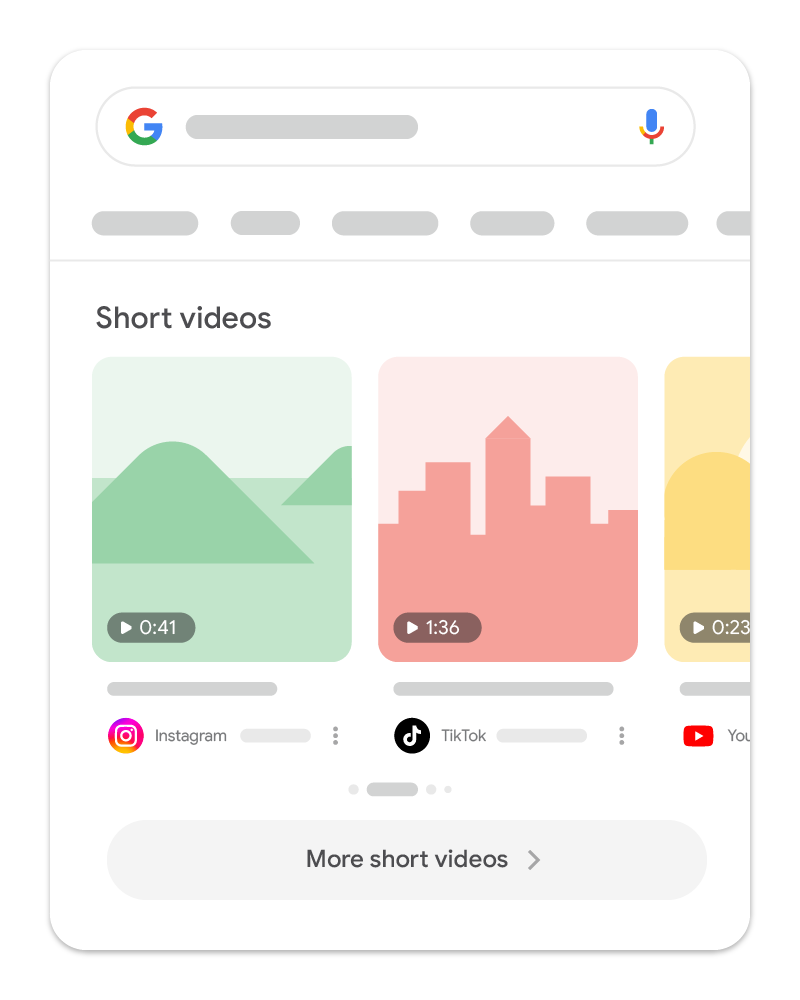
|
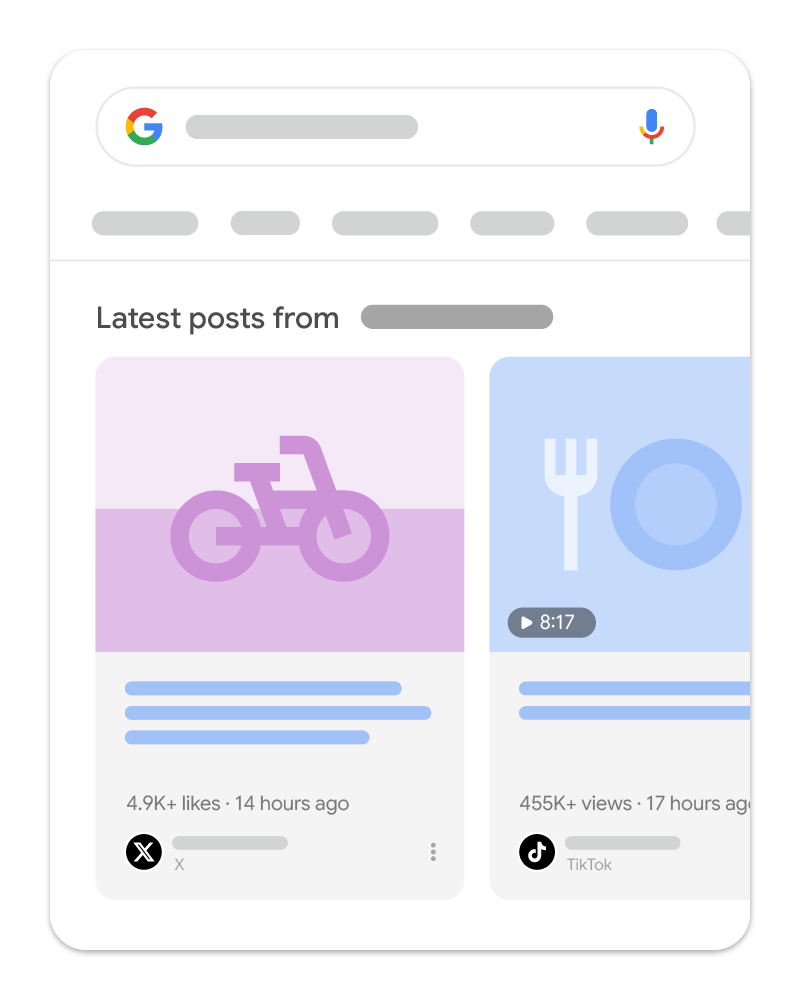
|
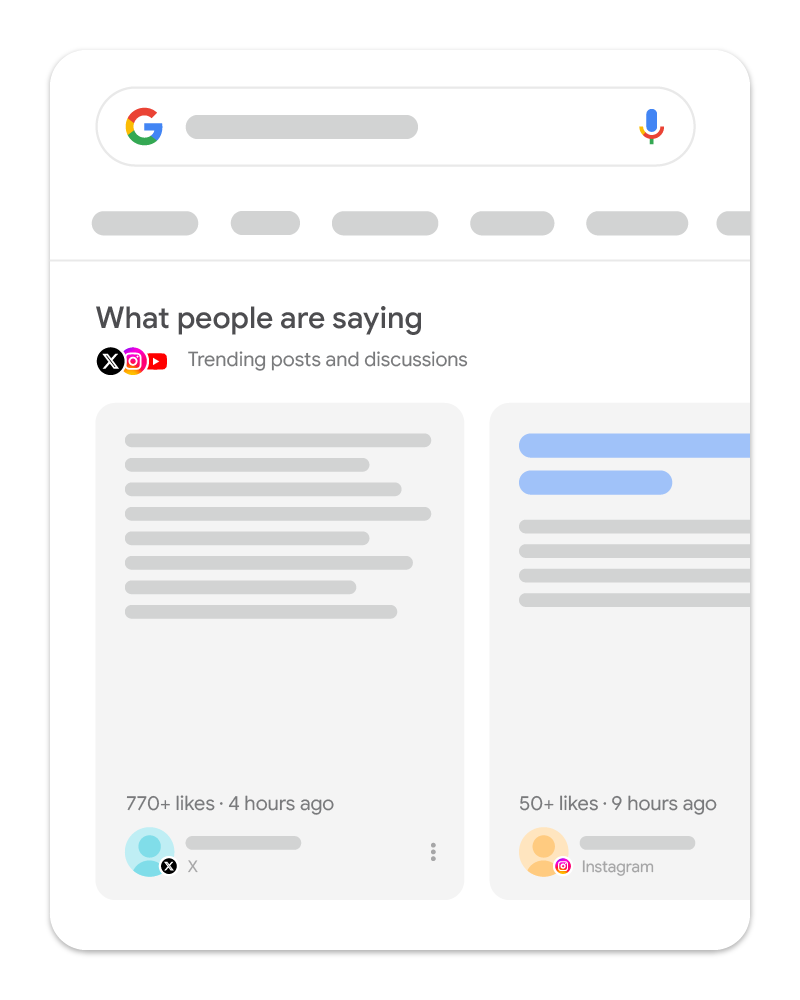
|
Get started with Search Console
Search Console is a tool that lets you see how your content performs on Google Search. If you have a website, you can see how your pages perform on Search and which terms people are using to find them. This information is also available for your TikTok, Instagram, X, or YouTube content. With platform properties, you can see the moment your TikTok video or Instagram post starts taking off on Google and make content strategy decisions, such as cross-promoting your content on other platforms, repackaging your top videos, and growing your audience across all platforms where you're creating content.
To start tracking your data, add and verify each of your accounts individually in Search Console.
Add your platform property in Search Console
What data and reports you'll get access to
Once you add your accounts, Search Console provides a clear view of how people are finding your content across Google Search, Discover, and Google News. The Insights report gives you a simplified, visual overview of your content performance:
- Traffic trends overview: Get a sense of how many clicks you got over the last 28 days, and how they're distributed between different parts of Google Search.
- Your top-performing content: Find out which specific posts or videos are bringing the most people to your content from Google.
- How people find you: See the search queries (also known as "search terms") people use to discover your channel or profile page, including specific social posts, videos, and more.
- Where is your audience: Understand which countries your users are coming from.
If you want to dive deeper into your data, the Performance reports give you access to in-depth information on how and where your content is performing. Here are some sample questions you can get answers for with the data available in these reports:
- Are there posts that are more successful in specific countries?
- Which content is consumed on mobile as opposed to desktop?
- Are there any search terms that you would expect to get traffic from that you're not? What about search terms you never imagined you'd get traffic from?
In the Performance reports, you can also filter your data by country, specific dates, or search terms to see where your biggest growth opportunities are. Here are some useful examples of advanced filtering and comparisons.
Spot trending search queries for your content
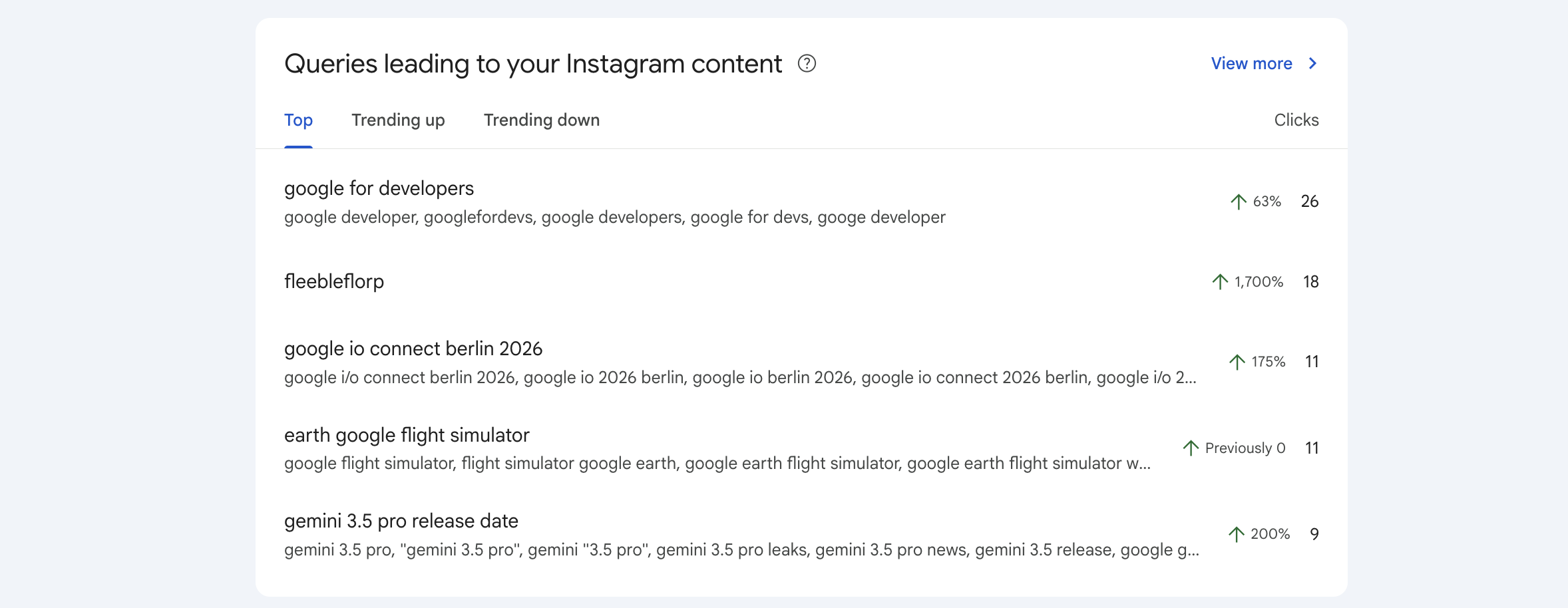
By looking at the words people search for (also known as "search queries" or "search terms") before finding your TikTok or YouTube videos on Google Search, you can get insights into what your audience cares about. With Search Console, you can use these insights to brainstorm your next video, caption, or hashtag strategy.
To quickly understand the different groups (or themes) in the terms that are sending traffic to your content, go to the Insights report. You'll find a card containing groups of queries, which lets you view the top, trending up, and trending down groups. This can give you an indication of where to invest your time when creating new content.
Check for trending content with the 24-hour filter
Imagine you posted a GRWM TikTok video yesterday featuring a specific skincare brand or a unique styling tip. By looking at your 24-hour search data in Search Console, you might discover that a specific search term is suddenly bringing people to your new video. This can help you understand which words people use to find your content; you can use that when planning new content.
To start, open the Performance report for your platform property, click the 24 hours filter on top of your chart, check if your new video is trending up, and consider cross-promoting on another platform based on the available data. For example, you could post an Instagram story referencing the same trend, directing that surging search interest to your other profiles.
Understand and compare different types of content
If you'd like to perform a more advanced analysis on how different types of content perform, use a
page filter.
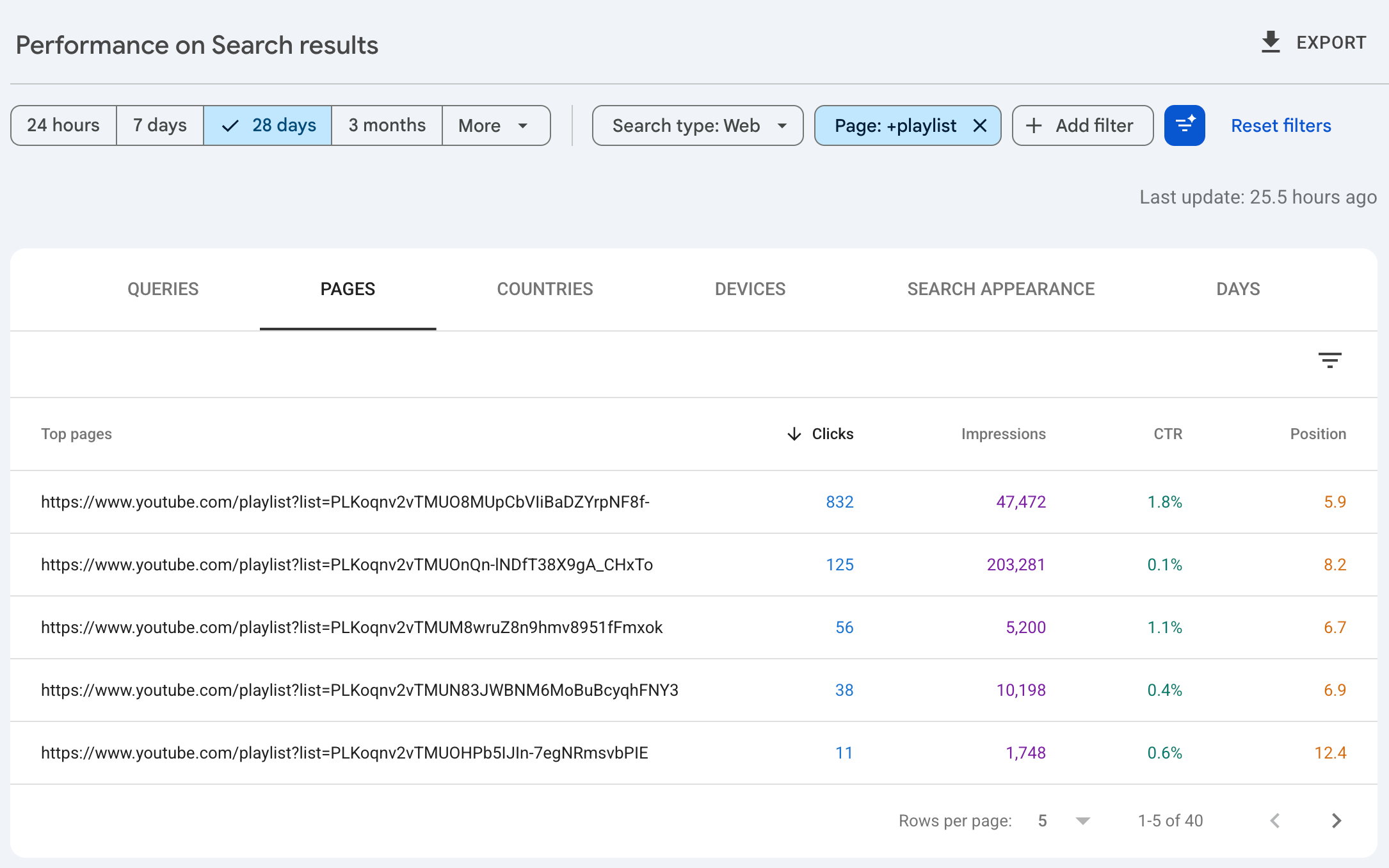
For example, if you have a YouTube channel with many playlists, you could create a filter including the
word playlist, click the CTR and average position scorecards on top of the chart, and compare
the performance of all your playlists. Note that this will show you the performance for the
playlist page itself, not the videos included in it.
Compare playlists
In this example, you can see that while the top four playlists have a similar position, the top two are generating significantly more traffic. You can analyze the content of these lists, such as the playlist names and descriptions.
Compare formats
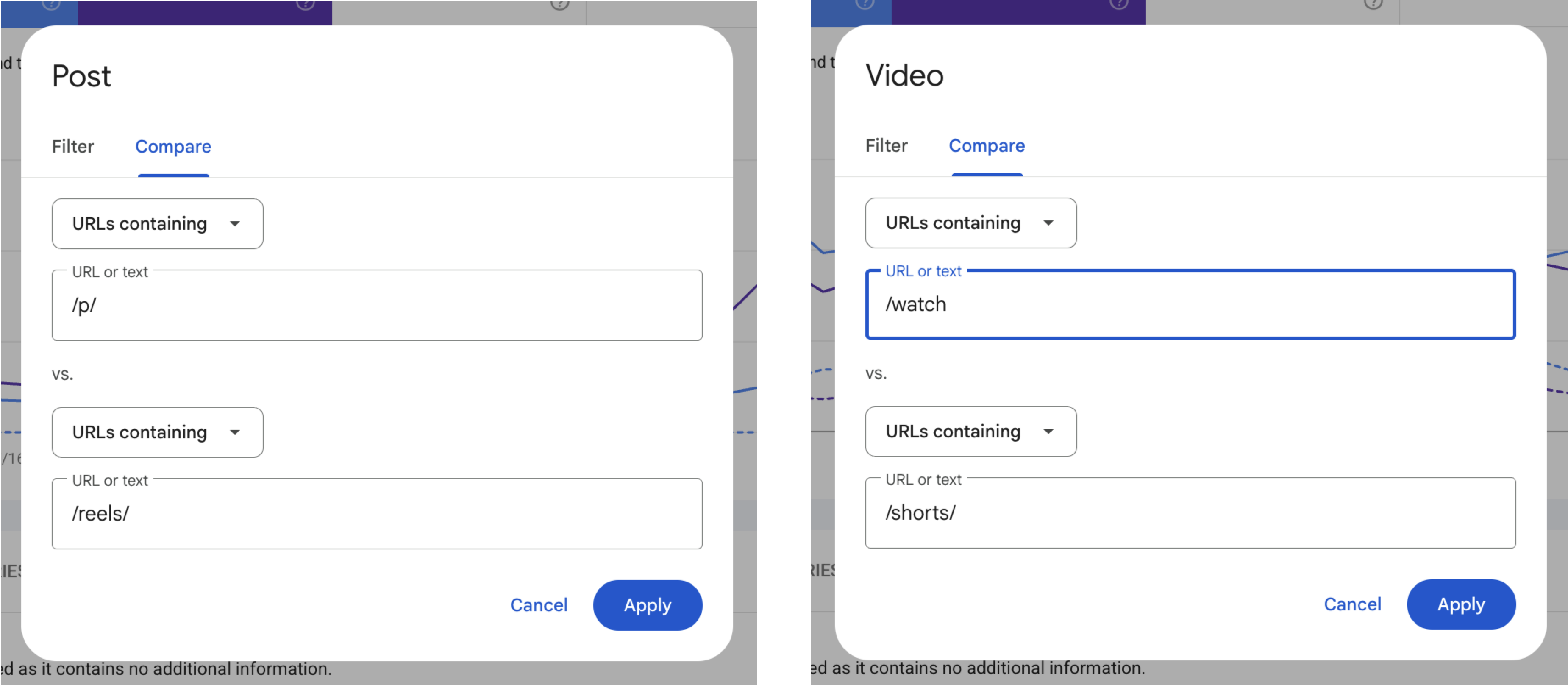
Another interesting analysis is comparing different content formats. For example, you could compare how your YouTube shorts are performing against your full-length videos on YouTube, or you could compare how your Instagram reels are performing against your posts on Instagram. To do so, use comparison mode to create a group containing URLs that have one word to another word:
- YouTube: Compare URLs containing the word
/watchto URLs containing the word/shorts/. - Instagram: Compare URLs containing the word
/p/to URLs containing the word/reels/.
Compare data across platforms
By comparing how your content is performing on different platforms in Search Console, you can use insights to rework your content, such as tweaking your TikTok caption, adjusting your hashtags to match the rising Google Search terms, or editing a new version of the video that focuses on the exact details people are searching for.
You can also understand the nuances between the audiences watching your content on each of the platforms. For example, if you see that a long-form cooking tutorial is performing well on YouTube but your shorter TikTok version isn't getting the same search traction, you may consider repackaging your content.
Follow these steps:
- Go to your YouTube Search Console property.
- Click the URL you'd like to analyze. This filters the report to include only data for this specific URL.
- Click Export and choose your preferred file format.
- Repeat for all other platform properties you have.
- Find which posts or videos perform best for specific countries and devices, and which are the top queries driving their traffic, and update your content strategy based on the results. For example, perhaps you see that your YouTube audience is primarily watching on mobile, and you decide to experiment with more short-form, vertical videos.
Optimize your content strategy
You can use your Search Console data to see which of your existing videos are gaining traction, and use that information to drive your next piece of content:
- Check for sudden spikes: Look for sudden spikes in impressions or clicks for your older tutorials, social posts, or videos.
- Extend the lifecycle of your content: If an old video starts trending again due to a seasonal shift or a pop-culture moment, you could consider actions like pinning it to the top of your feed, talking about it on your other channels, or filming a part two to keep the momentum going.
- Revise your titles and captions: If you decide to rewrite a title or caption of a piece of content, you can check if your change has any impact on how people are finding that content through Google Search. For example, you can add an annotation in Search Console (basically a bookmark for a particular date in the data) to remember when you updated the caption of your TikTok video or title of your YouTube video. Then, you can compare if performance changes over time and quickly see when you made the change.