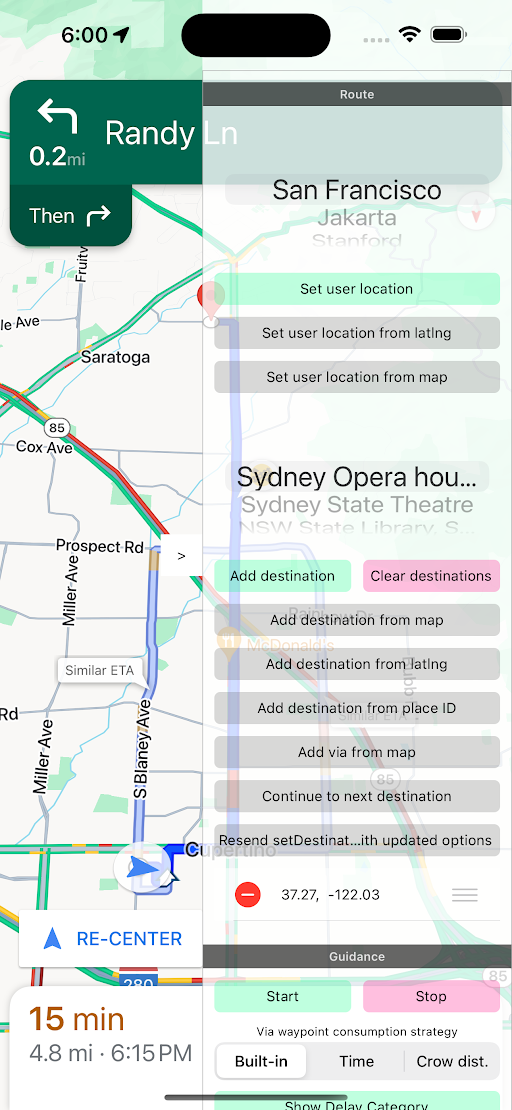
หากต้องการเรียกใช้การสาธิต คุณต้องมีบัญชี Google Cloud และคีย์ API ที่เปิดใช้สำหรับ Navigation SDK โดยฝ่ายขาย เมื่อมีบัญชี Google Cloud แล้ว โปรดดูหัวข้อตั้งค่าโปรเจ็กต์การพัฒนาและคีย์ API
ตั้งค่าโปรเจ็กต์การพัฒนาและคีย์ API
สร้างหรือเปิดโปรเจ็กต์ในคอนโซล Google Cloud เพื่อใช้กับ Maps SDK สำหรับ iOS รอสักครู่จนกว่าโปรเจ็กต์จะปรากฏในคอนโซล Cloud
เปิดใช้ Maps SDK สำหรับ iOS ในคอนโซล Google Cloud
ในโปรเจ็กต์ ให้เปิดส่วน API และเปิดใช้ Maps SDK สำหรับ iOS
สร้างคีย์ API สำหรับโปรเจ็กต์โดยเลือก API และบริการ > ข้อมูลเข้าสู่ระบบ > สร้างข้อมูลเข้าสู่ระบบ > คีย์ API
เพิ่ม Maps SDK สำหรับ iOS ลงในคีย์ API ดูข้อมูลเพิ่มเติมได้ที่การใช้คีย์ API
[[["เข้าใจง่าย","easyToUnderstand","thumb-up"],["แก้ปัญหาของฉันได้","solvedMyProblem","thumb-up"],["อื่นๆ","otherUp","thumb-up"]],[["ไม่มีข้อมูลที่ฉันต้องการ","missingTheInformationINeed","thumb-down"],["ซับซ้อนเกินไป/มีหลายขั้นตอนมากเกินไป","tooComplicatedTooManySteps","thumb-down"],["ล้าสมัย","outOfDate","thumb-down"],["ปัญหาเกี่ยวกับการแปล","translationIssue","thumb-down"],["ตัวอย่าง/ปัญหาเกี่ยวกับโค้ด","samplesCodeIssue","thumb-down"],["อื่นๆ","otherDown","thumb-down"]],["อัปเดตล่าสุด 2026-11-02 UTC"],[],["The Navigation SDK requires a Google Cloud account and an API key enabled by sales. Setup involves creating a project in the Google Cloud console, enabling the Maps SDK for iOS, and generating an API key. The Maps SDK must be installed alongside the Navigation SDK. Demo code is available on GitHub in Swift and Objective-C. To run the demo, Xcode must be installed, and the API key added to the `SDKDemoAPIKey` file. Run the app using an iOS device or simulator, ensuring iOS 15 or above.\n"]]