
Dữ liệu có cấu trúc loại Breadcrumb (BreadcrumbList)
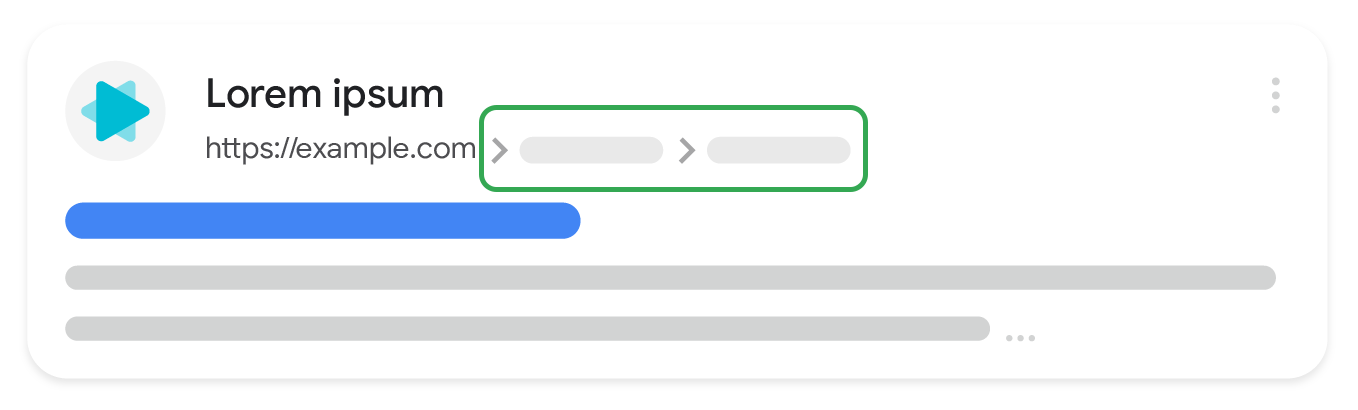
Đường dẫn breadcrumb trên một trang cho biết vị trí của trang trong hệ thống phân cấp trang web và có thể giúp người dùng hiểu cũng như khám phá trang web một cách hiệu quả. Người dùng có thể di chuyển từng cấp một lên cấp trên cùng của hệ thống phân cấp trang web, bắt đầu từ breadcrumb sau cùng trong đường dẫn breadcrumb.
Phạm vi cung cấp tính năng
Google cung cấp tính năng này trên máy tính cũng như ở mọi khu vực và ngôn ngữ mà người dùng có thể truy cập Google Tìm kiếm.
Cách thêm dữ liệu có cấu trúc
Dữ liệu có cấu trúc là một định dạng chuẩn để cung cấp thông tin về một trang và phân loại nội dung trên trang. Nếu mới làm quen với dữ liệu có cấu trúc, bạn có thể tìm hiểu thêm về cách thức hoạt động của dữ liệu có cấu trúc.
Sau đây là thông tin tổng quan về cách xây dựng, kiểm tra và phát hành dữ liệu có cấu trúc.
- Thêm các thuộc tính bắt buộc. Tùy theo định dạng bạn đang sử dụng, hãy tìm hiểu nơi chèn dữ liệu có cấu trúc trên trang.
- Tuân theo các nguyên tắc.
- Xác thực mã của bạn bằng công cụ Kiểm tra kết quả nhiều định dạng rồi sửa mọi lỗi nghiêm trọng. Bạn cũng nên cân nhắc việc khắc phục mọi vấn đề không nghiêm trọng có thể bị gắn cờ trong công cụ này, vì những vấn đề này có thể giúp cải thiện chất lượng của dữ liệu có cấu trúc của bạn (tuy nhiên, bạn không nhất thiết thực hiện việc này để nội dung đủ điều kiện xuất hiện dưới dạng kết quả nhiều định dạng).
- Triển khai một vài trang có chứa dữ liệu có cấu trúc và sử dụng Công cụ kiểm tra URL để kiểm tra xem Google nhìn thấy trang đó như thế nào. Hãy đảm bảo rằng Google có thể truy cập trang của bạn và bạn không chặn trang bằng tệp robots.txt, thẻ
noindexhoặc yêu cầu đăng nhập. Nếu có vẻ như trang không gặp vấn đề nào, bạn có thể yêu cầu Google thu thập lại dữ liệu các URL của mình. - Để thông báo cho Google về các thay đổi sau này, bạn nên gửi một sơ đồ trang web. Bạn có thể tự động hoá quy trình này bằng Search Console Sitemap API.
Ví dụ
Google Tìm kiếm sử dụng mã đánh dấu breadcrumb trong phần nội dung của trang web để phân loại thông tin trên trang trong kết quả tìm kiếm. Thông thường, người dùng có thể truy cập một trang thông qua các loại cụm từ tìm kiếm rất khác nhau, như được minh họa trong các trường hợp sử dụng sau đây. Mặc dù mỗi cụm từ tìm kiếm có thể trả về cùng một trang web, breadcrumb sẽ phân loại nội dung theo ngữ cảnh của cụm từ đó trên Google Tìm kiếm. Trang dành cho những người chiến thắng giải thưởng sách tiểu thuyết có thể sử dụng các đường dẫn breadcrumb sau:
Một đường dẫn breadcrumb
Nếu chỉ có một đường dẫn breadcrumb có thể dẫn đến trang, thì trang đó có thể chỉ định đường dẫn breadcrumb sau:
Sách › Khoa học viễn tưởng › Sách đạt giải thưởng
JSON-LD
Dưới đây là ví dụ về mã JSON-LD hỗ trợ breadcrumb đó:
<html>
  <head>
    <title>Award Winners</title>
    <script type="application/ld+json">
    {
      "@context": "https://schema.org",
      "@type": "BreadcrumbList",
      "itemListElement": [{
        "@type": "ListItem",
        "position": 1,
        "name": "Books",
        "item": "https://example.com/books"
      },{
        "@type": "ListItem",
        "position": 2,
        "name": "Science Fiction",
        "item": "https://example.com/books/sciencefiction"
      },{
        "@type": "ListItem",
        "position": 3,
        "name": "Award Winners"
      }]
    }
    </script>
  </head>
  <body>
  </body>
</html>
RDFa
Dưới đây là ví dụ về mã RDFa hỗ trợ breadcrumb đó:
<html>
  <head>
    <title>Award Winners</title>
  </head>
  <body>
    <ol vocab="https://schema.org/" typeof="BreadcrumbList">
      <li property="itemListElement" typeof="ListItem">
        <a property="item" typeof="WebPage"
            href="https://example.com/books">
          <span property="name">Books</span></a>
        <meta property="position" content="1">
      </li>
      ›
      <li property="itemListElement" typeof="ListItem">
        <a property="item" typeof="WebPage"
            href="https://example.com/books/sciencefiction">
          <span property="name">Science Fiction</span></a>
        <meta property="position" content="2">
      </li>
      ›
      <li property="itemListElement" typeof="ListItem">
        <span property="name">Award Winners</span>
        <meta property="position" content="3">
      </li>
    </ol>
  </body>
</html>
Vi dữ liệu
Dưới đây là ví dụ về Vi dữ liệu hỗ trợ breadcrumb đó:
<html>
  <head>
    <title>Award Winners</title>
  </head>
  <body>
    <ol itemscope itemtype="https://schema.org/BreadcrumbList">
      <li itemprop="itemListElement" itemscope
          itemtype="https://schema.org/ListItem">
        <a itemprop="item" href="https://example.com/books">
            <span itemprop="name">Books</span></a>
        <meta itemprop="position" content="1" />
      </li>
      ›
      <li itemprop="itemListElement" itemscope
          itemtype="https://schema.org/ListItem">
        <a itemscope itemtype="https://schema.org/WebPage"
           itemprop="item" itemid="https://example.com/books/sciencefiction"
           href="https://example.com/books/sciencefiction">
          <span itemprop="name">Science Fiction</span></a>
        <meta itemprop="position" content="2" />
      </li>
      ›
      <li itemprop="itemListElement" itemscope
          itemtype="https://schema.org/ListItem">
        <span itemprop="name">Award winners</span>
        <meta itemprop="position" content="3" />
      </li>
    </ol>
  </body>
</html>
HTML
Dưới đây là ví dụ về đoạn breadcrumb HTML trong trang, là một phần của thiết kế hình ảnh.
<html>
  <head>
    <title>Award Winners</title>
  </head>
  <body>
    <ol>
      <li>
        <a href="https://www.example.com/books">Books</a>
      </li>
      <li>
        <a href="https://www.example.com/sciencefiction">Science Fiction</a>
      </li>
      <li>
        Award Winners
      </li>
    </ol>
  </body>
</html>
Nhiều đường dẫn breadcrumb
Nếu có nhiều cách để chuyển đến một trang trên trang web của bạn, bạn có thể chỉ định nhiều đường dẫn breadcrumb cho một trang. Sau đây là một đường dẫn breadcrumb đến một trang về sách đạt giải thưởng:
Sách › Khoa học viễn tưởng › Sách đạt giải thưởng
Đây là một đường dẫn breadcrumb khác dẫn đến cùng trang đó:
Văn học › Sách đạt giải thưởng
JSON-LD
Dưới đây là ví dụ về đoạn mã JSON-LD hỗ trợ nhiều đường dẫn breadcrumb:
<html>
  <head>
    <title>Award Winners</title>
    <script type="application/ld+json">
    [{
      "@context": "https://schema.org",
      "@type": "BreadcrumbList",
      "itemListElement": [{
        "@type": "ListItem",
        "position": 1,
        "name": "Books",
        "item": "https://example.com/books"
      },{
        "@type": "ListItem",
        "position": 2,
        "name": "Science Fiction",
        "item": "https://example.com/books/sciencefiction"
      },{
        "@type": "ListItem",
        "position": 3,
        "name": "Award Winners"
      }]
    },
    {
      "@context": "https://schema.org",
      "@type": "BreadcrumbList",
      "itemListElement": [{
        "@type": "ListItem",
        "position": 1,
        "name": "Literature",
        "item": "https://example.com/literature"
      },{
        "@type": "ListItem",
        "position": 2,
        "name": "Award Winners"
      }]
    }]
    </script>
  </head>
  <body>
  </body>
</html>
RDFa
Dưới đây là ví dụ về đoạn mã RDFa hỗ trợ nhiều đường dẫn breadcrumb:
<html>
  <head>
    <title>Award Winners</title>
  </head>
  <body>
    <ol vocab="https://schema.org/" typeof="BreadcrumbList">
      <li property="itemListElement" typeof="ListItem">
        <a property="item" typeof="WebPage"
            href="https://example.com/books">
          <span property="name">Books</span></a>
        <meta property="position" content="1">
      </li>
      ›
      <li property="itemListElement" typeof="ListItem">
        <a property="item" typeof="WebPage"
            href="https://example.com/books/sciencefiction">
          <span property="name">Science Fiction</span></a>
        <meta property="position" content="2">
      </li>
      ›
      <li property="itemListElement" typeof="ListItem">
        <a property="item" typeof="WebPage"
            href="https://example.com/books/sciencefiction/awardwinners">
          <span property="name">Award Winners</span></a>
        <meta property="position" content="3">
      </li>
    </ol>
    <ol vocab="https://schema.org/" typeof="BreadcrumbList">
      <li property="itemListElement" typeof="ListItem">
        <a property="item" typeof="WebPage"
            href="https://example.com/literature">
          <span property="name">Literature</span></a>
        <meta property="position" content="1">
      </li>
      ›
      <li property="itemListElement" typeof="ListItem">
        <span property="name">Award Winners</span>
        <meta property="position" content="2">
      </li>
    </ol>
  </body>
</html>
Vi dữ liệu
Dưới đây là ví dụ về Vi dữ liệu hỗ trợ nhiều đường dẫn breadcrumb:
<html>
  <head>
    <title>Award Winners</title>
  </head>
  <body>
    <ol itemscope itemtype="https://schema.org/BreadcrumbList">
      <li itemprop="itemListElement" itemscope
          itemtype="https://schema.org/ListItem">
        <a itemprop="item" href="https://example.com/books">
            <span itemprop="name">Books</span></a>
        <meta itemprop="position" content="1" />
      </li>
      ›
      <li itemprop="itemListElement" itemscope
          itemtype="https://schema.org/ListItem">
        <a itemscope itemtype="https://schema.org/WebPage"
           itemprop="item" itemid="https://example.com/books/sciencefiction"
           href="https://example.com/books/sciencefiction">
          <span itemprop="name">Science Fiction</span></a>
        <meta itemprop="position" content="2" />
      </li>
      ›
      <li itemprop="itemListElement" itemscope
          itemtype="https://schema.org/ListItem">
        <a itemprop="item" href="https://example.com/books/sciencefiction/awardwinners">
          <span itemprop="name">Award Winners</span></a>
        <meta itemprop="position" content="3" />
      </li>
    </ol>
    <ol itemscope itemtype="https://schema.org/BreadcrumbList">
      <li itemprop="itemListElement" itemscope
          itemtype="https://schema.org/ListItem">
        <a itemprop="item" href="https://example.com/literature">
          <span itemprop="name">Literature</span></a>
        <meta itemprop="position" content="1" />
      </li>
      ›
      <li itemprop="itemListElement" itemscope
          itemtype="https://schema.org/ListItem">
        <span itemprop="name">Award Winners</span>
        <meta itemprop="position" content="2" />
      </li>
    </ol>
  </body>
</html>
HTML
Dưới đây là ví dụ về đoạn breadcrumb HTML trong trang, là một phần của thiết kế hình ảnh.
<html>
  <head>
    <title>Award Winners</title>
  </head>
  <body>
    <ol>
      <li>
        <a href="https://www.example.com/books">Books</a>
      </li>
      <li>
        <a href="https://www.example.com/books/sciencefiction">Science Fiction</a>
      </li>
      <li>
        Award Winners
      </li>
    </ol>
    <ol>
      <li>
        <a href="https://www.example.com/literature">Literature</a>
      </li>
      <li>
        Award Winners
      </li>
    </ol>
  </body>
</html>
Nguyên tắc
Bạn phải tuân thủ những nguyên tắc này để đủ điều kiện xuất hiện kèm theo breadcrumb trong Google Tìm kiếm.
Bạn nên cung cấp những breadcrumb thể hiện một đường dẫn điển hình mà người dùng thường đi theo để truy cập một trang thay vì tham chiếu theo cấu trúc của URL. Bạn không bắt buộc phải thêm breadcrumb ListItem cho đường dẫn cấp cao nhất (miền hoặc tên máy chủ lưu trữ của trang web) cũng như cho chính trang đó.
Định nghĩa các kiểu dữ liệu có cấu trúc
Để chỉ định breadcrumb, hãy xác định một thuộc tính BreadcrumbList có chứa ít nhất 2 ListItems. Bạn phải thêm các thuộc tính bắt buộc để nội dung của bạn đủ điều kiện xuất hiện kèm theo breadcrumb.
BreadcrumbList
BreadcrumbList là mục chứa mọi thành phần trong danh sách. Bạn có thể xem định nghĩa đầy đủ về BreadcrumbList tại schema.org/BreadcrumbList.
Sau đây là các thuộc tính được Google hỗ trợ:
| Thuộc tính bắt buộc | |
|---|---|
itemListElement |
Một mảng (array) breadcrumb được liệt kê theo một thứ tự cụ thể. Chỉ định từng breadcrumb bằng thuộc tính { "@context": "https://schema.org", "@type": "BreadcrumbList", "itemListElement": [{ "@type": "ListItem", "position": 1, "name": "Books", "item": "https://example.com/books" },{ "@type": "ListItem", "position": 2, "name": "Authors", "item": "https://example.com/books/authors" },{ "@type": "ListItem", "position": 3, "name": "Ann Leckie", "item": "https://example.com/books/authors/annleckie" }] } |
ListItem
ListItem chứa thông tin chi tiết về một mục riêng lẻ trong danh sách. Bạn có thể xem định nghĩa đầy đủ về ListItem tại schema.org/ListItem.
Sau đây là các thuộc tính được Google hỗ trợ:
| Thuộc tính bắt buộc | |
|---|---|
item |
URL đến trang web đại diện cho breadcrumb. Có hai cách để chỉ định
Nếu breadcrumb là mục cuối cùng trong đường dẫn breadcrumb, thì bạn không cần phải chỉ định |
name |
Tiêu đề của breadcrumb hiển thị cho người dùng. Nếu đang sử dụng |
position |
Vị trí của breadcrumb trong đường dẫn breadcrumb. Vị trí 1 biểu thị điểm bắt đầu của đường dẫn. |
Theo dõi kết quả nhiều định dạng bằng Search Console
Search Console là công cụ giúp bạn theo dõi hiệu quả hoạt động của các trang web trong Google Tìm kiếm. Bạn không cần đăng ký sử dụng Search Console để đưa trang web vào Google Tìm kiếm, nhưng việc làm vậy có thể giúp bạn hiểu và cải thiện cách Google nhìn thấy trang web của bạn. Bạn nên kiểm tra Search Console trong những trường hợp sau:
- Sau lần đầu triển khai dữ liệu có cấu trúc
- Sau khi phát hành mẫu mới hoặc cập nhật mã của bạn
- Phân tích lưu lượng truy cập định kỳ
Sau lần đầu triển khai dữ liệu có cấu trúc
Sau khi Google lập chỉ mục các trang của bạn, hãy tìm vấn đề bằng cách sử dụng Báo cáo trạng thái kết quả nhiều định dạng có liên quan. Lý tưởng nhất là số mục hợp lệ tăng lên và số mục không hợp lệ không tăng. Nếu bạn tìm thấy vấn đề trong dữ liệu có cấu trúc:
- Sửa các mục không hợp lệ.
- Kiểm tra URL đang hoạt động để xem vấn đề còn tồn tại không.
- Yêu cầu xác thực bằng cách sử dụng báo cáo trạng thái.
Sau khi phát hành các mẫu mới hoặc cập nhật mã
Khi bạn thực hiện những thay đổi đáng kể trên trang web của mình, hãy theo dõi xem số lượng mục dữ liệu có cấu trúc không hợp lệ có tăng lên hay không.- Nếu bạn thấy số mục không hợp lệ gia tăng, thì có lẽ bạn đã triển khai một mẫu mới không hoạt động được hoặc trang web của bạn tương tác với mẫu hiện có theo cách mới và không hợp lệ.
- Nếu bạn thấy số mục hợp lệ giảm (nhưng số mục không hợp lệ không tăng), thì có thể bạn không còn nhúng dữ liệu có cấu trúc trên các trang của mình nữa. Hãy sử dụng Công cụ kiểm tra URL để tìm hiểu nguyên nhân gây ra vấn đề.
Phân tích lưu lượng truy cập định kỳ
Phân tích lưu lượng truy cập bạn nhận được qua Google Tìm kiếm bằng cách sử dụng Báo cáo hiệu suất. Dữ liệu báo cáo sẽ cho bạn biết bạn tần suất trang web xuất hiện dưới dạng kết quả nhiều định dạng trong Tìm kiếm, tần suất người dùng nhấp vào trang và vị trí trung bình của trang trong kết quả tìm kiếm. Bạn cũng có thể tự động lấy các kết quả này bằng Search Console API.Khắc phục sự cố
Nếu gặp sự cố khi triển khai hoặc gỡ lỗi dữ liệu có cấu trúc, thì bạn có thể tham khảo một số tài nguyên trợ giúp sau đây.
- Nếu bạn đang sử dụng một hệ thống quản lý nội dung (CMS) hoặc có ai đó đang quản lý trang web của bạn, hãy đề nghị họ trợ giúp. Đừng quên chuyển tiếp mọi thông báo trong Search Console để nêu rõ vấn đề cho họ.
- Google không đảm bảo rằng các tính năng sử dụng dữ liệu có cấu trúc sẽ xuất hiện trong kết quả tìm kiếm. Để xem danh sách các lý do phổ biến khiến Google không thể hiển thị nội dung của bạn trong kết quả nhiều định dạng, hãy xem Nguyên tắc chung về dữ liệu có cấu trúc.
- Có thể có lỗi trong dữ liệu có cấu trúc của bạn. Vui lòng tham khảo danh sách lỗi liên quan đến dữ liệu có cấu trúc và Báo cáo về dữ liệu có cấu trúc không thể phân tích cú pháp.
- Nếu trang của bạn bị áp dụng hình phạt thủ công, thì dữ liệu có cấu trúc trên trang sẽ bị bỏ qua (mặc dù trang vẫn có thể xuất hiện trong các kết quả trên Google Tìm kiếm). Để khắc phục các vấn đề về dữ liệu có cấu trúc, hãy dùng báo cáo Hình phạt thủ công.
- Xem lại các nguyên tắc để xác định xem nội dung của bạn có tuân thủ nguyên tắc hay không. Nguyên nhân gây lỗi có thể là do bạn sử dụng nội dung không hợp lệ hoặc thẻ đánh dấu không hợp lệ. Tuy nhiên, vấn đề có thể không phải là lỗi cú pháp và do đó, Công cụ kiểm tra kết quả nhiều định dạng sẽ không thể xác định được những vấn đề như vậy.
- Khắc phục vấn đề thiếu kết quả nhiều định dạng/giảm tổng số kết quả nhiều định dạng
- Chờ một thời gian để Google thu thập dữ liệu và lập chỉ mục lại. Xin lưu ý rằng có thể mất nhiều ngày sau khi bạn xuất bản một trang thì Google mới tìm được và thu thập dữ liệu trên trang đó. Đối với các câu hỏi chung về hoạt động thu thập dữ liệu và lập chỉ mục, hãy tham khảo nội dung Câu hỏi thường gặp về việc thu thập dữ liệu và lập chỉ mục trên Google Tìm kiếm.
- Đăng câu hỏi trong diễn đàn của Trung tâm Google Tìm kiếm.