
This page provides SKU details, SKU IDs, billable events, and billing triggers for Legacy Places API, Legacy Directions API, and Legacy Distance Matrix API SKUs. For current versions of these services, see Places (New) SKU details and Routes and Navigation SKU details. For a directory of all product categories, see the API usage details overview.
About the SKU tables
The following sections outline the details for each SKU:
| Category | Whether the SKU falls into the Essentials, Pro, or Enterprise SKU category. |
| Billable event | What event is billed for the SKU. |
| Triggers | What code elements trigger billable events. |
| Pricing | Links to the pricing table for that SKU's group. |
Legacy Places product SKUs
See Places (New) product SKUs for the latest versions.
About Places Data SKUs
The three Places Data SKUs are: Basic Data, Contact Data, and Atmosphere Data.One or more Data SKUs are triggered for:
- Android: each request to
fetchPlace()orfindCurrentPlace() - iOS: each call to
fetchPlaceFromPlaceID:orfindPlaceLikelihoodsFromCurrentLocationWithPlaceFields: - Web service: each Places request depending on the fields specified in the request
Data SKUs are always charged in addition to the base SKU for the request triggering them. For example, a Place Details request including Basic Data fields will be charged both under the Basic Data SKU and the Place Details SKU.
For the web service, these Places APIs requests allow you to specify the data fields to return:
For the web service, these Places APIs calls DO NOT support specifying the returned fields. These calls always return all the Places data, charging the three Places Data SKUs in addition to the charge for each API request:
[ Essentials: Places Legacy ] |
|---|
SKU: Autocomplete – Per Request
| Category | Essentials | |
|---|---|---|
| SKU ID |
7384-2DE4-D388 (Global) 2164-BC00-53DC (India) |
|
| APIs | Place Autocomplete (Legacy) Android, Place Autocomplete (Legacy) iOS, Place Autocomplete (Legacy) Web |
|
| Billable event | Request that doesn't include a session token | |
| Triggers |
|
|
| Examples | If you make a request from an invalid Autocomplete session (for example, a session that reuses a session token), you are also charged an Autocomplete – Per Request SKU. Autocomplete requests from the Maps JavaScript API Place Autocomplete Widget may be charged an Autocomplete – Per Request SKU when you make requests from an invalid Autocomplete session. This situation may happen when a user is typing or copy/pasting multiple different addresses into the widget and doesn't always select an autocomplete prediction. |
|
| Pricing |
Price list (Global) Price list (India) |
SKU: Autocomplete (included with Place Details) – Per Session
| Category | Essentials | |
|---|---|---|
| SKU ID |
E9C9-934B-DDB1 (Global) |
|
| APIs | Place Autocomplete (Legacy) Android, Place Autocomplete (Legacy) iOS, Place Autocomplete (Legacy) Web |
|
| Billable event | Session | |
| Triggers |
Fields in the request: Be sure to specify the fields you need in the request to avoid unnecessary charges. Depending what fields you specify, a Place Details request also generates these Data SKUs: If you don't specify fields in the Place Details request, all Data SKUs are triggered. If you request only a refresh of the Place Details ID (your request only specifies the
|
|
| Examples |
Requests for autocomplete are available at no charge. This legacy SKU bills when you request subsequent Place Details based on regular Place Details pricing. This example illustrates a series of requests, by platform, that would results in the following SKUs in your bill, when you view your bill by SKU:
Example request by platform: Android requests
iOS requests
Web service requests
Places Autocomplete Request (input="par", session_token: XYZ) |
|
| Pricing |
Price list (Global) Price list (India) |
About Autocomplete sessions
An Autocomplete session includes some Autocomplete requests (to retrieve suggestions on a place as the user types), and at most one Places Details request (to retrieve details about the place selected by the user). The same session token is passed to the Autocomplete and the subsequent Place Detail request. A session starts with the first Autocomplete request (which typically happens when the user starts typing). A Places Details call is made when the user has selected one of the Autocomplete suggestions. If a user does not select a suggestion, no Places Details call is made.
After a user has selected a place (that is, after a Places Details call is made), you must start a new session using a new session token.
Autocomplete sessions can be generated from the following APIs:
- The Places API Place Autocomplete service or the Maps JavaScript API Places Autocomplete service. You need to design your application to provide session tokens (you may need to change your existing code).
- The Maps JavaScript API Autocomplete widget. Session-based billing is automatically enabled on those widgets, without any code change required.
A session token is good for one user session and shouldn't be used for more than one user session. If you reuse a session token, the session is considered invalid and the requests are charged as if no session token was provided.
The Autocomplete requests and the Places Details requests using sessions are billed on different SKUs.
SKU: Basic Data
A Data SKU that bills for Basic Data fields in a Places Details or Find Place request.
| Category | Essentials | |
|---|---|---|
| SKU ID |
75D4-C522-326B (Global) 5D7B-1F7B-395E (India) |
|
| APIs |
Places Details (Legacy)
with Basic fields
Find Place (Legacy) with Basic fields |
|
| Billable event | Successful request for Basic Data fields | |
| Triggers |
Fields for Android SDK
Fields for iOS
Fields for Web service
|
|
| Field mask billing |
Your request is billed based on the fields provided in the field mask. For example:
|
|
| Pricing |
Price list (Global)
Price list (India) |
SKU: Find Place – ID only
| Category | Essentials | |
|---|---|---|
| SKU ID |
44A2-D839-A3AC (Global) FE05-60A4-CDDF (India) |
|
| APIs | Places Web Service Find Place | |
| Billable event | Successful request for only the place_id |
|
| Triggers | Find Place request with no fields specified, or only the
place_id field: FindPlace(fields: place_id). |
|
| Pricing |
Price list (Global)
Price list (India) |
SKU: Place Details – ID Refresh
| Category | Essentials | |
|---|---|---|
| SKU ID |
2D88-4302-6299 (Global) 4604-F56B-7086 (India) |
|
| APIs | Place Details (Legacy) | |
| Billable event | Successful request for only ID fields | |
| Triggers | Request with only the Place ID field:
getPlaceDetails(fields: place_id). |
|
| Pricing |
Price list (Global)
Price list (India) |
SKU: Query Autocomplete – Per Request
| Category | Essentials | |
|---|---|---|
| SKU ID |
C4B1-8805-63EF (Global) 59E9-EB83-5CA3 (India) |
|
| APIs | Query Autocomplete service | |
| Billable event | Successful request | |
| Triggers |
Pricing by Autocomplete session is not supported using Query Autocomplete. Subsequent Place Details requests get charged based on the Place Details Pro SKU. |
|
| Pricing |
Price list (Global)
Price list (India) |
[ Pro: Places Legacy ] |
|---|
SKU: Autocomplete without Place Details – Per Session
| Category | Pro | |
|---|---|---|
| SKU ID |
B52C-8320-6DC5 (Global) C625-D3CE-DF37 (India) |
|
| APIs | Place Autocomplete (Legacy) Android, Place Autocomplete (Legacy) iOS, Place Autocomplete (Legacy) Web |
|
| Billable event | Session | |
| Triggers |
|
|
| Pricing |
Price list (Global)
Price list (India) |
SKU: Find Current Place
| Category | Pro | |
|---|---|---|
| SKU ID |
7218-264C-D1D7 (Global) 0862-F46E-1A1A (India) |
|
| APIs | Places SDK for Android, Places SDK for iOS |
|
| Billable event | Successful request | |
| Triggers |
|
|
| Examples |
The following examples show what SKUs you are billed for when making a Find Current Place request and specifying fields from the Basic, Contact, and Atmosphere data SKUs. To see the SKUs on your bill, view your bill by SKU as described in Analyze the usage and cost per SKU. You make a Find Current Place request with just the
Your bill shows these SKUs:
You make a Find Current Place request with just the
Your bill shows these SKUs:
You make a Find Current Place request with all three data-type fields:
Your bill shows these SKUs:
|
|
| Pricing |
Price list (Global)
Price list (India) |
SKU: Find Place
| Category | Pro | |
|---|---|---|
| SKU ID |
DC67-3188-2294 (Global) ECB4-087C-9A27 (India) |
|
| APIs | Find Place (Legacy) | |
| Billable event | Successful request for more than just the ID field | |
| Triggers | Find Place request with more than just the ID field specified. | |
| Examples |
The following examples show what SKUs you are billed for when making a Find Current Place request and specifying fields from the Basic, Contact, and Atmosphere data SKUs. To see the SKUs on your bill, view your bill by SKU as described in Analyze the usage and cost per SKU. You make a Find Place request with just the
Your bill shows these SKUs:
You make a Find Place request with just the
Your bill shows these SKUs:
You make a Find Place request with all three data-type fields:
Your bill shows these SKUs:
|
|
| Pricing |
Price list (Global)
Price list (India) |
SKU: Places – Nearby Search
| Category | Pro | |
|---|---|---|
| SKU ID |
6B23-8A17-D29D (Global) CC66-BE0E-2477 (India) |
|
| APIs | Nearby Search (Legacy) | |
| Billable event | Successful request for Pro features | |
| Triggers |
This request doesn't support specifying which fields to return. The response returns a list of places and a subset of the supported data fields. |
|
| Examples |
You make a Nearby Search request, such as
|
|
| Pricing |
Price list (Global) Price list (India) |
SKU: Places – Text Search
| Category | Pro | |
|---|---|---|
| SKU ID |
E95A-86C7-7F47 (Global) 102E-888D-5596 (India) |
|
| APIs | Text Search (Legacy) | |
| Billable event | Successful request to Text Search (Legacy) | |
| Triggers |
Text Search requests return a list of places, but don't support specifying which fields are returned. Text Search requests return a subset of the supported data fields. You are charged for the Text Search request as well as all of the data-type SKUs: Basic Data, Contact Data, and Atmosphere Data.
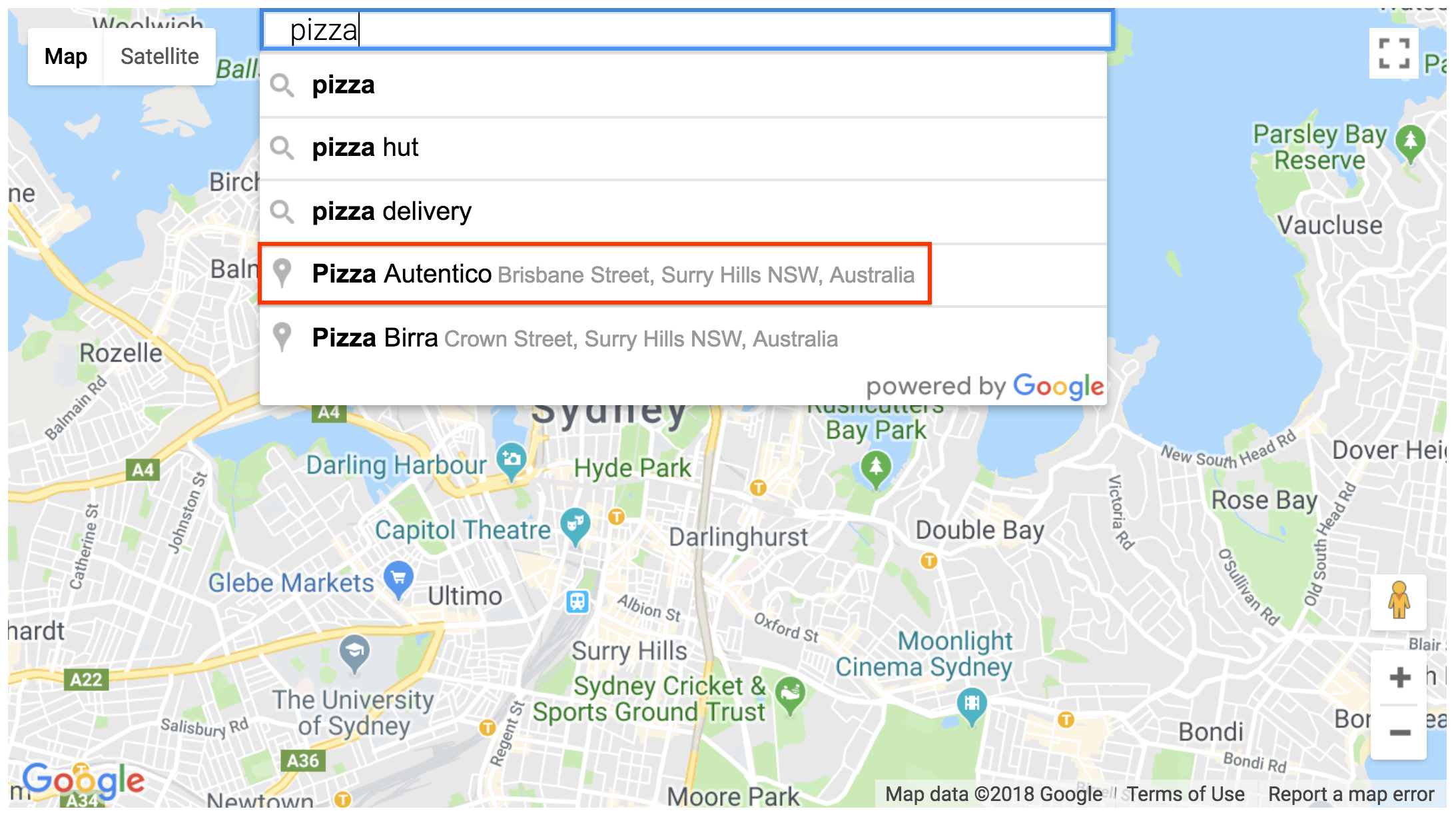
SKU: Places – Text Search is also triggered by the
Maps JavaScript API Place SearchBox widget: 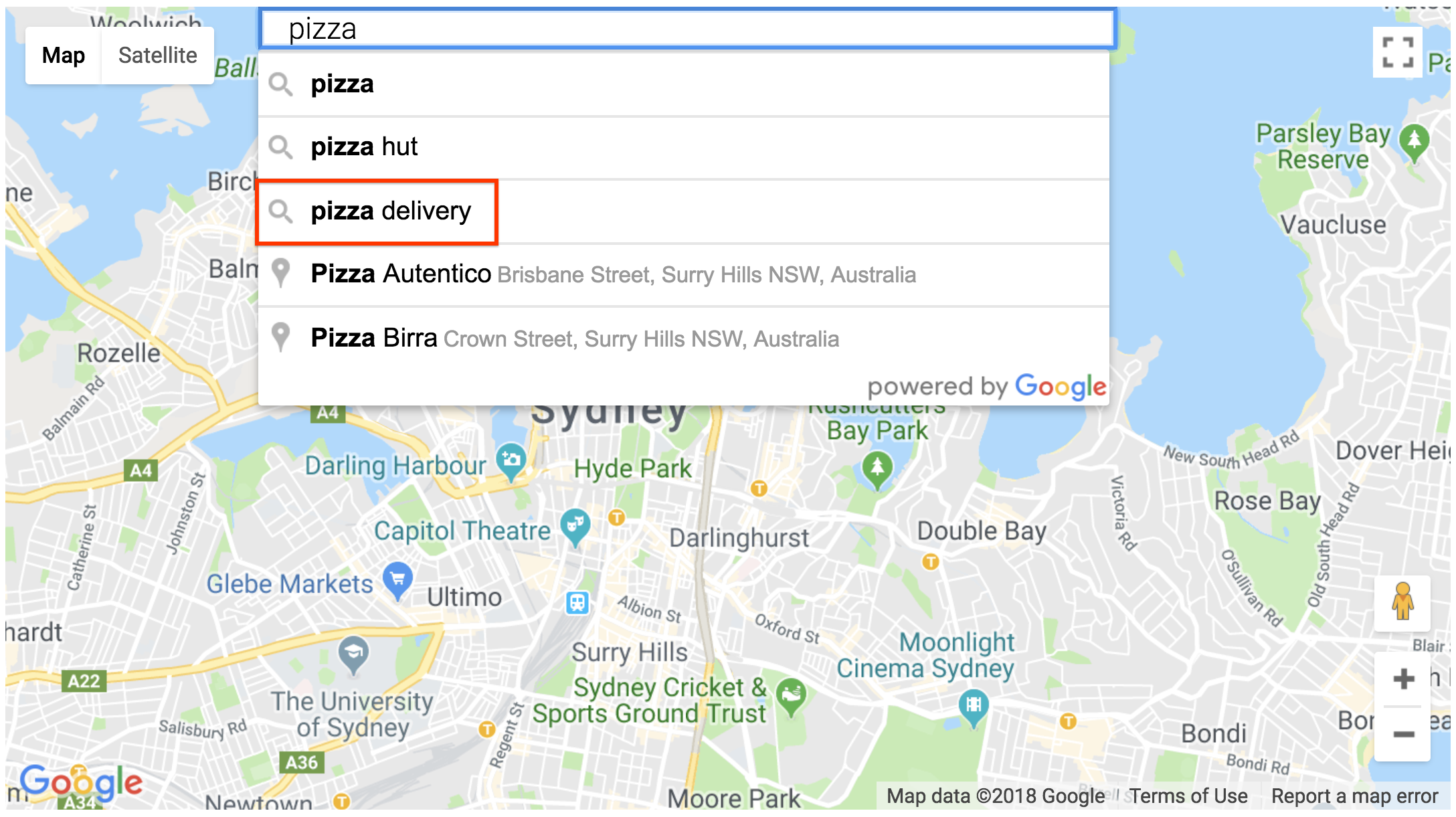
|
|
| Examples |
If you make a Text Search (Legacy) request, your bill shows these SKUs when viewing your bill by SKU:
|
|
| Pricing |
Price list (Global)
Price list (India) |
SKU: Places Details
| Category | Pro | |
|---|---|---|
| SKU ID |
FC5C-DF28-543F (Global) F7AA-FEF9-C90E (India) |
|
| APIs | Place Details (Legacy) | |
| Billable event | Successful request for Pro features | |
| Triggers |
With the web API and services, the Place Details SKU is charged whether you provide a session token or not. |
|
| Examples |
|
|
| Pricing |
Price list (Global) Price list (India) |
[ Enterprise: Places Legacy ] |
|---|
SKU: Atmosphere Data
A Data SKU that bills for Atmosphere Data fields in a Places Details or Find Place request.
| Category | Enterprise | |
|---|---|---|
| SKU ID |
D63D-5CC5-302A (Global) 0CE0-1963-137E (India) |
|
| APIs |
Places Details (Legacy)
with Atmosphere fields
Find Place (Legacy) with Atmosphere fields |
|
| Billable event | Successful request for Atmosphere data fields | |
| Triggers | ||
| Field mask billing examples |
Your request is billed based on the fields provided in the field mask. For example:
|
|
| Pricing | Price list (Global) Price list (India) |
SKU: Contact Data
A Data SKU that bills for Contact Data fields in a Places Details or Find Place request.
| Category | Enterprise | |
|---|---|---|
| SKU ID |
F095-CD01-81B2 (Global) A03F-5079-C66C (India) |
|
| APIs |
Places Details (Legacy)
with Contact fields
Find Place (Legacy) with Contact fields |
|
| Billable event | Successful request for Contact Data fields | |
| Triggers |
Fields for Android SDK
Fields for iOS SDK
Fields for Web Service
|
|
| Field mask billing |
Your request is billed based on the fields provided in the field mask. For example:
|
|
| Pricing |
Price list (Global)
Price list (India) |
SKU: Places Photo
| Category | Enterprise | |
|---|---|---|
| SKU ID |
81E7-85D0-58A7 (Global) 9F4B-2E19-1B63 (India) |
|
| APIs | Places Photo (Legacy) | |
| Billable event | Successful request for a photo | |
| Triggers |
|
|
| Pricing |
Price list (Global)
Price list (India) |
Legacy Routes API SKUs
[ Essentials: Routes Legacy ] |
|---|
SKU: Directions
| Category | Essentials | |
|---|---|---|
| SKU ID |
28A8-3EB4-4595 (Global) 4714-291C-3199 (India) |
|
| APIs | Maps JavaScript API's Directions Service, Directions API (Legacy) |
|
| Billable event | Successful request with no Pro or Enterprise features | |
| Triggers | Queries that don't trigger a higher-rated SKU | |
| Pricing |
Price list (Global) Price list (India) |
SKU: Distance Matrix
| Category | Essentials | |
|---|---|---|
| SKU ID |
C1B6-FF9D-7700 (Global) 558A-4F88-F361 (India) |
|
| APIs | Distance Matrix API (Legacy), Maps JavaScript API Distance Matrix Service |
|
| Billable event | Each element that doesn't contain Pro or Enterprise features. Each request sent to the Distance Matrix API generates elements, where the number of origins times the number of destinations equals the number of elements. |
|
| Triggers | Requests for elements that don't trigger higher-priced SKUs | |
| Pricing |
Price list (Global)
Price list (India) |
[ Pro: Routes Legacy ] |
|---|
SKU: Directions Advanced
| Category | Pro | |
|---|---|---|
| SKU ID |
9407-00C2-CF85 (Global) E27B-BD57-FD7D (India) |
|
| APIs | Maps JavaScript API's Directions Service, Directions API (Legacy) |
|
| Billable event | Successful request with Pro features | |
| Triggers |
|
|
| Pricing |
Price list (Global)
Price list (India) |
SKU: Distance Matrix Advanced
| Category | Pro | |
|---|---|---|
| SKU ID |
DFAE-763F-CF6E (Global) C0F4-32AE-F6D1 (India) |
|
| APIs | Distance Matrix API (Legacy), Maps JavaScript API Distance Matrix Service |
|
| Billable event | Each element returned with Pro features. Each request sent to the Distance Matrix API generates elements, where the number of origins times the number of destinations equals the number of elements. |
|
| Triggers |
|
|
| Pricing |
Price list (Global)
Price list (India) |
Related SKU details pages
- API usage details overview: Complete SKU directory organized by Essentials, Pro, Enterprise, and Legacy tiers.
- Maps SKU details: Maps SDK for Android, Maps SDK for iOS, Maps JavaScript API, Maps Embed API, Maps Static API, Street View Static API, Elevation API, Aerial View API, and Map Tiles API SKUs.
- Routes SKU details: Routes API, Route Optimization API, Roads API, and Navigation SDK SKUs.
- Places (New) SKU details: Places API (New), Places UI Kit, Places Aggregate API, Address Validation API, Geocoding API, Geolocation API, Time Zone API, and Maps Grounding Lite SKUs.
- Environment SKU details: Air Quality API, Pollen API, Solar API, and Weather API SKUs.
- Google Maps Platform pricing and India pricing: Monthly volume tiers and per-event rates.