
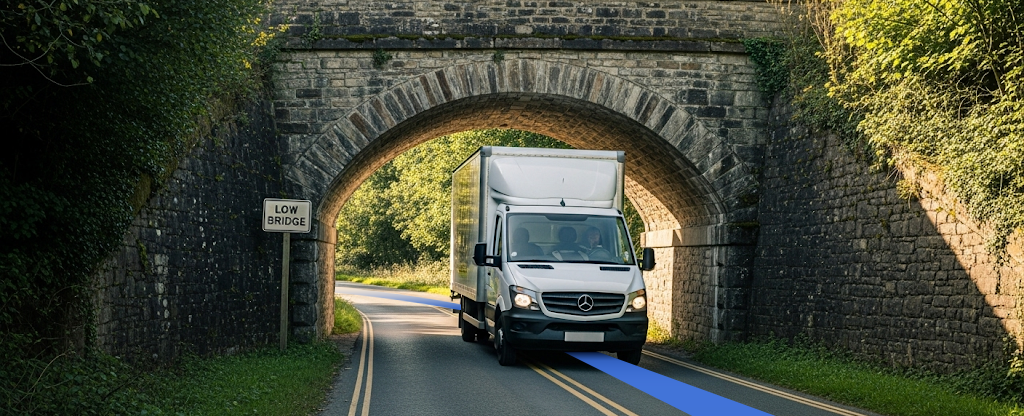
The Routes API large vehicle routing feature calculates routes and estimated times of arrival (ETAs) for large vehicles. It returns optimized routes that avoid restrictions based on vehicle height, weight, length, and hazardous material classifications. The service also generates a route token that can be passed to the Navigation SDK to provide turn-by-turn guidance.
Why use large vehicle routing
Use large vehicle routing to build applications that solve logistics challenges for fleets of large vehicles.
| Benefit | Description |
|---|---|
| Improve pricing and planning accuracy | Generate specific, traffic-informed ETAs that allow for more accurate quotes and delivery windows for large vehicles like trucks and buses. |
| Enhance driver safety and efficiency | Guide drivers along routes that avoid low bridges, weight-restricted roads, and other hazards. |
| Streamline fleet-wide operations | Use Route Optimization along with large vehicle routing to optimize the load assignments and stop ordering for an entire fleet. Use Fleet Engine to enable real-time visibility of assignments and vehicle locations. |
| Minimize training and increase adoption | Offer large vehicle or truck drivers the familiarity of the Google Maps navigation experience within your own application |
What you can do with large vehicle routing
With large vehicle routing, you can perform the following key operations:
- Specify detailed vehicle properties including height, weight, length, width, axle count, and hazardous goods classifications.
- Get a route, travel time, and travel distance specifically calculated for the vehicle's attributes.
- Generate routes optimized for maneuverability by automatically avoiding U-turns and strongly preferring interstates and highways. This keeps large vehicles on routes that accommodate the needs and expectations of their drivers.
- Compute a more accurate ETA using a truck-specific ETA model. The model combines observed truck travel speeds with real-time and predictive traffic data to provide more accurate estimates for large vehicles.
- Enable turn-by-turn navigation in Navigation SDK using a route token to transfer a truck-safe route from Routes API.
- Calculate route matrices to determine travel times and distances between multiple origins and destinations for fleet-wide planning.
- Optimize route plan for your fleet of trucks for the overall operational efficiency that takes into consideration feasibility and safety.
How large vehicle routing works
The large vehicle routing feature works through the following services:
| Endpoint | Operation | Output |
|---|---|---|
| Routes API | An HTTPS request to a Routes API endpoint (computeRoutes or computeRouteMatrix) with a request body that includes your origin and destination. The travelMode must be set to TRUCK and the routeModifiers object must include the vehicleInfo.
|
A route polyline, list of route legs and steps, estimated travel time, and a route token. |
| Route Optimization API | An HTTPS request to the Route Optimization API endpoint. The travelMode must be set to TRUCK and the routeModifiers object must include the vehicleInfo.
|
An optimized route plan for the fleet designed for the specific vehicle, and route tokens for each trip. |
| Navigation SDK (Android, iOS) | Include a route token (generated from Routes API or Route Optimization API with Large Vehicle Routing) when setting destinations in the navigator. | Turn-by-turn navigation experience customized for trucks and following a route adhering to the vehicle information specified in the original Routes API or Route Optimization API request. |
Example
The following example focuses on using large vehicle routing with the Routes API.
For example, a basic computeRoutes request body looks like this:
{
  "origin": { "location": { "latLng": { "latitude": 41.31, "longitude": -74.75 }}},
  "destination": { "location": { "latLng": { "latitude": 41.30, "longitude": -74.78 }}},
  "travelMode": "TRUCK",
  "routeModifiers": {
    "vehicleInfo": {
      "totalHeightMm": 4114,
      "totalLengthMm": 21945,
      "totalWeightKg": 32658,
      ... // other vehicle attributes
    }
  }
}
Required: Your request must set the travelMode to TRUCK and populate the
vehicleInfo object with your vehicle's specific dimensions and attributes.
The Routes API returns a route that considers the specified vehicle information. The response can include the route polyline, a truck-specific ETA, travel distance, and a route token for use with the Navigation SDK depending on the fieldmask specified. The response also indicates if a fully compliant route cannot be found.
Request and response content
The following table lists the data you send and receive when making a large vehicle routing request using the Routes API computeRoutes method.
| Request contents | Response contents | Return format |
|---|---|---|
|
|
JSON |
Limitations
Before you begin, you must be aware of the following limitations and requirements.
- Geographic availability: Large vehicle routing is available in the contiguous 48 United States (Generally Available) and Japan (Experimental). It isn't available in Alaska, Hawaii, or US territories.
- Driver advisory and safety. Drivers must not rely solely on routes returned by this API to be safe or legal. Routes are not guaranteed to be appropriate for the vehicle, and following them may expose drivers to hazards such as low bridges or roads where large vehicles are prohibited.
- Best-effort routes. In some cases, the API cannot find a route that
fully complies with travel restrictions. Instead, it returns a "best effort"
route that may still traverse restricted areas. The Routes API response
clearly flags these routes in the
routeRestrictionsPartiallyIgnoredfield. Plan your route carefully in these cases, ideally using other source data. Don't use a flagged route as a single source of truth for planning or navigation. - Unsupported features: Large vehicle routing does not support the
following:
- Truck toll prices
- Speed limits
- Routing for radioactive hazardous materials
- Usage limits: All requests are subject to standard query-per-second (QPS) limits.
How to use large vehicle routing
Follow these steps to use large vehicle routing with the Routes API:
- Set up your project: Ensure your Google Cloud project is created and enabled for the Routes API.
- Provision for large vehicle routing: Large vehicle routing is available to a limited set of customers, contact us to request access and get your project provisioned for this feature.
- Build a request: Call the
computeRoutesorcomputeRouteMatrixendpoint withtravelModeset toTRUCK, setroutingPreferencetoTRAFFIC_AWARE_OPTIMAL, and specify your vehicle attributes using thevehicleInfoobject. - Provide turn-by-turn navigation (optional): If you called
computeRoutes, pass therouteTokenfrom the response to the Navigation SDK to start a navigation session.
What's next
- Get Started: Generate truck routes and ETAs with the Routes API
- Add Navigation: Provide turn-by-turn navigation with truck-specific routes in the Navigation SDK for Android or iOS