Page Summary
-
Users can access basic details of their digital credential (DC) in Google Wallet at any time after it's been added.
-
Accessing the detailed information of a DC requires user verification via device lock, pattern, PIN, password, or biometrics.
-
The Details section contains information on how to use the DC and an Issuer-defined link for support.
-
After a user has successfully completed the authentication process, they can then view the full details of the DC.
-
View VDC Details
Once a user has successfully added their VDC, they are able to view the details of the VDC any time they would like.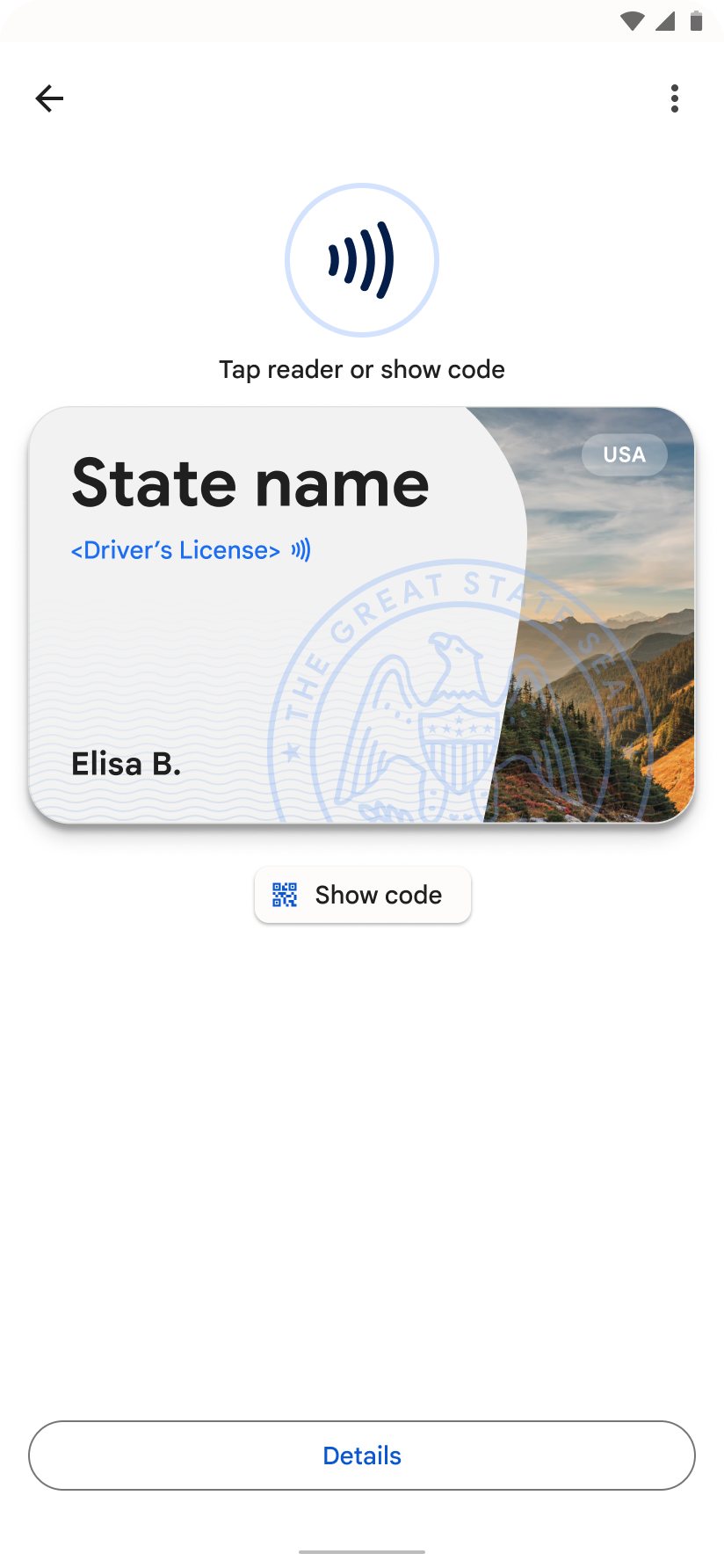
-
More Information
The Details section includes information about how to use the VDC and an Issuer-defined link for more information or support.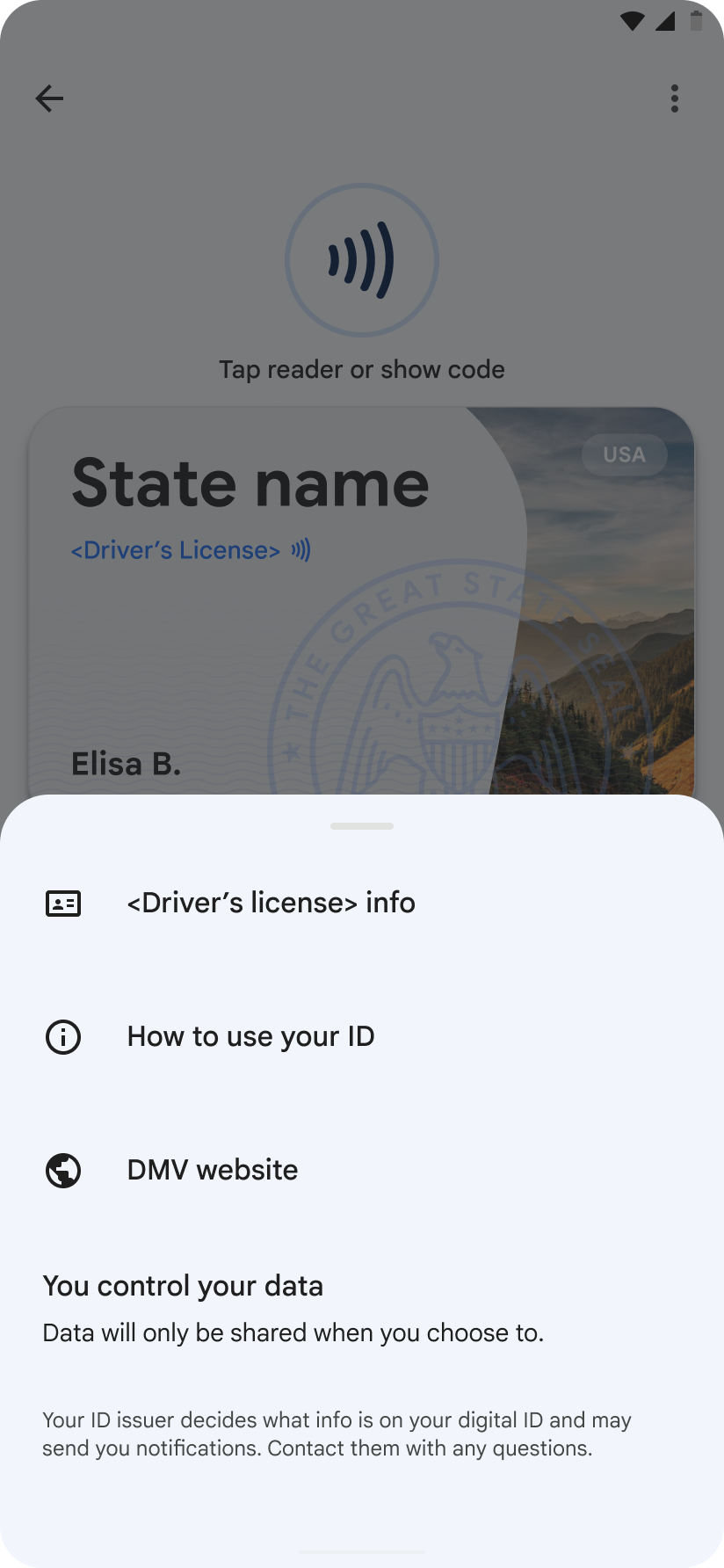
-
Authentication Required
If a user wants to see detailed information from their VDC, they must first verify using their device lock pattern, PIN, password, or biometrics.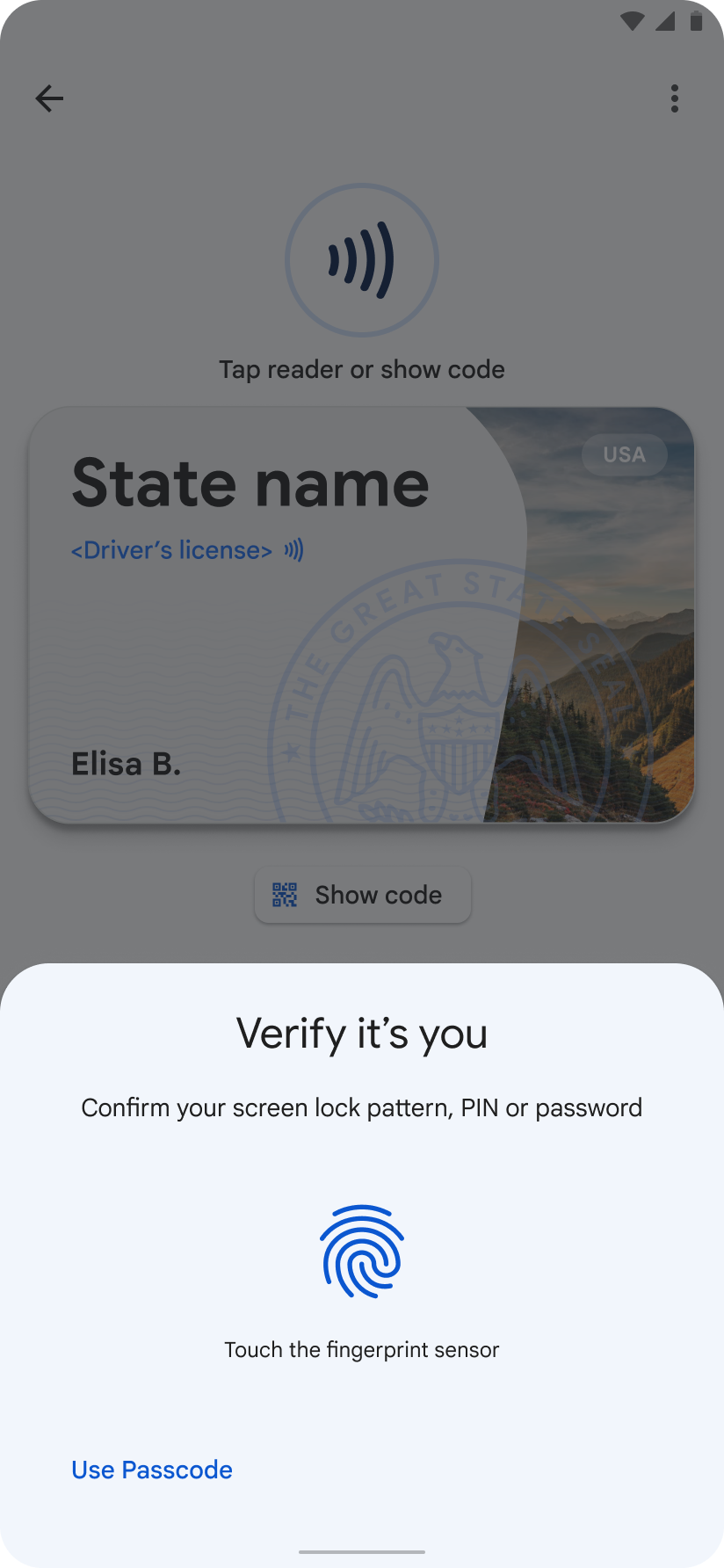
-
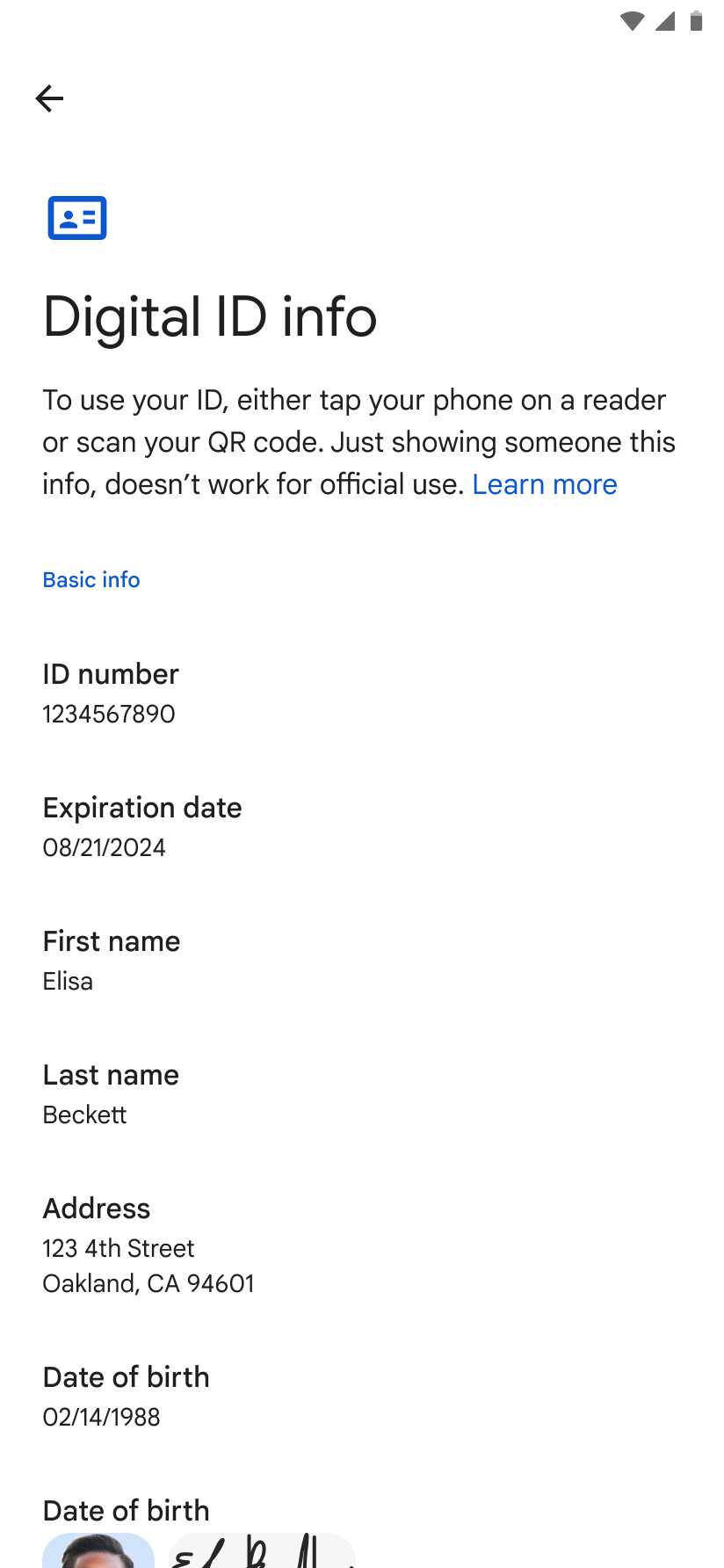
Full Details Unlocked
After successful authentication, the user can see the full details of their VDC.