
Through Google Maps Platform Public Programs, verified noncommercial professionals can apply for credits to cover the monthly subscription costs of Google Earth's Professional and Professional Advanced plans. These credits are intended for applicants whose projects relate to climate change mitigation, adaptation, protection, or public health, and can demonstrate clear evidence of high-impact sustainability or public health work that influences social and environmental policies and practices.
Use this guide to understand the eligibility criteria and steps to apply for the program.
Step 1: Determine your eligibility
Only nonprofits, crisis response organizations, news media organizations or faculty at educational organizations are eligible for the Google Earth Noncommercial Credit Program at this time. To determine your eligibility, see the following information:
- Nonprofits
- Crisis response organizations
- News media organizations
- Faculty at educational organizations
Step 2: Review the program terms and understand Google Earth plans
Be sure to thoroughly review the Google Earth Noncommercial Credit Program Terms and learn about what's available in each Google Earth plan.
Step 3: Start your Google Earth free trial
Before applying for credits, you must first start your free trial to use Professional or Professional Advanced. You can upgrade to a free trial account directly in Google Earth.
For more information about the free trial, see Free Google Cloud features and trial offer.
Upgrade your Google Earth plan to start your free trial
If you have already started or completed your free trial, proceed to Step 4 and apply for noncommercial credits. If you're not sure about your free trial status, navigate to the billing page in your Google Earth account settings.
Check Google Earth plan status
Step 4: Apply for noncommercial credits
Once your free trial has ended, you will need to manually upgrade to a paid billing account.
To apply for noncommercial credits, go to the Google Maps Platform Public Programs page and select your organization type for detailed instructions and links to complete your application. Your Google Cloud billing account information will be required in order to complete this step. To find your Google Cloud billing account information, go to Google Earth on web, then select Settings Billing.
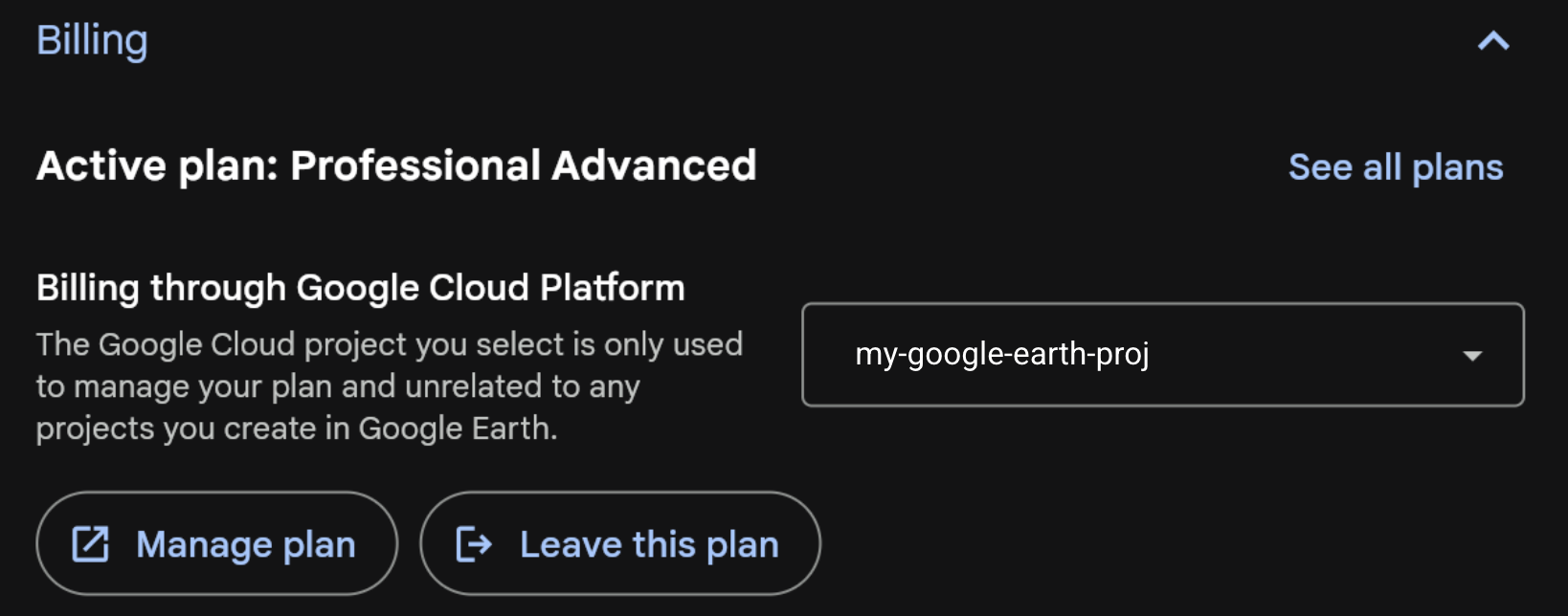
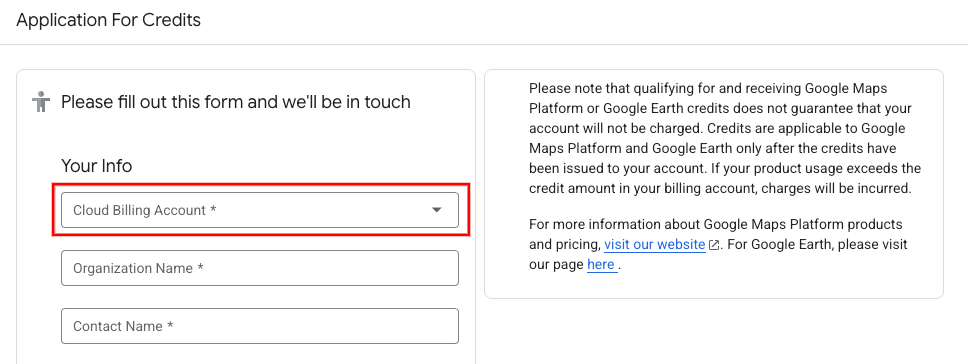
Once you have confirmed the Cloud billing account associated with your Google Earth plan, select it in your application for credits and proceed with filling out all required fields that follow:
 Submitting the application will automatically open a support ticket with our
team, who will reach out over email for additional information. In order to
finalize the review of your application, you must reply to the email detailing
which specific features, data layers, or scale thresholds your project requires
that necessitate a Professional or Professional Advanced plan.
Submitting the application will automatically open a support ticket with our
team, who will reach out over email for additional information. In order to
finalize the review of your application, you must reply to the email detailing
which specific features, data layers, or scale thresholds your project requires
that necessitate a Professional or Professional Advanced plan.