

Page Summary
-
Businesses can securely verify customer information using digital IDs from Google Wallet, streamlining transactions and enhancing security.
-
Google Wallet IDs adhere to the ISO 18013-5 standard, ensuring secure data transmission and user privacy with cryptographic signatures and selective data sharing.
-
IDs in Google Wallet have various use-cases, including age verification, identity verification, and confirming driving privileges, improving efficiency and compliance across industries.
-
Digital IDs in Google Wallet leverage NFC, QR codes, and BLE for seamless presentation and verification, enhancing user experience and convenience.
-
Interoperability is a key feature, allowing businesses to accept IDs from any app or wallet compliant with the ISO 18013-5 standard, promoting wider adoption and flexibility.
Digital credentials are cryptographically verifiable documents that can be used to authenticate, authorize, or otherwise provide verified information about a user. These documents—such as mobile Driver's Licenses (mDLs), digital passports , and ID passes—reside securely in digital wallets.
Accept IDs Online
Google is building an open, secure, private, and standards-based ecosystem for digital wallets. By integrating the W3C Digital Credentials API, Relying Parties (apps and websites) can seamlessly request verifiable proof of identity and age from a user's Google Wallet, or any other compliant digital wallet, while maximizing privacy.
Use-cases for IDs in Google Wallet
- Age Verification: Request age to verify before purchasing age-restricted items or access to age-restricted venues.
- Identity Verification: Request name and address to verify a person's identity for legal compliance or fraud-mitigation.
- Driving Privileges: Verify a person's ability to drive (e.g. when renting a car).
Why Integrate with Google Wallet?
Integrating the Digital Credentials API provides strategic value, allowing you to seamlessly verify identity attributes online at zero cost, across multiple devices and browsers.
- Free of Charge: A one-stop API to request and fetch credentials from Google Wallet (and other compliant wallets) at no cost.
- Interoperable & Standardized: Built on global open standards including W3C Digital Credentials, OpenID4VP, and ISO 18013-5/7. This ensures compatibility with global identity ecosystems and aligns with the EU's eIDAS 2.0 framework.
- Cross-Browser & Cross-Device: A unified mechanism that works seamlessly across Web and Android. It supports multi-wallet coexistence, giving users choice and driving interoperability.
- Trusted, Verifiable Signals: Move beyond self-declared information. Receive cryptographically signed identity and age attributes from government-issued or trusted private issuers.
- Seamless User Experience: Google Wallet exists on over 3 billion Android devices across 200+ countries. Users can present credentials natively in-app or on the web with minimal friction.
Privacy-Forward & Zero-Knowledge Proofs (ZKP)
Digital identity systems that rely on direct sharing of data often require users to over-share personal information. Google Wallet tackles this by supporting Zero-Knowledge Proofs (ZKP) on top of existing ISO 18013-7 mdocs.
ZKP is a cryptographic method that allows users to prove a statement (e.g., "I am over 18") without revealing the actual underlying data (e.g., their exact date of birth).
- Selective Disclosure: You only request the minimal attributes required for your use case.
- Unlinkability: Transactions are device-bound. ZKP ensures that presentations are not identifiable or trackable by the issuer, the relying party, or Google.
- No Server Tracking: Google does not save credential-related data on its servers; everything is stored locally and securely on the user's device in a trusted container.
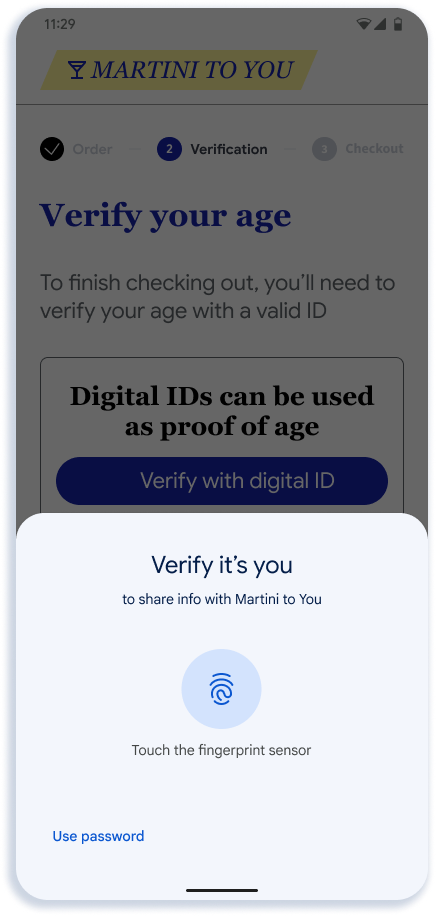
- User Consent: Apps cannot silently query the wallet. The API must be user-invoked to protect privacy, and user authentication (biometrics, PIN, or pattern) is required prior to sharing data.
User Experience
Whether a user is verifying their age for restricted content or sharing their identity for onboarding, the process is streamlined to keep friction low.
1. Standard In-App / Web Flow
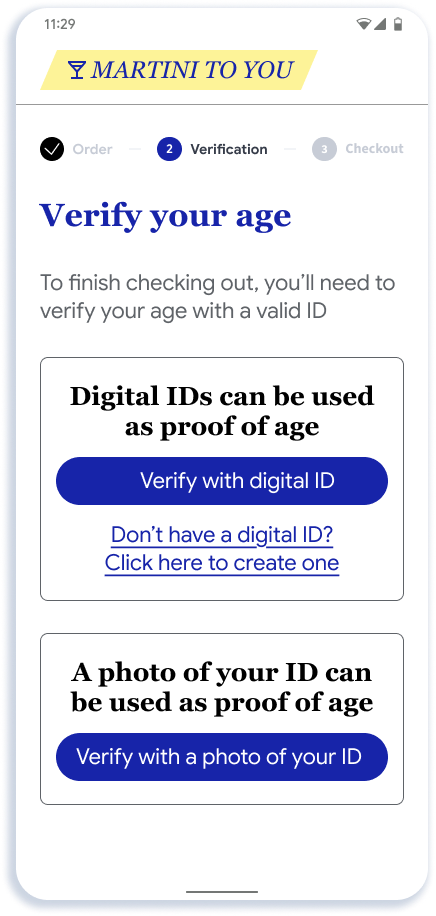
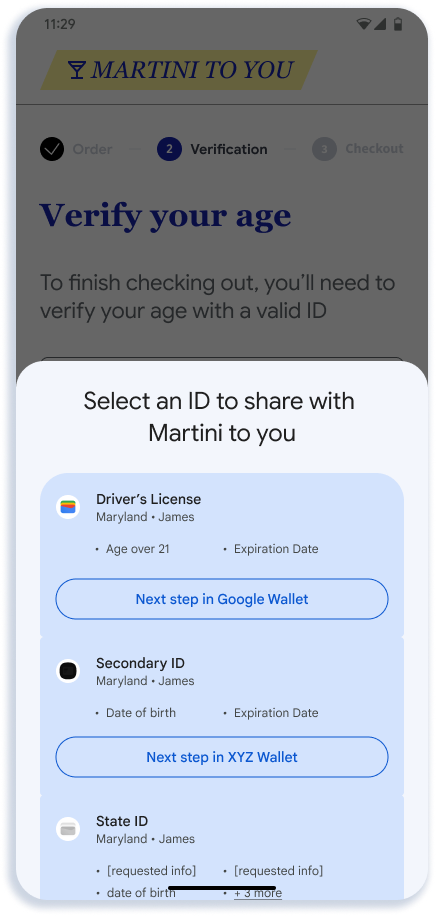
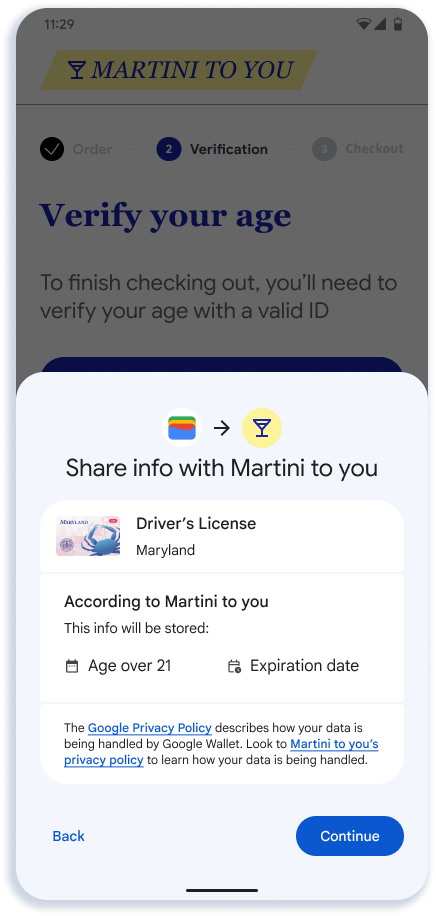
When a user clicks "verify with Digital ID" button, the Credential Manager (on Android) or the browser matches the request with eligible credentials.
 |
 |
 |
 |
 |
| User prompted to verify age in app or website | User sees available eligible credentials | User sees confirmation page in Google Wallet | User Authenticates to confirm sharing | Data sent to app or website |
Key Notes
- The app or website has flexibility in how it creates the entry point to the API. As shown in Step 1, we recommend showing a generic button such as "Verify with digital ID" since over time we expect options beyond Google Wallet to be available through the API.
- The selector screen in Step 2 is rendered by Android. Eligible credentials are determined by a match between the registration logic provided by each Wallet and the request sent by the relying party.
- Step 3 is rendered by Google Wallet. Google Wallet will show the name, logo, and privacy policy that the developer provides on this screen.
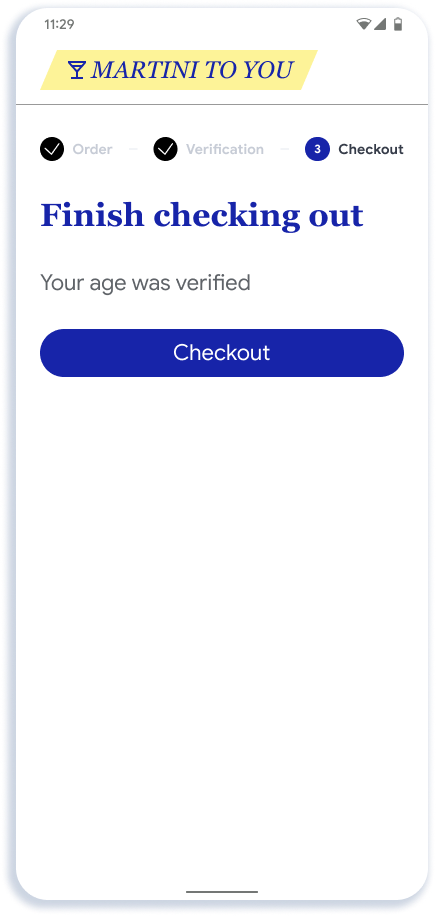
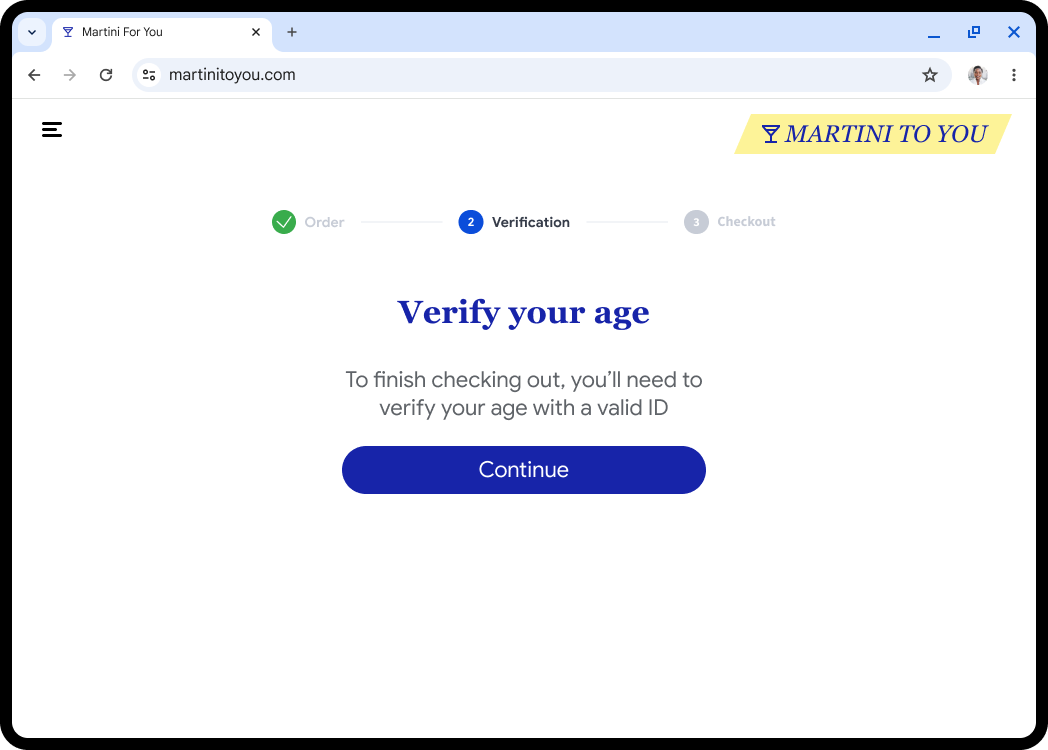
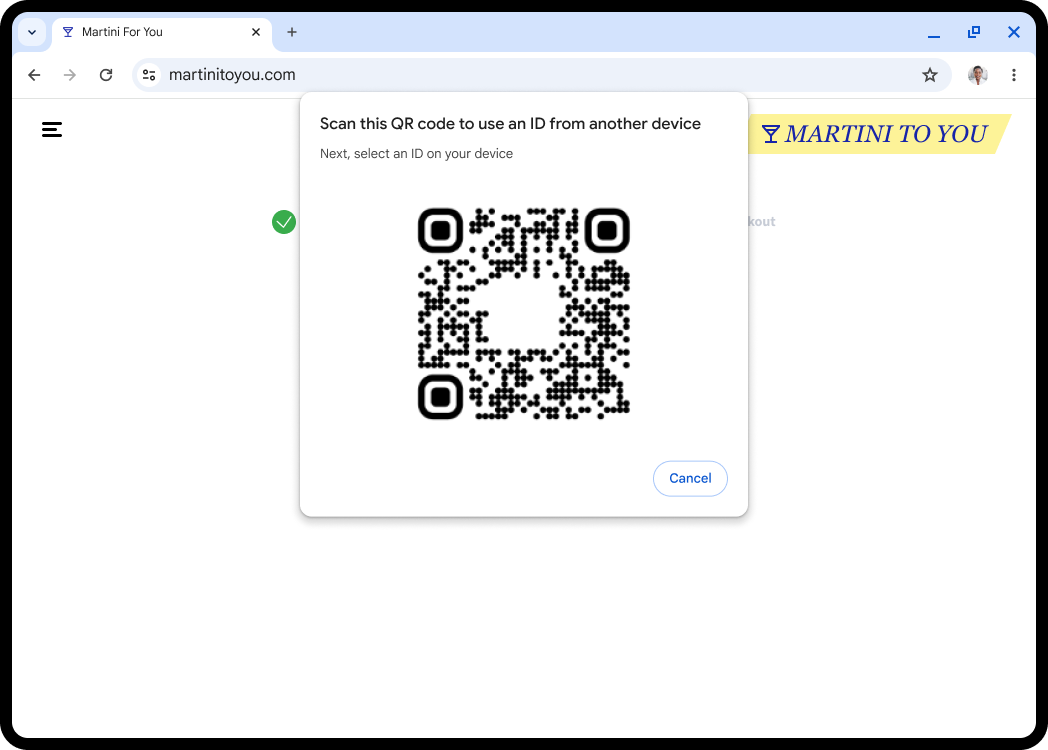
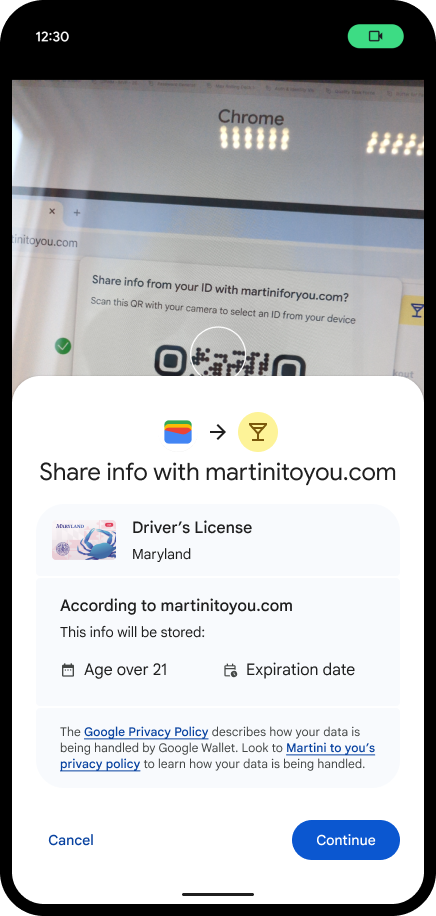
2. Cross-Device Flow
Users can use their device to present a credential to a different device (for example, presenting an ID to a desktop web browser).
 |
 |
 |
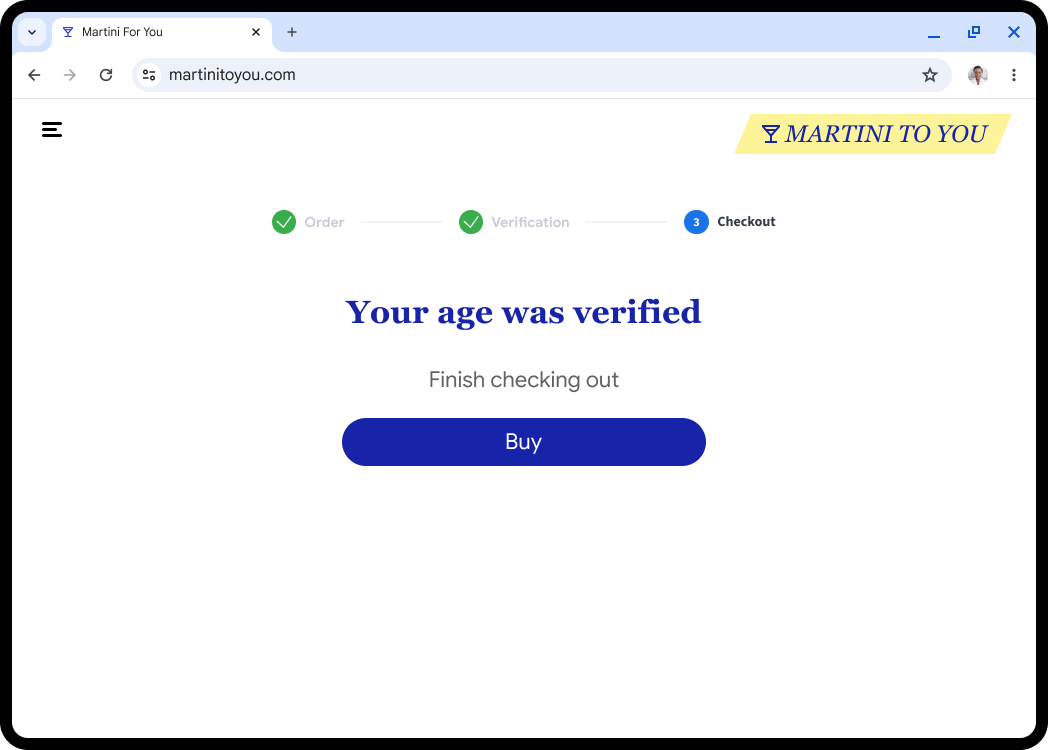 |
| User prompted to verify age on desktop website | User sees a QR code to continue presentation using mobile | User presents credential from phone | User verification complete |
3. No Digital ID Available Flow
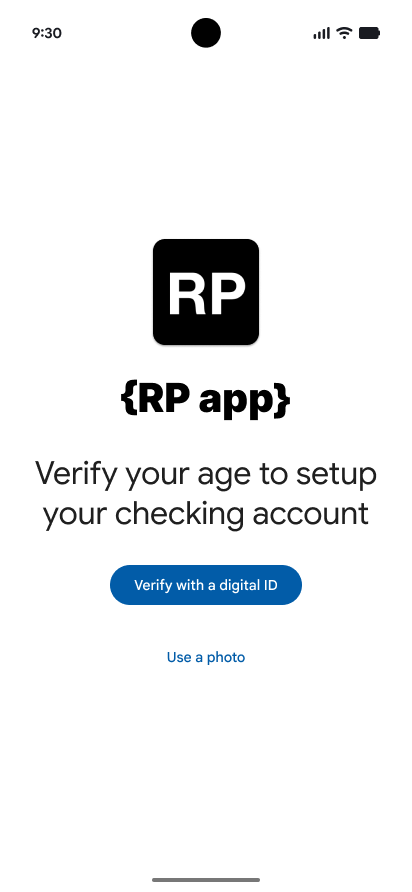
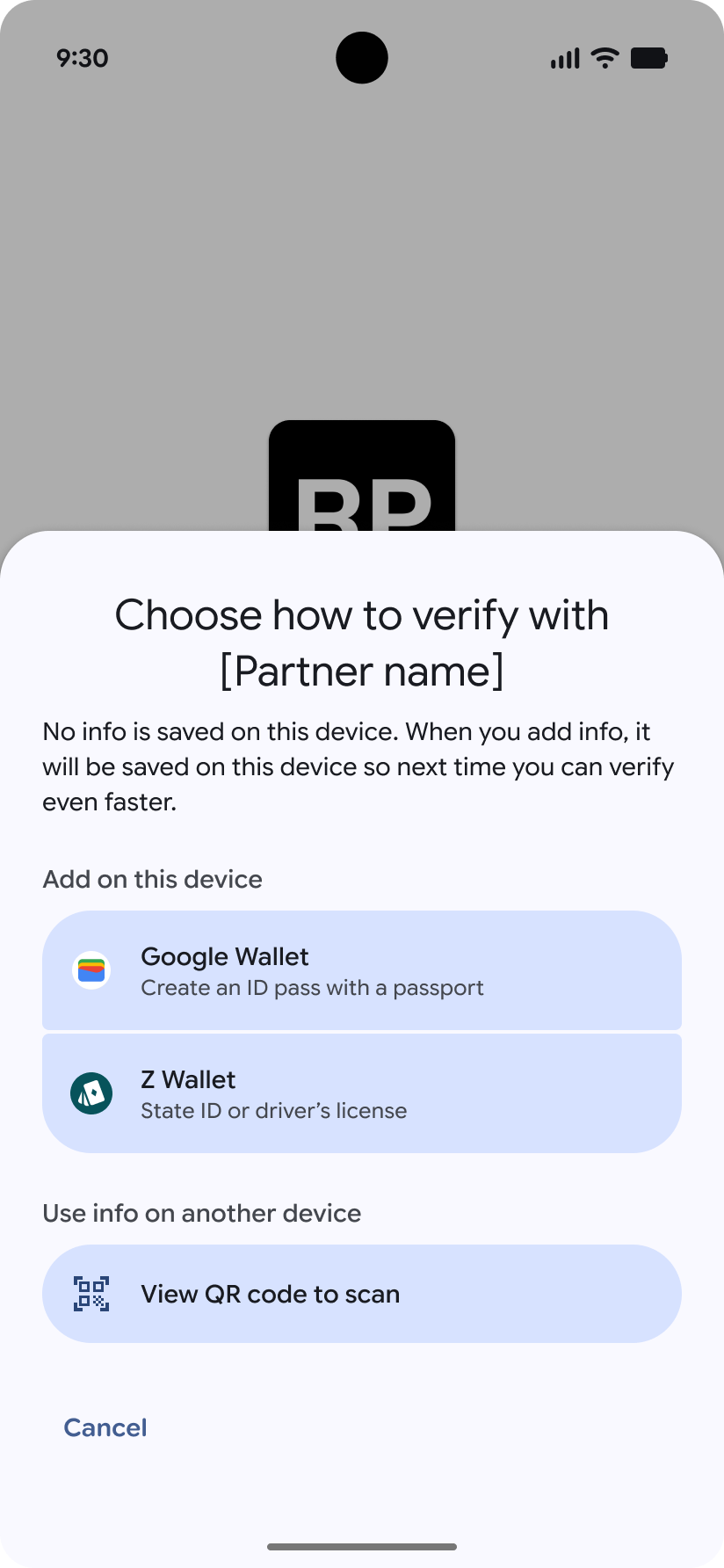
If the user does not have a credential or the Wallet app installed, they can be directed to create one seamlessly. Users without the app are directed to the Play Store. If they have the app but lack the ID, a half-screen UI allows them to create the ID without leaving your app.
Add a digital ID flow
 |
 |
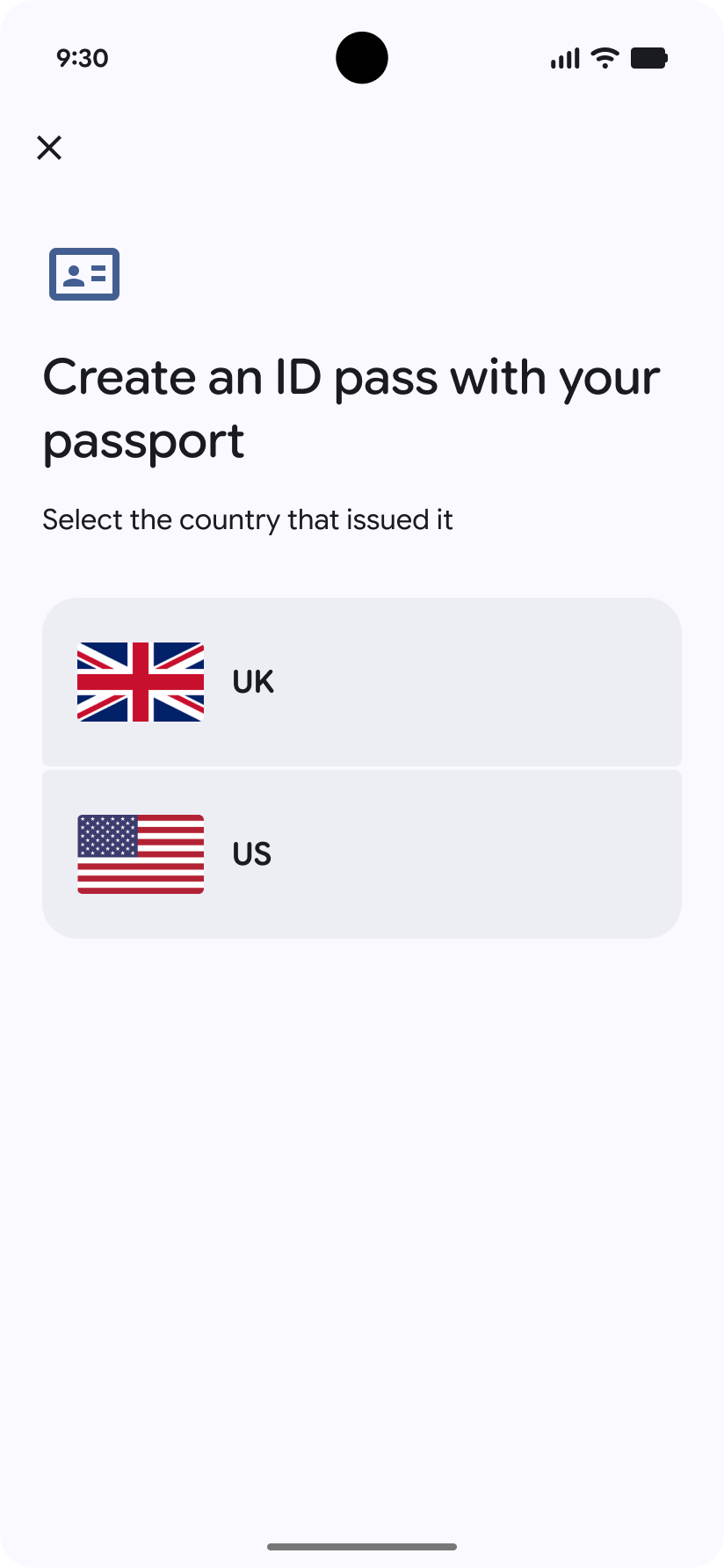 |
| User prompted to verify age in app or website | User shown the option to select a wallet to add a digital ID | User taken to Google Wallet to add a digital ID |
No digital ID available
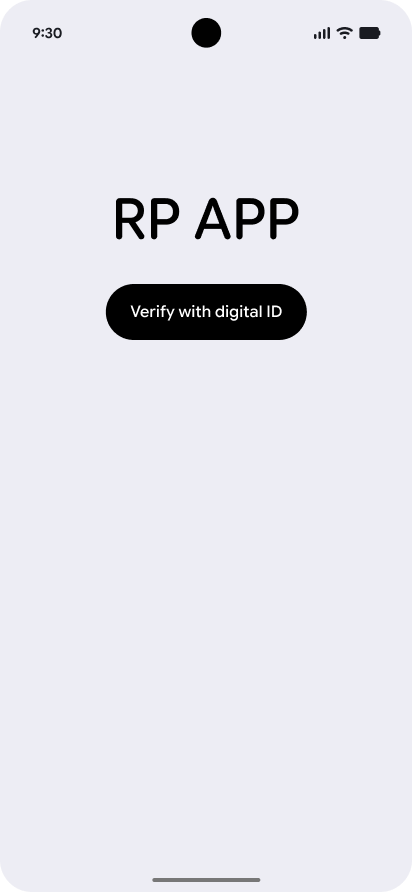
If the user selects the "Verify with digital ID" and the RP doesn't request ID pass or the user does not have an eligible ID they will be shown this error message.
 |
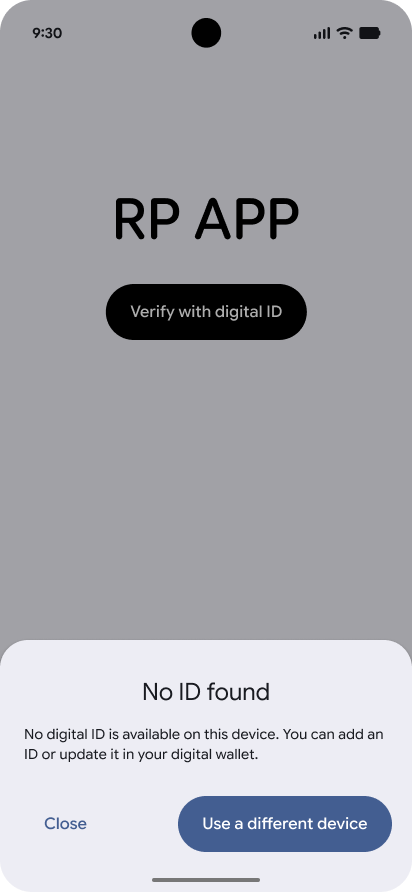 |
| User prompted to verify age in app or website | User shown an error if they don't have a digital ID |
Next Steps
Ready to accept digital IDs? Proceed to our Integration Guide to learn about the technical requirements, formatting OpenID4VP requests, and validating responses.
For frequently asked questions about onboarding and getting started, see the Digital Identity & Credentials FAQ.
Accept IDs in Person (Offline)
IDs in Google Wallet are based on the international ISO 18013-5 standard for mobile driver's licenses. This means:
- All data on the ID is backed with a cryptographic signature for secure and seamless verification
- IDs can be presented seamlessly starting with an NFC tap or QR code scan, with data transmitted over BLE.
- Users have the option to review requested data before sharing, and only need to share the elements relevant to the transaction rather than their entire ID.
- Users must authenticate on the device before sharing
- Any device which accept IDs from Google Wallet can accept IDs from any other application or Wallet that implements this standard
To see IDs in Google Wallet in action see this video for an example of how an ID is presented: