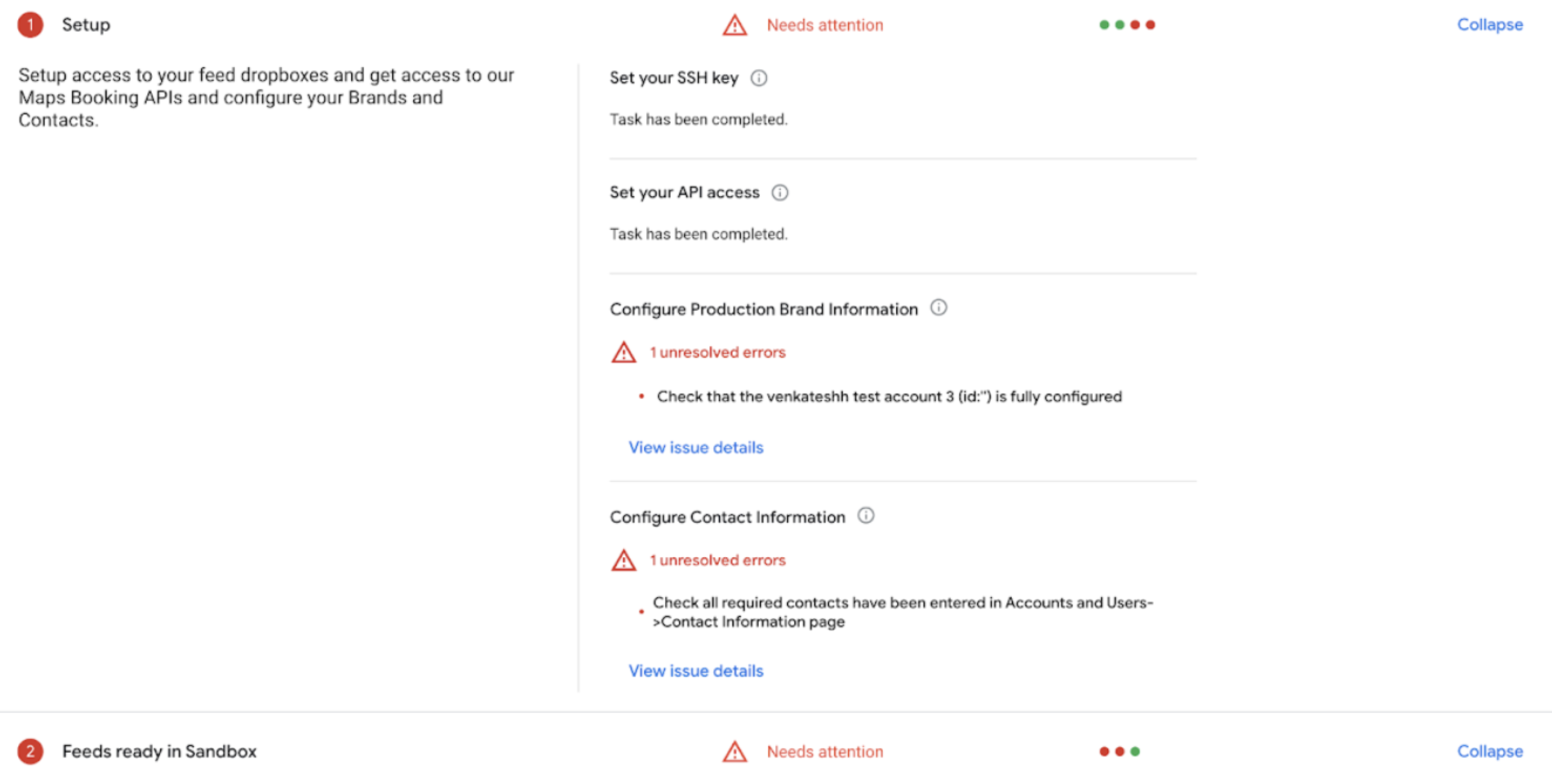
[[["わかりやすい","easyToUnderstand","thumb-up"],["問題の解決に役立った","solvedMyProblem","thumb-up"],["その他","otherUp","thumb-up"]],[["必要な情報がない","missingTheInformationINeed","thumb-down"],["複雑すぎる / 手順が多すぎる","tooComplicatedTooManySteps","thumb-down"],["最新ではない","outOfDate","thumb-down"],["翻訳に関する問題","translationIssue","thumb-down"],["サンプル / コードに問題がある","samplesCodeIssue","thumb-down"],["その他","otherDown","thumb-down"]],["最終更新日 2026-08-27 UTC。"],[],["Onboarding guides in the Partner Portal's **Home** tab track the health of your Reservations Business Link integration in both sandbox and production. Tasks have statuses: **Complete (Green)**, **Needs Attention (Red)**, or **Not yet available (Gray)**. Errors under each task must be resolved for completion. All tasks must be marked as complete for a healthy integration. Data updates every 30 minutes and can be manually refreshed. The Onboarding Health dashboard offers a similar view.\n"]]