

如需从 Google Earth Engine Solar API 迁移到 Google Maps Platform Solar API,请执行以下操作:
- 在您的云项目中启用 Google Maps Platform Solar API。
- 创建新密钥,并将其限制为 GMP Solar API。
- 按照下面的 分步 说明更新代码。
对照比较
Solar API(新)  |
Earth Engine Solar API(已弃用)  |
|
|---|---|---|
| 发布状态 | 已发布 | 试用版(已弃用) |
| 访问 | ||
| 机制 | 通过 Cloud 控制台使用 Google Cloud 账号,方法是启用 Solar API 并通过 Google Maps Platform 部分管理该 API | 通过 Cloud 控制台使用 Google Cloud 账号,方法是启用 Earth Engine Solar API |
| 参与者 | 公开 | 受访问权限控制 |
| 级别 | 自行预配 | 云项目手动访问 |
| 身份验证 | API 密钥和 OAuth | API 密钥 |
| 价格 | ||
| 策略 | Pay-as-you-go | 100% 折扣 |
| 层级划分 | 每 1000 次查询,价格随查询量递减 | – |
| 端点 | 不同的端点价格 | – |
| Cloud | ||
| 监控 | Cloud Monitoring 在 "Google Maps Platform" 下 | “API 和服务”下的 Cloud Monitoring |
| Quota | QPM(每分钟查询次数)和 QPH(每小时查询次数) | 包年 |
| 日志记录 | Cloud Logging(可选) | Cloud Logging(可选) |
| 结算 | Cloud Billing 账号 | - |
| 支持 | 提供完整的 Google Maps Platform 支持,并提供 SLO/SLA | 有限,通过电子邮件提供 |
| API | ||
| 主机名 | https://solar.googleapis.com/v1/ (REST) |
https://earthenginesolar.googleapis.com/v1/ (REST) |
| 方法 |
|
|
| 响应 | 与试用版相比没有变化 | – |
solarInfo |
半径 ≤ 100 米 | 半径 ≤ 100 米 |
| 覆盖率 | ||
| 领域 | 全球 | 全球 |
| 数据质量 | HIGH/MEDIUM |
HIGH/MEDIUM |
| 建筑类型 | 已映射到地址且位于 Solar API 图像覆盖范围内的任何建筑物 | 已映射到地址且位于 Solar API 图像覆盖范围内的任何建筑物 |
| 服务条款 | ||
| TOS | Google Maps Platform 条款 | Google Earth Engine 条款 |
分步说明
设置您的 Google Cloud 项目
请参阅此处:设置您的 Google Cloud 项目。
只有某些 角色 可以 创建云项目;如果您无法创建项目,请与您 组织的管理员联系。
您还可以使用现有的 Cloud 项目。如需了解详情,请参阅 Google Maps Platform 使用入门 。
设置您的结算账号
请参阅此处:如何管理您的结算 账号。
您可以使用现有的云项目和现有的结算账号。
获取 API 密钥或使用 OAuth 令牌
设置 Google Cloud 云项目后,您必须创建并妥善保管用于 Solar API 的 API 密钥,如使用 API 密钥中所述。或者,您可以按照使用 OAuth中的说明创建 OAuth 令牌 。
使用 Solar API
- 向新端点发出 GET 请求:https://solar.googleapis.com
- 请注意,某些 API 方法名称已更改:
buildings:findClosest→buildingInsights:findClosestsolarinfo:get→dataLayers:get
快速试用:使用上一步中保存的 API 密钥,并将以下示例查询中的
YOUR_API_KEY替换为该密钥,然后再在您的
浏览器中加载网址:
https://solar.googleapis.com/v1/dataLayers:get?location.latitude=37.2746464&location.longitude=-121.7530949&radius_meters=10&key=YOUR_API_KEY
原始预览版响应
对于 2023 年 5 月 9 日发布的原始预览版,响应中的网址采用以下格式:
https://earthengine.googleapis.com/v1alpha/projects/sunroof-api/thumbnails/THUMBNAIL_ID:getPixels
以下代码段是一个示例响应:
{
  "imageryDate": {
    "year": 2015,
    "month": 8,
    "day": 8
  },
  "imageryProcessedDate": {
    "year": 2021,
    "month": 2,
    "day": 15
  },
  "dsmUrl": "https://earthengine.googleapis.com/v1alpha/projects/geo-solar-api/thumbnails/fbde33e9cd16d5fd10d19a19dc580bc1-8614f599c5c264553f821cd034d5cf32:getPixels",
  "rgbUrl": "https://earthengine.googleapis.com/v1alpha/projects/geo-solar-api/thumbnails/91ed3551f2d0abee20af35e07bd0c927-c96c59e80cf1fc1dc86cf59fc8ec86ba:getPixels",
  "maskUrl": "https://earthengine.googleapis.com/v1alpha/projects/geo-solar-api/thumbnails/e4051553dba6870c03d855ae82c30b7e-7cc8ae6ce7c73f219e3c1924e5c17fc6:getPixels",
  "annualFluxUrl": "https://earthengine.googleapis.com/v1alpha/projects/geo-solar-api/thumbnails/9b0f87f49d778a65c9e27ff936e6dbba-b90be2fe80d25abd4c9e8c4dc809f763:getPixels",
  "monthlyFluxUrl": "https://earthengine.googleapis.com/v1alpha/projects/geo-solar-api/thumbnails/90e7cca77402f14809e349937f0a0be8-94fafeb4ef42d72f1b3c0652a1cb5518:getPixels",
  "hourlyShadeUrls": [
    "https://earthengine.googleapis.com/v1alpha/projects/geo-solar-api/thumbnails/dcd276e4782aef4ff1b230b781736d37-e193b231ce57a03449afc3e21cf6783b:getPixels",
    ...
  ]
  }
如需向响应中的网址发出请求,请在请求中添加整个网址。
如需查看此请求和响应的完整规范,请参阅参考 文档。
编写应用以支持两种响应格式
您现在可以编写一个应用,用于处理原始预览版和当前响应格式。
除了实际网址本身之外,这两种响应的主要区别在于,您必须 将 API 密钥传递给访问新 响应格式中的网址的请求。如果您省略 API 密钥,请求将失败。
例如,您可以将以下代码添加到应用中,以检查网址并正确处理每个版本:
JavaScript
/**
* Function to examine a response URL and to append the API key to the
* URL if it is in the new format.
*/
function prepareGetGeoTiffUrl(geoTiffUrl, apiKey) {
  if (geoTiffUrl.match("solar.googleapis.com")) {
    let url = new URL(geoTiffUrl);
    url.searchParams.set('apiKey', apiKey);
    return url.toString();
  }
  return geoTiffUrl;
}
Python
# Functions to examine a response URL and to append the API key to the
# URL if it is in the new format.

def add_api_key_to_url(base_url: str, api_key: str) -> str:
  '''Formats URL that currently lacks an API key to use the one provided.'''
  return base_url + "&key=" +api_key;

def prepare_geo_tiff_url(base_url: str, api_key: str) -> str:
  '''Prepares URL from GetDataLayers depending on API being called.
    If the geoTIFF url from GetDataLayers is for the solar API GetGeoTiff
      endpoint, append the API key. Otherwise return the URL as is.
  '''
  if re.search("solar.googleapis.com", geo_tiff_url):
    return add_api_key_to_url(geo_tiff_url, api_key)
  return geo_tiff_url
Java
/** Adds API key to a URL. */
private String addApiKeyToUrl(String geoTiffUrl, String apiKey) {
  return geoTiffUrl + "&key=" + apiKey;
}

/**
* Function to examine a response URL and to append the API key to the
* URL if it is in the new format.
*/
private String prepareGetGeoTiffUrl(String geoTiffUrl, String apiKey) {
  Pattern pattern = Pattern.compile("solar.googleapis.com");
  Matcher matcher = pattern.matcher(geoTiffUrl);
  if (matcher.find()) {
    return addApiKeyToUrl(geoTiffUrl, apiKey);
  } else {
    return geoTiffUrl;
  }
}
监控
| 项目级 |
结算账号级
|
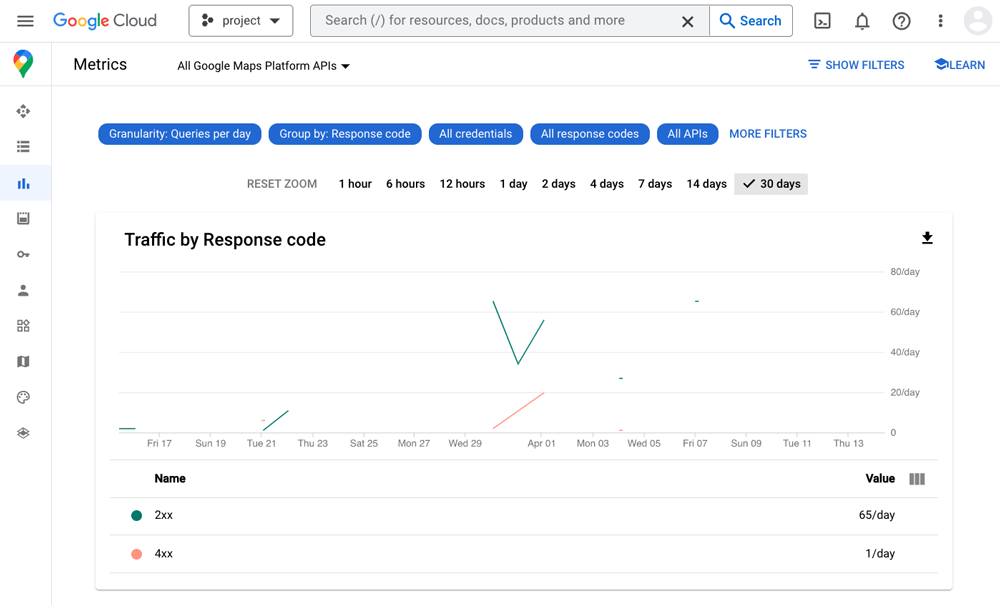
|
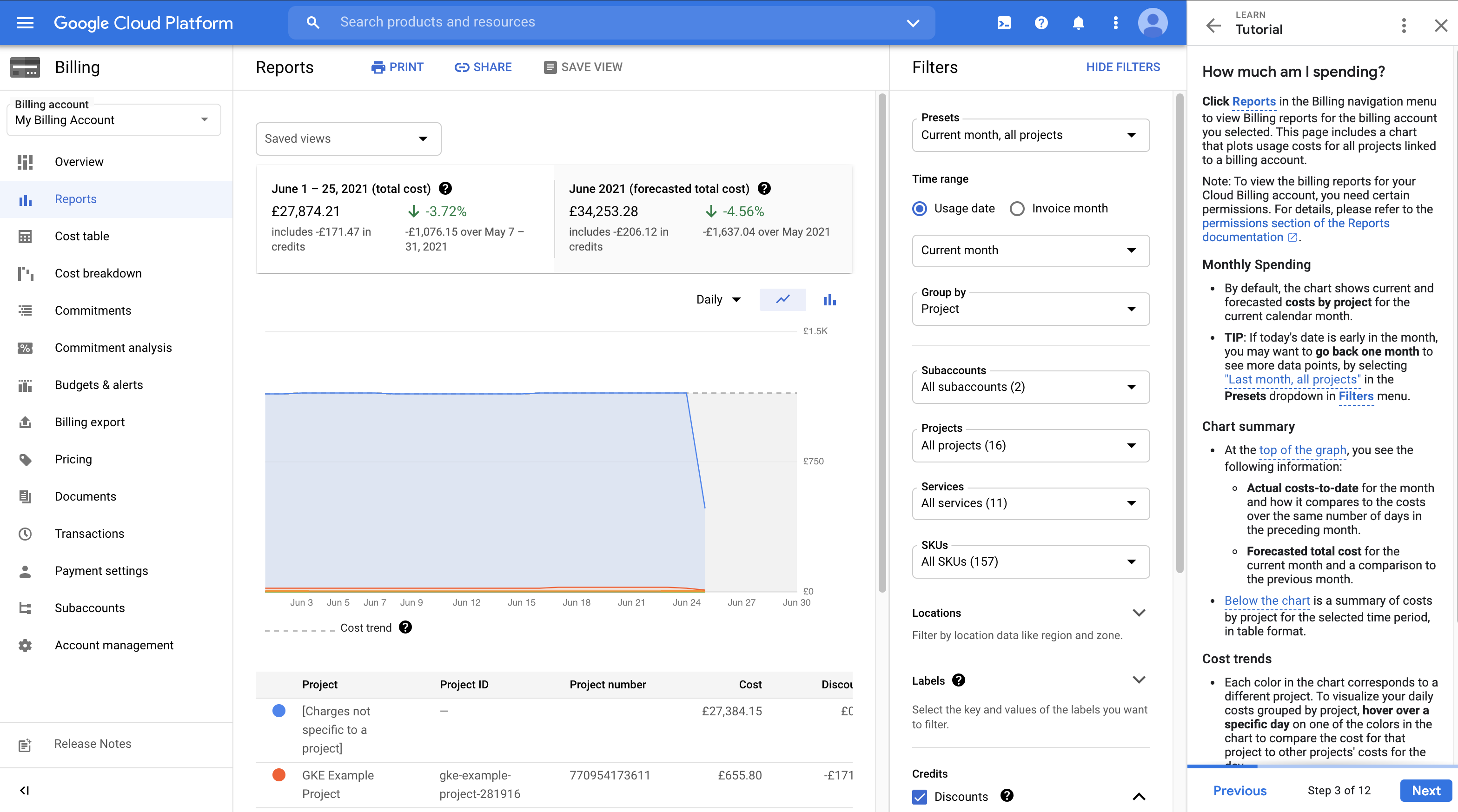
|
实用提示
- 配额:可扩缩的用量(而不是会消失的包年用量)
- 当前 配额 将更改为 QPM
- 最佳实践:设置客户端配额并发送提醒
- 价格:
- Pay-as-you-go
- 如果位置不在覆盖范围内,则 404 NOT_FOUND 响应将 不会产生费用,但会计入配额
- 一般使用条款:Google Maps Platform 服务条款