This page covers steps on viewing and verifying adapters associated with your ad sources.
Prerequisites
Before you continue, do the following:
- Complete all items in the initial Prerequisites to create an AdMob account, set your test device, initialize GMA Next-Gen SDK, and install the latest version.
- Launch ad inspector.
You can view a list of all adapters associated with the ad sources configured in your app. To view the list, complete the following steps:
- In the Ad inspector page, click Adapters.
Expand the cards to view initialization statuses and adapter and third-party SDK versions.
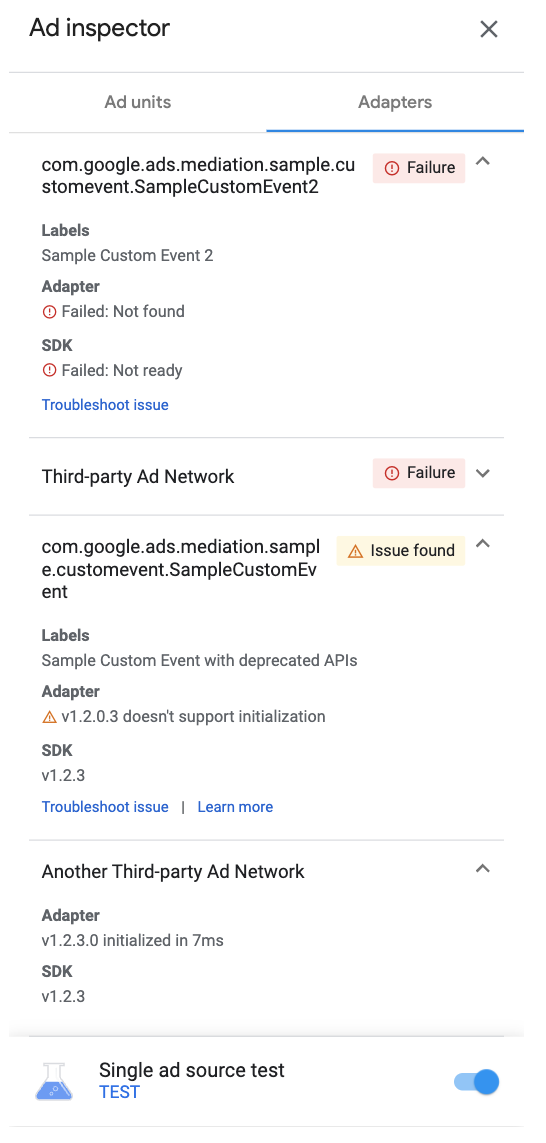
If the adapter isn't found or fails to initialize, see Troubleshoot issues found using ad inspector.
View custom event adapters
You can also view custom event adapters. Custom events lets you set up waterfall mediation for an ad source that AdMob doesn't support. In the adapter list, Custom events are distinct by unique class names. In addition to providing the class name, ad inspector also displays labels assigned to those custom events in the AdMob UI. For more details on custom events, see Setup.