
本指南介绍了如何使用 Google Mobile Ads Flutter Plugin 通过中介加载和展示来自 ironSource Ads 的广告,其中涵盖了瀑布流集成。本指南还介绍了如何将 ironSource Ads 添加到广告单元的中介配置中,以及如何将 ironSource Ads SDK 和适配器集成到 Flutter 应用中。
支持的集成和广告格式
ironSource Ads 的 AdMob 中介适配器具有以下功能:
| 集成 | |
|---|---|
| 出价 | |
| 瀑布流 | |
| 表现形式 | |
| 横幅 | 1 |
| 插页式广告 | |
| 激励广告 | |
| 插页式激励广告 | 1 |
1 此格式仅在瀑布流集成中受支持。
前提条件
在继续操作之前,请验证以下内容:
- 最新版 Google Mobile Ads Flutter Plugin 版本。
- Flutter 框架 3.7.0 版或更高版本。
- 如需在 Android 上部署,则要求:
- Android API 级别 23 或更高级别。
- 如需在 iOS 上部署,则要求:
- iOS 部署目标版本为 13.0 或更高版本。
- 已配置 Google Mobile Ads Flutter Plugin的 Flutter 项目,该项目应正常运行。如需了解详情,请参阅 设置 Google Mobile Ads Flutter Plugin。
- 设置 AdMob 中介。
第 1 步:在 ironSource Ads 界面中设置配置
添加新应用
如需添加新应用,请依次前往 Ads (广告)> Apps (应用),然后点击 Add app (添加应用)。
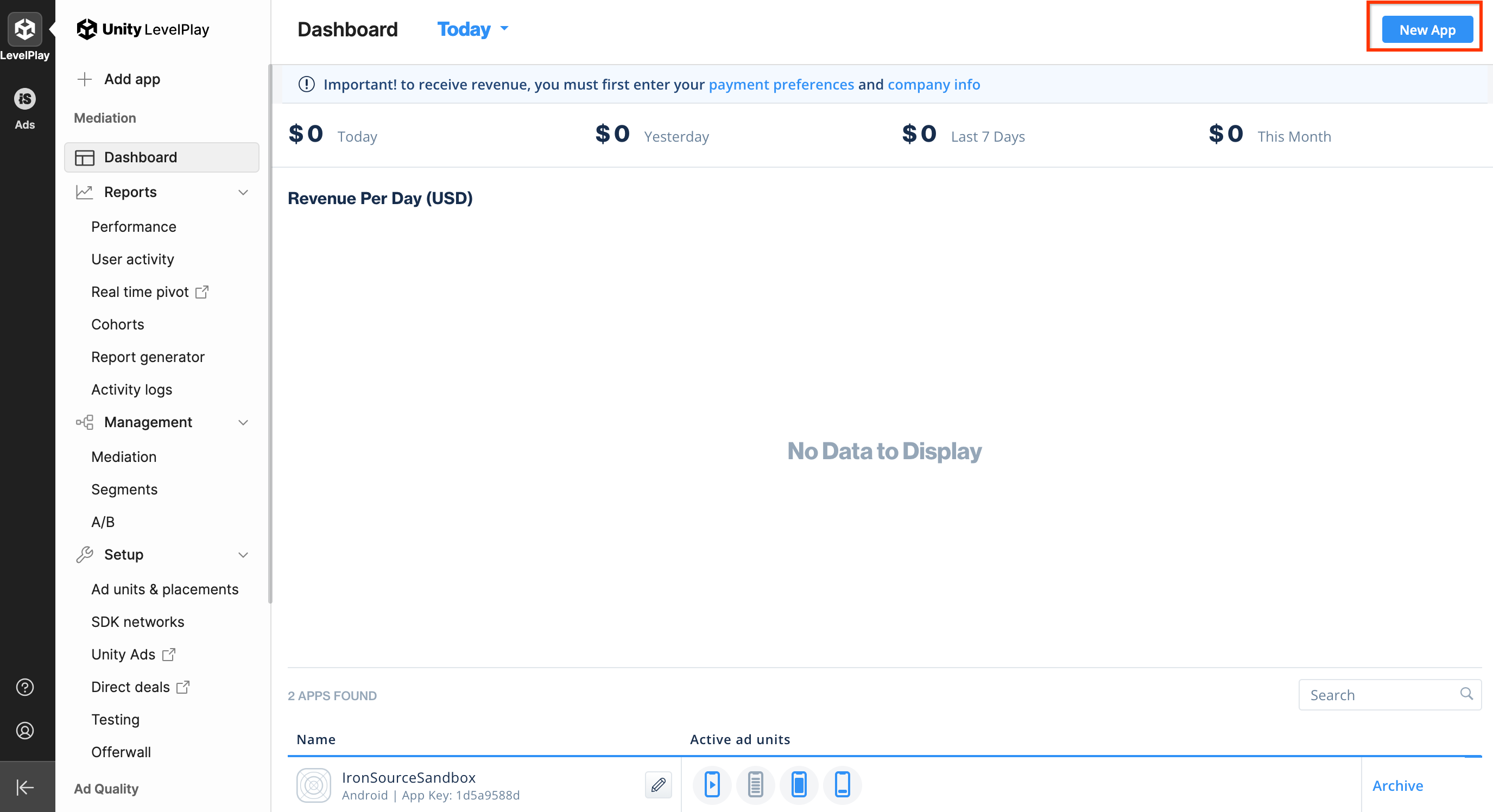
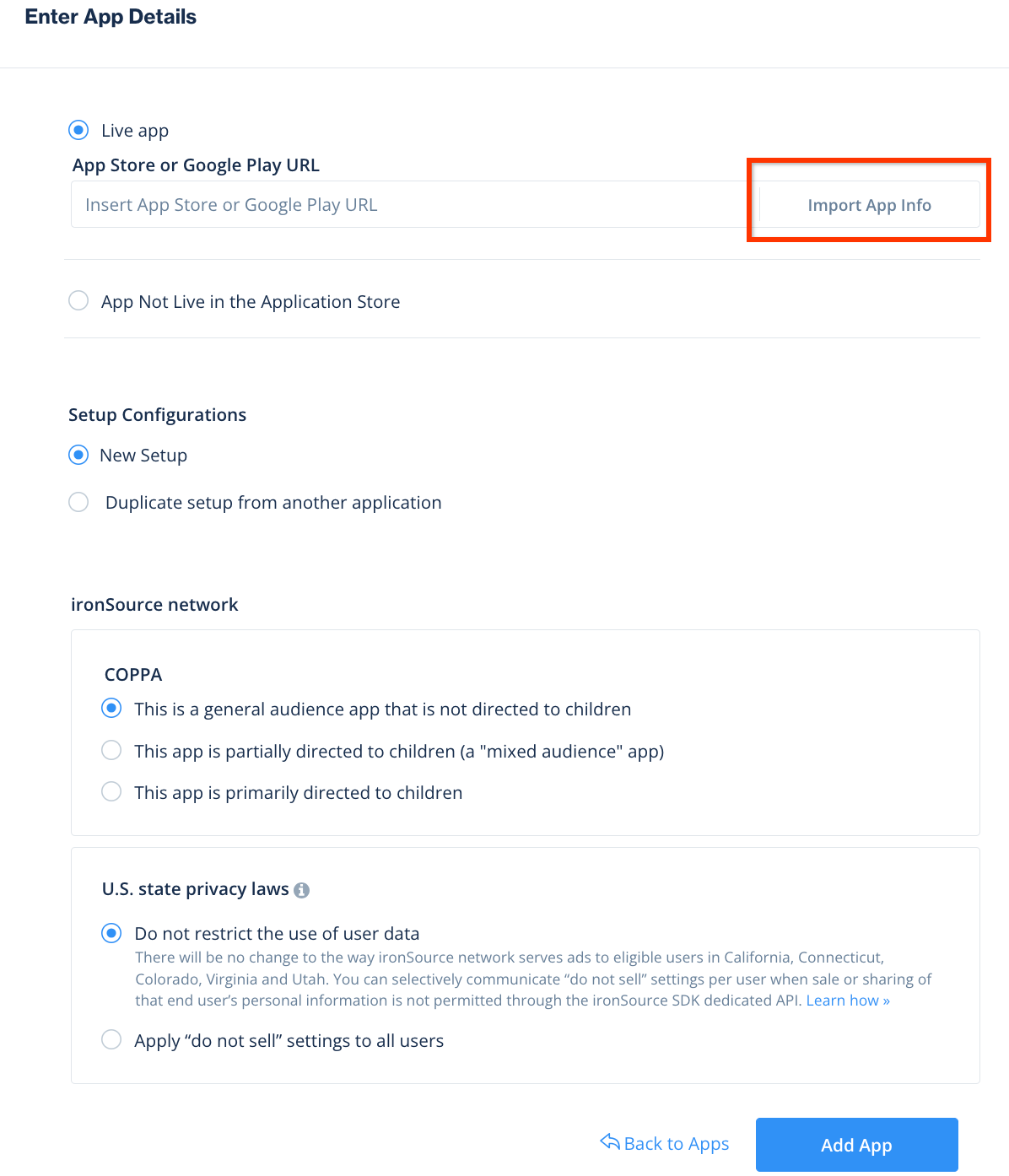
填写表单,然后点击 Add app (添加应用)。
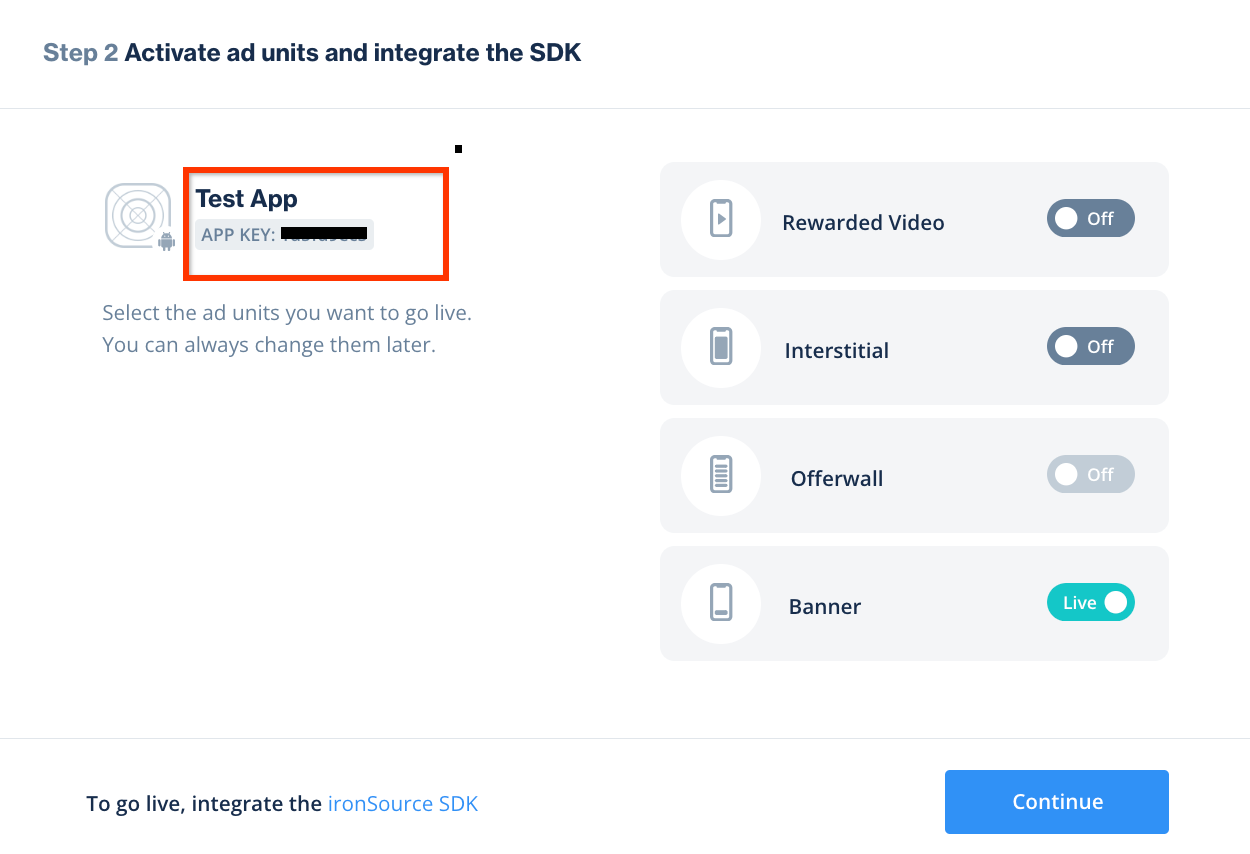
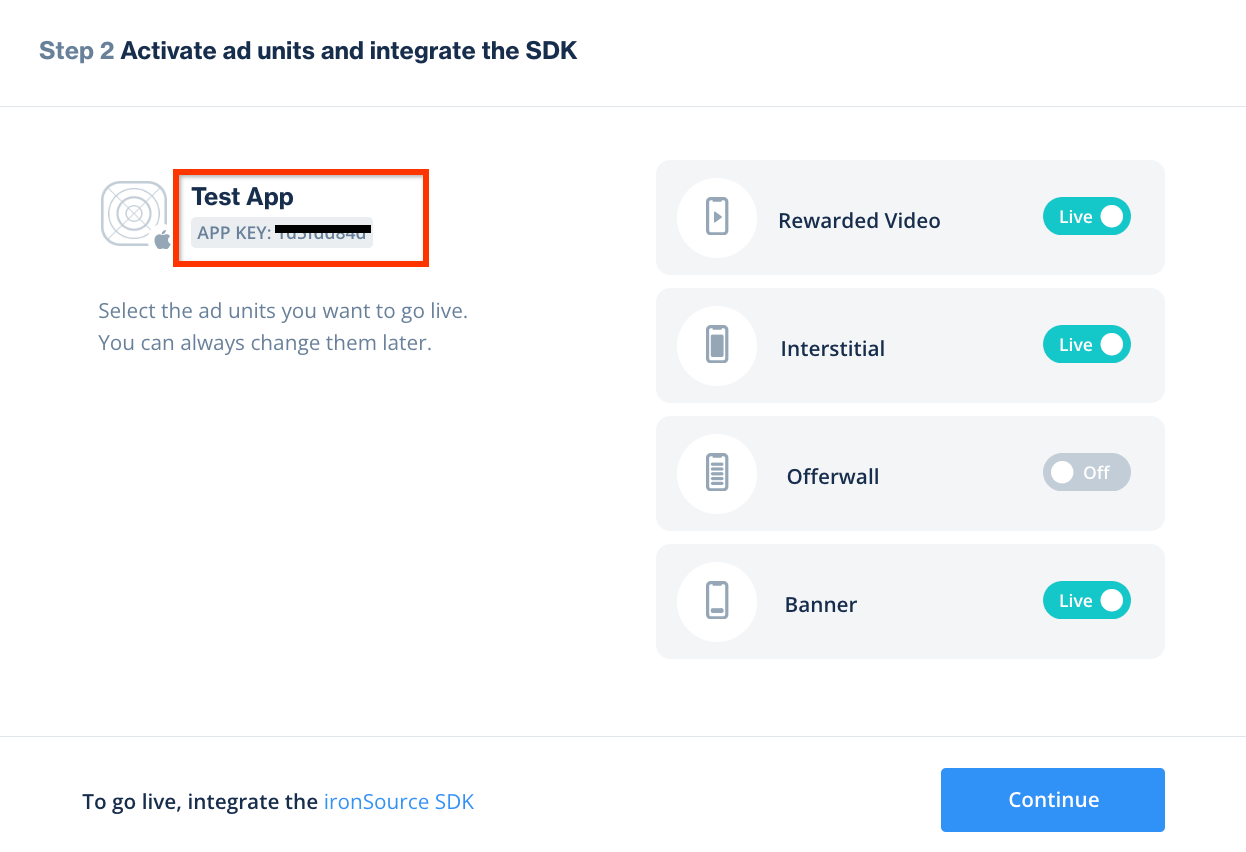
记下 App Key(应用密钥),然后选择您的应用支持的广告格式,并 点击 Continue(继续)。
Android
iOS
创建实例
接下来,为您添加的应用配置实例。
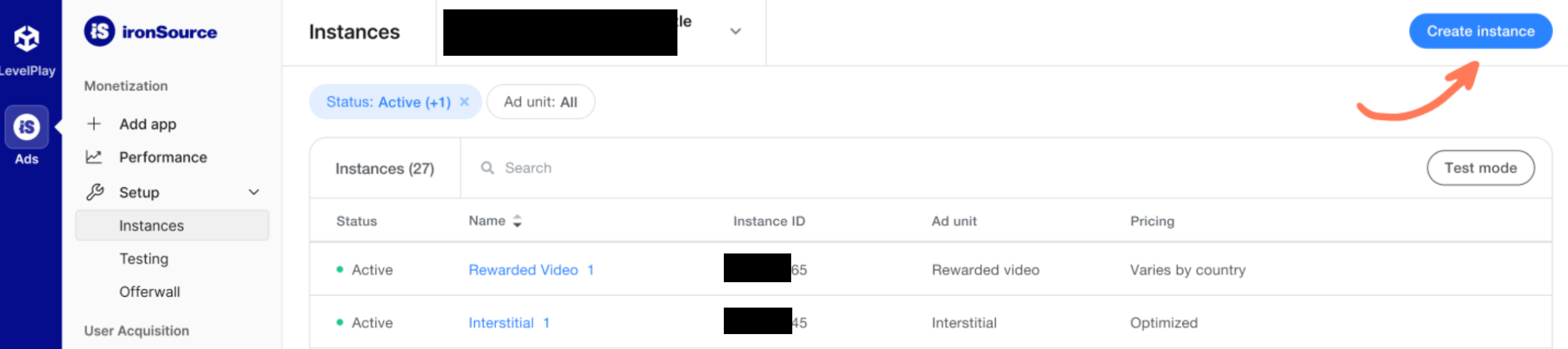
依次前往 Ads (广告)> Setup (设置)> Instances (实例)。选择应用,然后点击 Create instance (创建实例)。
出价
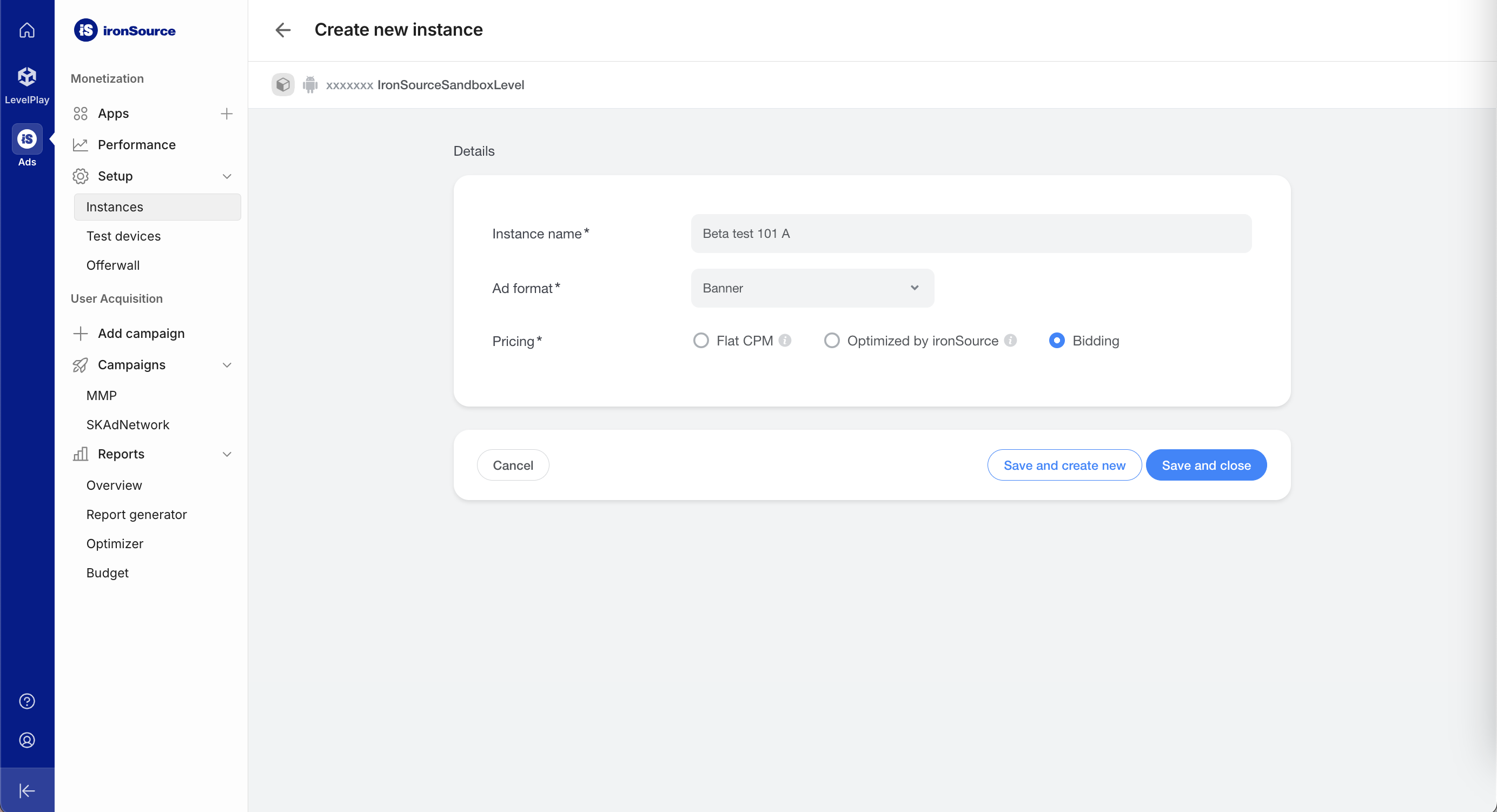
填写表单,然后在 Pricing (定价)中选择 Bidding (出价)。点击 Save and close (保存并关闭)。
Android
iOS
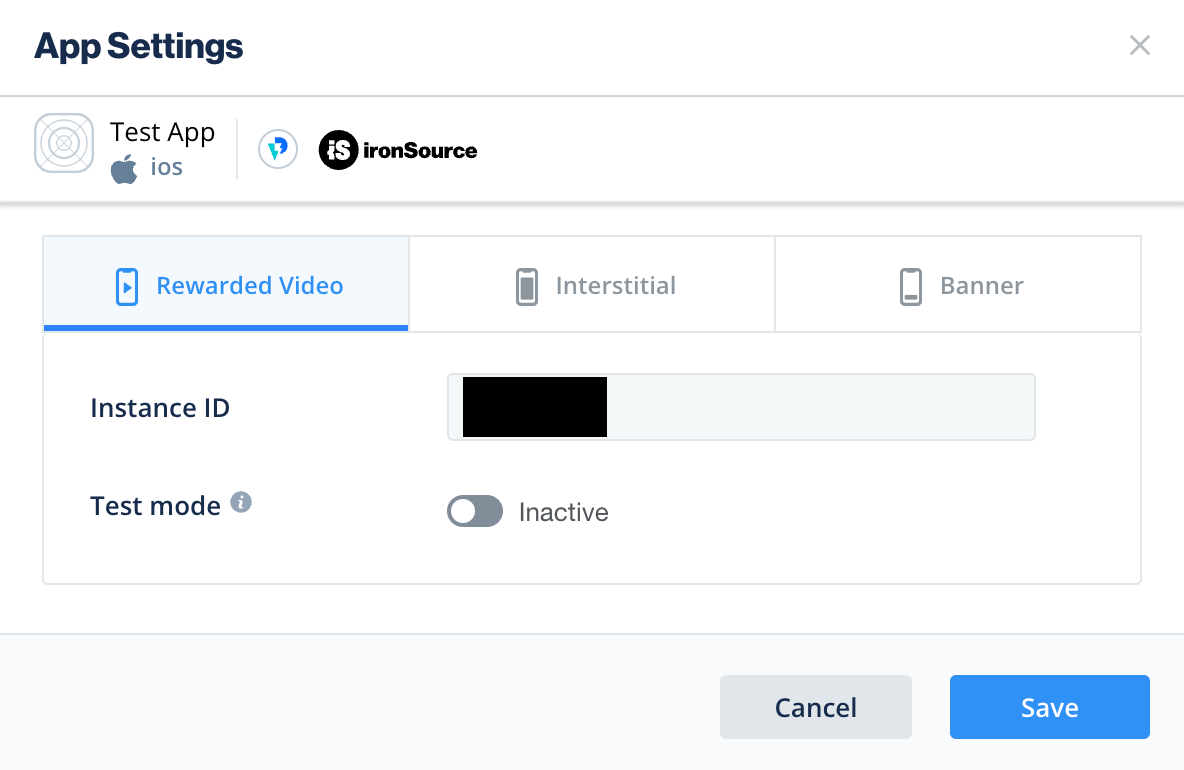
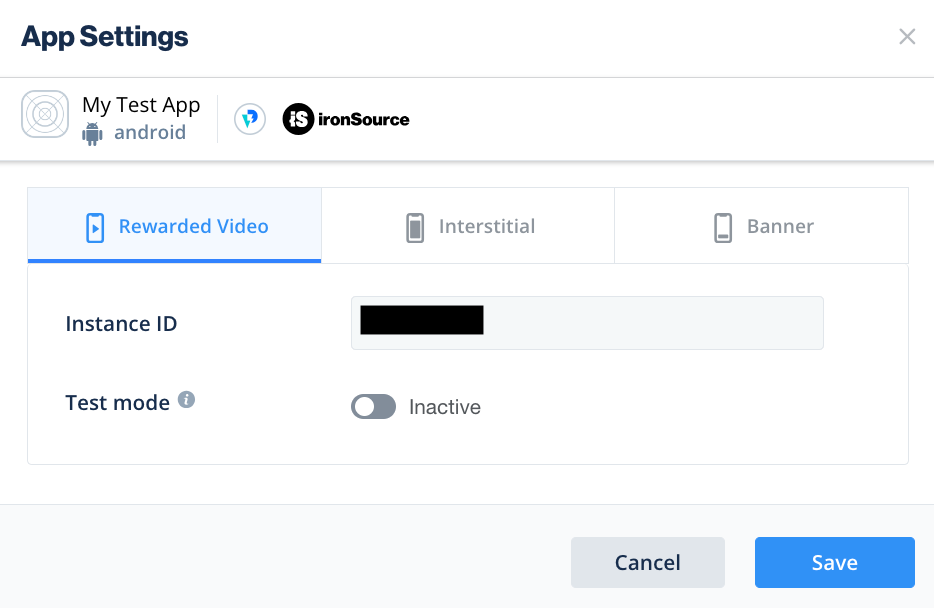
Mobile-is-support@ironsrc.com记下 Instance ID (实例 ID)。
Android
iOS
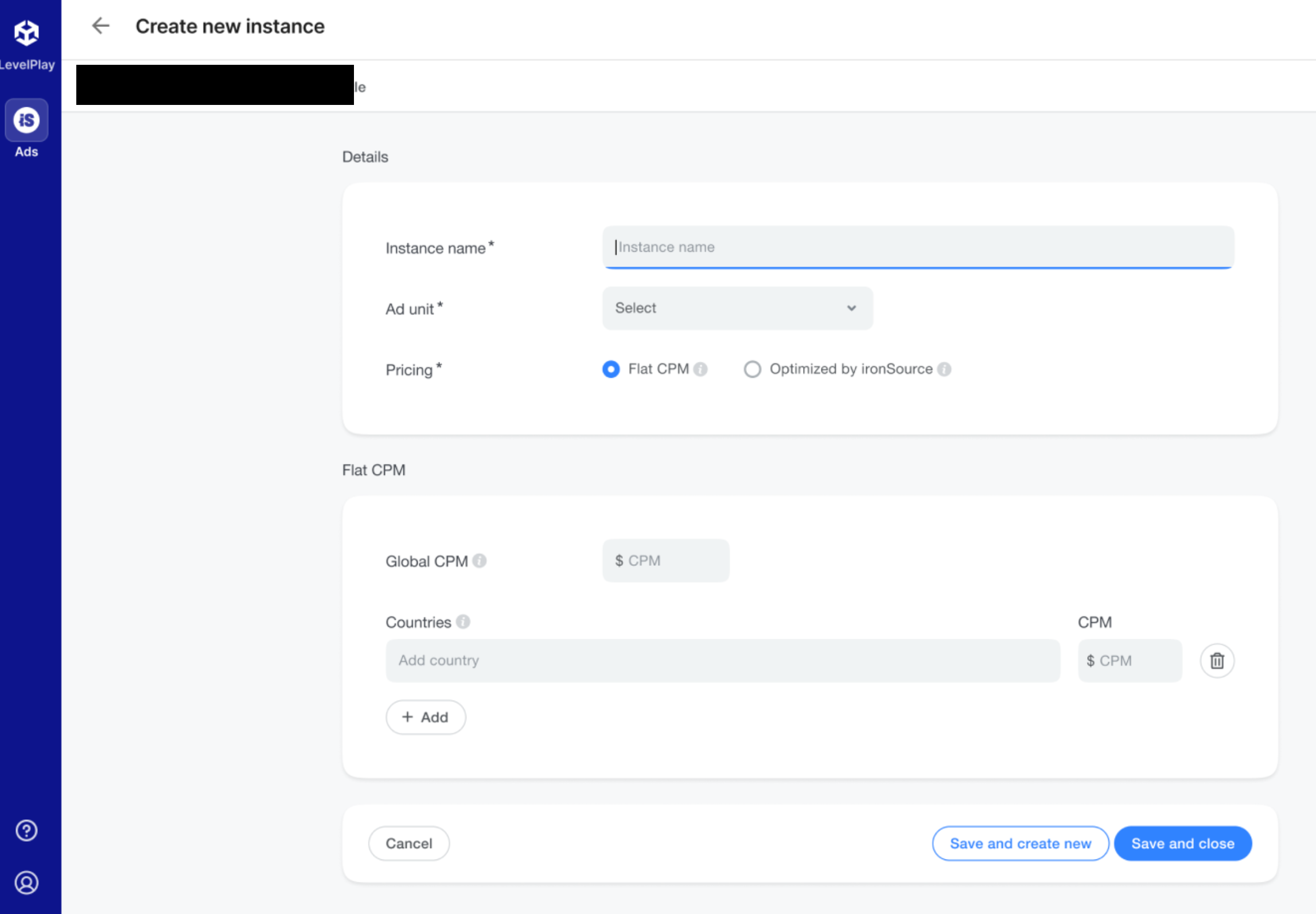
瀑布流
填写表单,然后点击 Save and close (保存并关闭)。
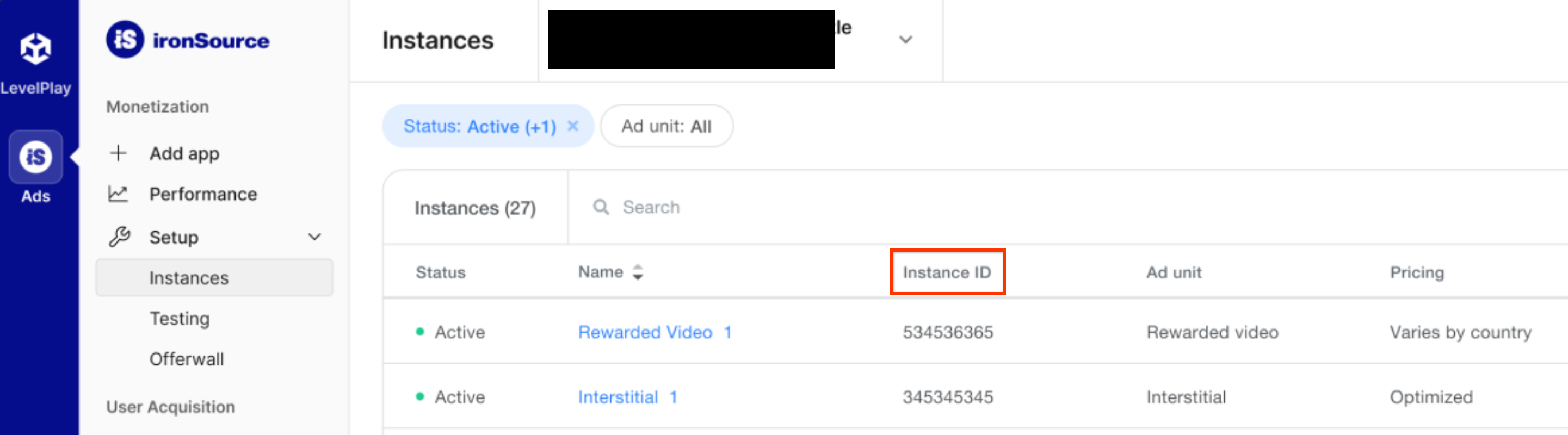
Mobile-is-support@ironsrc.com记下 Instance ID (实例 ID)。
查找 Reporting API 密钥
出价
出价集成不需要执行此步骤。
瀑布流
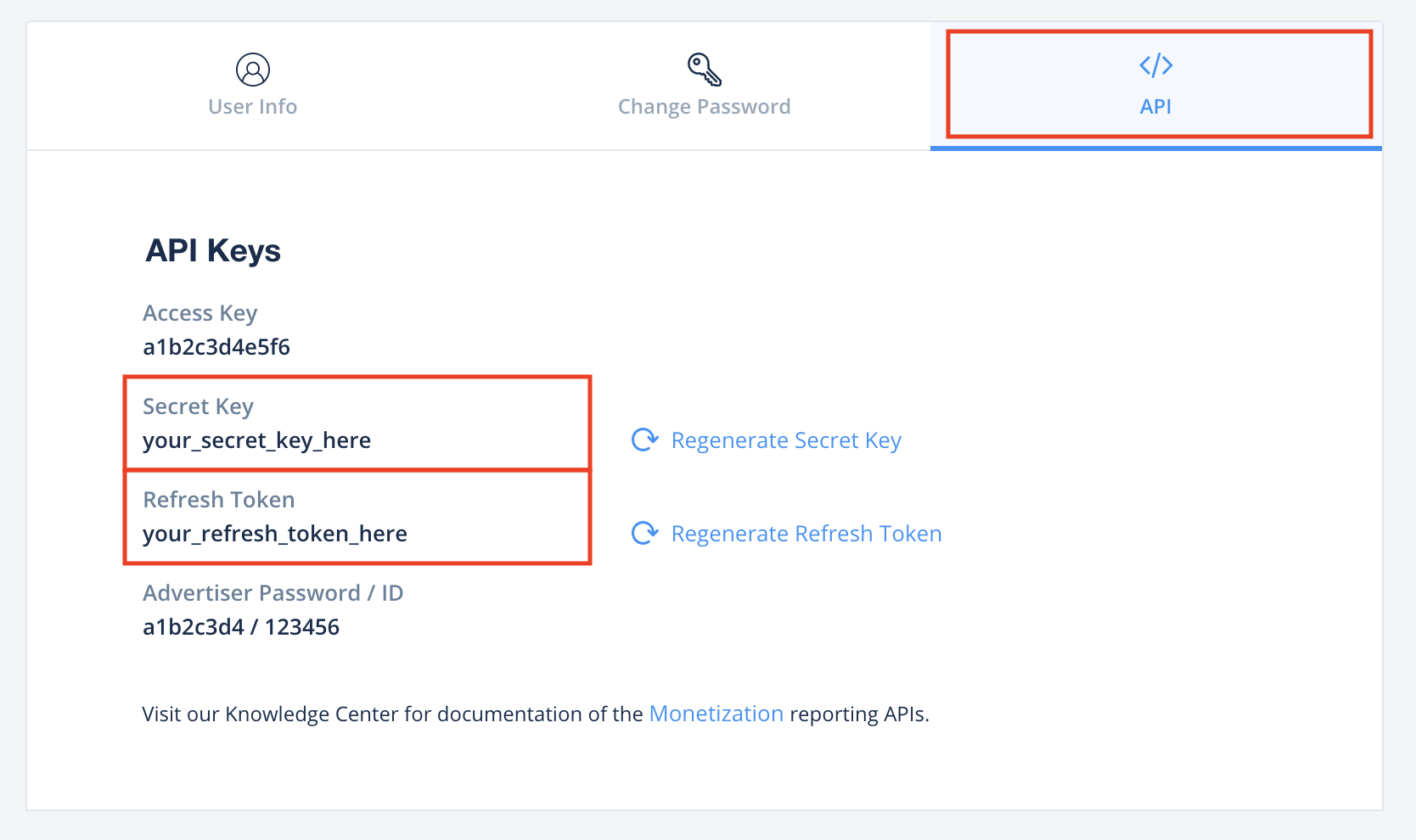
点击API标签页,在 我的账号 页面中,然后记下您的Secret Key(密钥)和Refresh Token(刷新令牌)。
更新 app-ads.txt
应用授权卖方 app-ads.txt 是一项 IAB Tech Lab 计划,有助于确保只通过您认定的授权渠道销售您的
应用广告资源。为避免损失大量广告收入,您需要实施 app-ads.txt 文件。
如果您尚未设置 app-ads.txt 文件,请立即为您的应用设置。
如需为 app-ads.txt 实施 ironSource,请参阅
ironSource 授权经销商。
启用测试模式
按照 ironSource Ads 的 集成测试 指南中的说明,了解如何启用 ironSource Ads 测试广告。
第 2 步:在 AdMob 界面中设置 ironSource Ads 需求
为广告单元配置中介设置
将 ironSource Mobile 添加到 GDPR 和美国州级法规广告合作伙伴名单中
请按照 欧洲法规设置 和 美国州级法规设置 中的步骤,将 ironSource Mobile 添加到 AdMob 界面内的欧洲法规和美国州级法规广告合作伙伴名单中。
第 3 步:导入 ironSource Ads SDK 和适配器
通过 pub.dev 进行集成
(仅限 Android)将以下代码库添加到项目 android 目录中的 build.gradle 文件:
  repositories {
      google()
      mavenCentral()
      maven {
          url = uri("https://android-sdk.is.com/")
      }
  }
在软件包的 pubspec.yaml 文件中添加以下依赖项,并确保使用的是 ironSource Ads SDK 和适配器的最新版本:
dependencies:
  gma_mediation_ironsource: ^2.5.0
手动集成
下载最新版 Google 移动广告中介插件(适用于
ironSource Ads),
提取下载的文件,并将提取的插件文件夹
(及其内容)添加到您的 Flutter 项目中。然后,通过添加以下依赖项在 pubspec.yaml 文件中引用该插件:
dependencies:
  gma_mediation_ironsource:
    path: path/to/local/package
第 4 步:在 ironSource Ads SDK 上实现隐私设置
欧盟地区意见征求和《一般数据保护条例》(GDPR)
为了遵守 Google 的《欧盟地区用户意见征求政策》,您必须:向位于欧洲经济区 (EEA)、英国和瑞士境内的 用户披露相关信息;如果法律 要求在使用 Cookie 或存储在本地的其他 ID 之前必须先征得用户同意,您必须照做;如果需要收集、分享和使用个人数据来实现广告 个性化,也必须征得 他们的同意。此政策反映了欧盟《电子隐私指令》和《一般数据保护条例》(GDPR) 的要求。您要负责验证用户意见是否已传播到中介链中的每个广告来源。 Google 无法自动将用户意见传递给此类广告资源网。
ironSource Ads 会自动读取支持 Google 的额外意见规范(包括 UMP SDK)的意见征求管理平台设置的 GDPR 意见。如需了解详情,请参阅 对 Google UMP 和支持 Google 额外意见的 CMP 的支持。美国州级隐私保护法律
美国各州隐私保护法律 要求向用户提供选择拒绝“出售”其“个人信息”(该法律中对这些术语做出了定义)的权利,“出售”方须在首页醒目位置提供“Do Not Sell My Personal Information”(不出售我的个人信息)链接,以供这些用户选择。美国州级隐私保护法律合规性指南可让您为 Google 广告投放启用受限的数据处理,但 Google 无法将此设置应用于您的中介链中的每个广告联盟。因此,您必须确定中介链中可能参与个人信息出售的每个广告联盟,并遵循这些广告联盟的指南来确保合规性。
ironSource Ads 的 Google 移动广告中介插件包含
GmaMediationIronsource().setDoNotSell
方法。以下示例代码展示了如何将用户意见信息传递给 ironSource Ads SDK。您必须先设置这些选项,然后再初始化Google Mobile Ads Flutter Plugin,以确保这些选项能够正确转发到
ironSource Ads SDK。
import 'package:gma_mediation_ironsource/gma_mediation_ironsource.dart';
// ...

GmaMediationIronsource().setDoNotSell(true);
如需了解详情以及可在该方法中提供的值,请参阅 ironSource Ads 的文档,了解 Regulation Advanced Settings (法规高级设置)在 Android 和 iOS 上的应用。
第 5 步:添加必需的代码
Android
ProGuard 规则
如果您缩减、混淆处理和优化应用, ironSource Ads 需要为您的项目添加额外的 ProGuard 规则。
如需详细了解您的项目需要哪些 ProGuard 规则,请参阅 ironSource Ads 的 Android SDK
集成
指南
,并将这些规则添加到您的 proguard-user.txt 文件中。
应用生命周期
替换每个 activity 中的 onPause() 和 onResume() 方法,以调用相应的 ironSource Ads 方法,如下所示:
Java
@Override
public void onResume() {
    super.onResume();
    IronSource.onResume(this);
}

@Override
public void onPause() {
    super.onPause();
    IronSource.onPause(this);
}
Kotlin
public override fun onResume() {
    super.onResume()
    IronSource.onResume(this)
}

public override fun onPause() {
    super.onPause()
    IronSource.onPause(this)
}
iOS
SKAdNetwork 集成
第 6 步:测试您的实现
启用测试广告
请确保您已为 AdMob 注册测试设备,并在 ironSource Ads 界面中启用了测试模式。
验证测试广告
若要验证您是否能收到来自 ironSource Ads, 请在广告检查器中启用 single ad source testing (单个广告来源测试),并选择 ironSource Ads (Bidding) and ironSource Ads (Waterfall)(ironSource Ads [出价] 和 ironSource Ads [瀑布流])作为广告来源。
错误代码
如果适配器未能收到来自 ironSource Ads 的广告,发布商可以使用
以下类中的
ResponseInfo来检查广告响应中归属于以下类的底层错误:
Android
com.google.ads.mediation.ironsource.IronSourceAdapter
com.google.ads.mediation.ironsource.IronSourceRewardedAdapter
iOS
GADMAdapterIronSource
GADMAdapterIronSourceRewarded
以下是当广告加载失败时,ironSource Ads 适配器会抛出的代码和随附的消息:
Android
| 错误代码 | 原因 |
|---|---|
| 101 | AdMob 界面中配置的 ironSource Ads 服务器参数缺失/无效。 |
| 102 | ironSource Ads 需要 Activity 上下文来初始化其 SDK。 |
| 103 | 每个 ironSource 实例 ID 只能加载 1 个广告。 |
| 105 | ironSource Ads 不支持所请求的横幅广告尺寸。 |
| 106 | ironSource Ads SDK 未初始化。 |
| 501-1056 | ironSource Ads SDK 错误。如需了解详情,请参阅文档 。 |
iOS
| 错误代码 | 原因 |
|---|---|
| 101 | AdMob 界面中配置的 ironSource Ads 服务器参数缺失/无效。 |
| 102 | ironSource Ads 适配器不支持所请求的广告格式。 |
| 103 | 此网络配置已加载 ironSource 广告。 |
| 104 | ironSource Ads 不支持所请求的横幅广告尺寸。 |
| 508-1037 | ironSource Ads SDK 错误。如需了解详情,请参阅文档 。 |
ironSource Flutter 中介适配器变更日志
版本 2.5.0
- 更新为支持 Google 移动广告 Flutter 插件 9.0.0 版。
- 支持 ironSource Android 适配器 9.5.0.0 版。
- 支持 ironSource iOS 适配器 9.5.0.0.0 版。
- 使用 Google 移动广告 Flutter 插件 9.0.0 版构建和测试。
版本 2.4.3
- 支持 ironSource Android 适配器 9.4.4.0 版。
- 支持 ironSource iOS 适配器 9.4.2.0.0 版。
- 使用 Google 移动广告 Flutter 插件 8.0.0 版构建和测试。
版本 2.4.2
- 支持 ironSource Android 适配器 9.4.2.0 版。
- 支持 ironSource iOS 适配器 9.4.1.0.1 版。
- 使用 Google 移动广告 Flutter 插件 8.0.0 版构建和测试。
版本 2.4.1
- 支持 ironSource Android 适配器 9.4.2.0 版。
- 支持 ironSource iOS 适配器 9.4.1.0.0 版。
- 使用 Google 移动广告 Flutter 插件 8.0.0 版构建和测试。
版本 2.4.0
- 将最低 Flutter 版本更新为 3.38.1
- 更新为支持 Google 移动广告 Flutter 插件 8.0.0 版
- 支持 ironSource Android 适配器 9.4.0.0 版。
- 支持 ironSource iOS 适配器 9.4.0.0.0 版。
- 使用 Google 移动广告 Flutter 插件 8.0.0 版构建和测试。
版本 2.3.0
- 支持 ironSource Android 适配器 9.3.0.0 版。
- 支持 ironSource iOS 适配器 9.2.0.0.0 版。
- 使用 Google 移动广告 Flutter 插件 6.0.0 版构建和测试。
版本 2.2.0
- 支持 ironSource Android 适配器 9.1.0.0 版。
- 支持 ironSource iOS 适配器 9.2.0.0.0 版。
- 使用 Google 移动广告 Flutter 插件 6.0.0 版构建和测试。
版本 2.1.0
- 支持 ironSource Android 适配器 9.1.0.0 版。
- 支持 ironSource iOS 适配器 9.1.0.0.0 版。
- 使用 Google 移动广告 Flutter 插件 6.0.0 版构建和测试。
版本 2.0.1
- 修复了使用新 API 构建 iOS 的问题
- 支持 ironSource Android 适配器 9.0.0.0 版。
- 支持 ironSource iOS 适配器 9.0.0.0.0 版。
- 使用 Google 移动广告 Flutter 插件 6.0.0 版构建和测试。
版本 2.0.0
- 支持 ironSource Android 适配器 9.0.0.0 版。
- 支持 ironSource iOS 适配器 9.0.0.0.0 版。
- 使用 Google 移动广告 Flutter 插件 6.0.0 版构建和测试。
版本 1.5.0
- 支持 ironSource Android 适配器 8.10.0.0 版。
- 支持 ironSource iOS 适配器 8.10.0.0.0 版。
- 使用 Google 移动广告 Flutter 插件 6.0.0 版构建和测试。
版本 1.4.1
- 支持 ironSource Android 适配器 8.9.1.0 版。
- 支持 ironSource iOS 适配器 8.9.1.0.0 版。
- 使用 Google 移动广告 Flutter 插件 6.0.0 版构建和测试。
版本 1.4.0
- 支持 ironSource Android 适配器 8.9.0.0 版。
- 支持 ironSource iOS 适配器 8.9.1.0.0 版。
- 使用 Google 移动广告 Flutter 插件 6.0.0 版构建和测试。
版本 1.3.1
- 支持 ironSource Android 适配器 8.8.0.1 版。
- 支持 ironSource iOS 适配器 8.8.0.0.0 版。
- 使用 Google 移动广告 Flutter 插件 6.0.0 版构建和测试。
版本 1.3.0
- 支持 ironSource Android 适配器 8.8.0.0 版。
- 支持 ironSource iOS 适配器 8.8.0.0.0 版。
- 使用 Google 移动广告 Flutter 插件 6.0.0 版构建和测试。
版本 1.2.0
- 支持 ironSource Android 适配器 8.7.0.0 版。
- 支持 ironSource iOS 适配器 8.6.1.0.0 版。
- 使用 Google 移动广告 Flutter 插件 5.3.1 版构建和测试。
版本 1.1.0
- iOS 插件现在是一个静态框架。
- 支持 ironSource Android 适配器 8.6.1.0 版。
- 支持 ironSource iOS 适配器 8.6.0.0.0 版。
- 使用 Google 移动广告 Flutter 插件 5.3.1 版构建和测试。
版本 1.0.0
- 初始版本。
- 支持 ironSource Android 适配器 8.0.0.0 版。
- 支持 ironSource iOS 适配器 8.0.0.0.0 版。
- 使用 Google 移动广告 Flutter 插件 5.1.0 版构建和测试。