
This guide shows you how to use GMA Next-Gen SDK to load and display ads from LY Ads Network using mediation, covering waterfall integrations. It covers how to add LY Ads Network to an ad unit's mediation configuration, and how to integrate the LY Ads Network SDK and adapter into an Android app.
Supported integrations and ad formats
The mediation adapter for LY Ads Network has the following capabilities:
| Integration | |
|---|---|
| Bidding | |
| Waterfall | |
| Formats | |
| Banner | |
| Interstitial | |
| Rewarded | |
| Native | |
Prerequisites
Before you continue, verify the following:
Android API level 24 or later.
[For bidding]: To integrate all supported ad formats in bidding, use LY Ads Network adapter 2.9.20241129.0 or later (latest version recommended).
Latest GMA Next-Gen SDK version.
Step 1: Set up configurations in LY Ads Network UI
Sign up and log in to your LY Ads Network account.
Add a new application
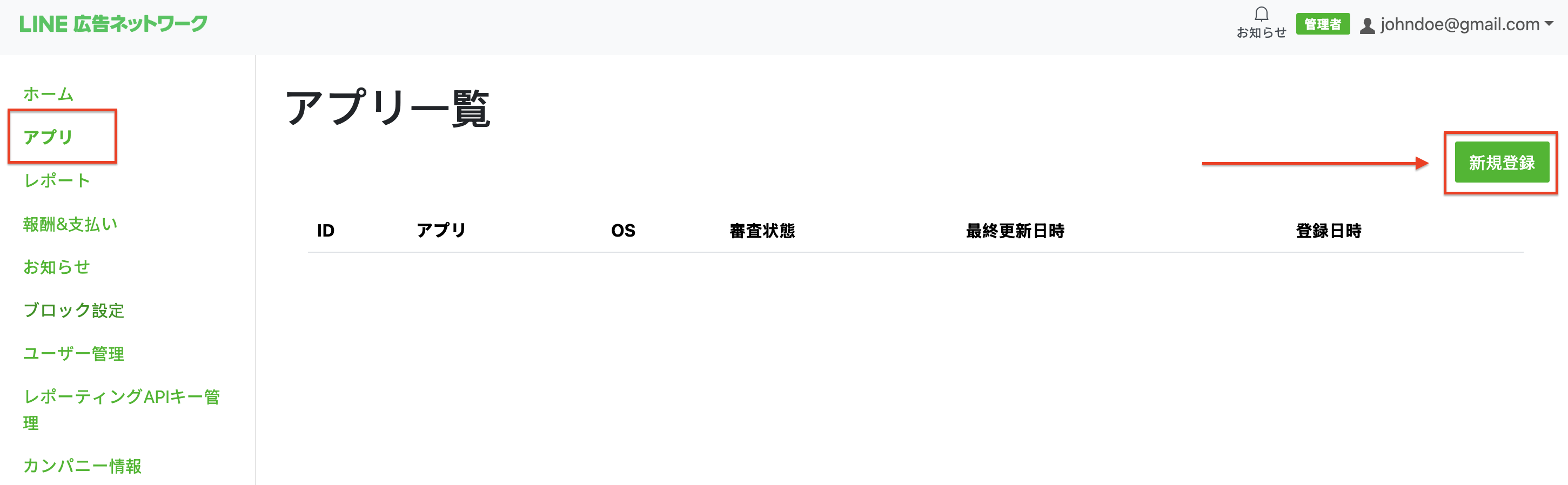
Navigate to the App tab and click the New registration button.
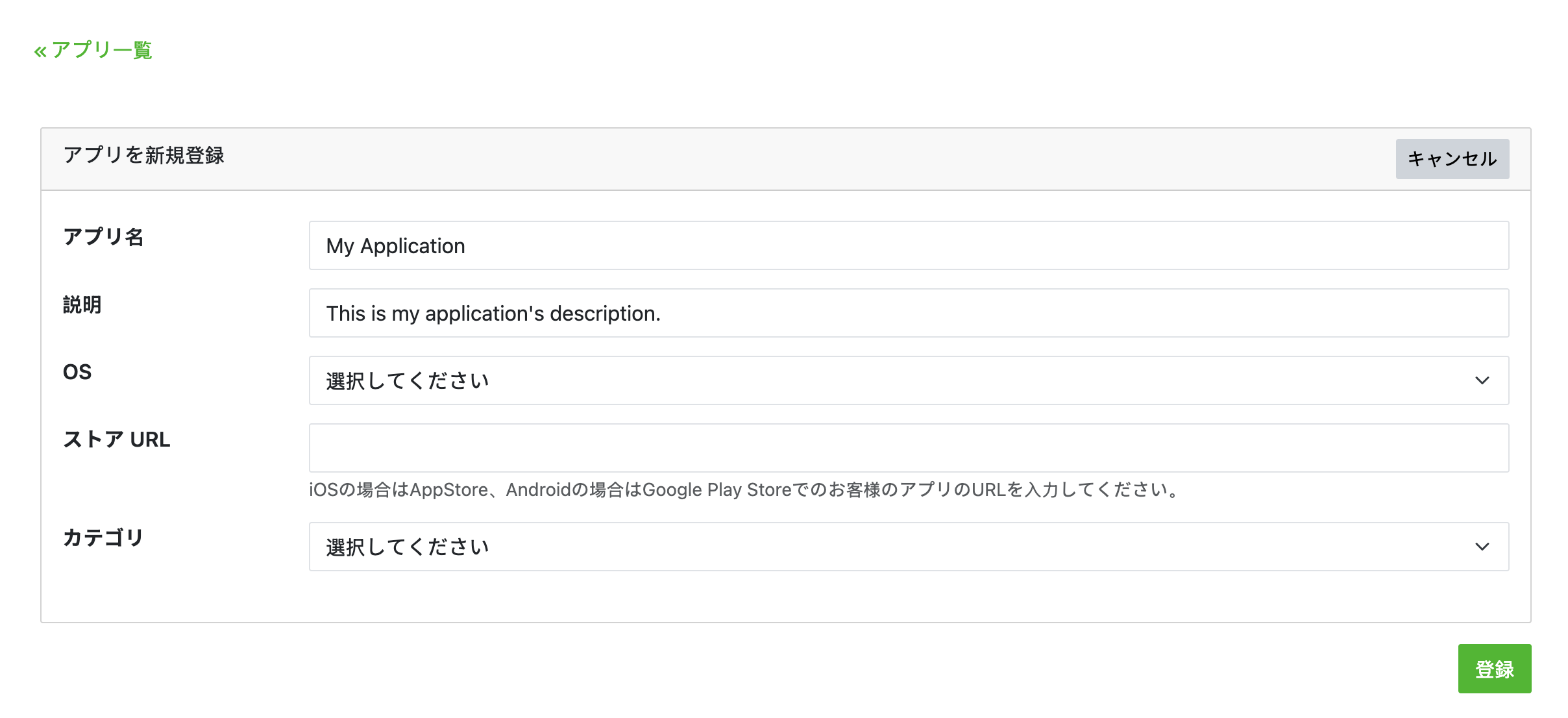
Fill out the form and click registration.
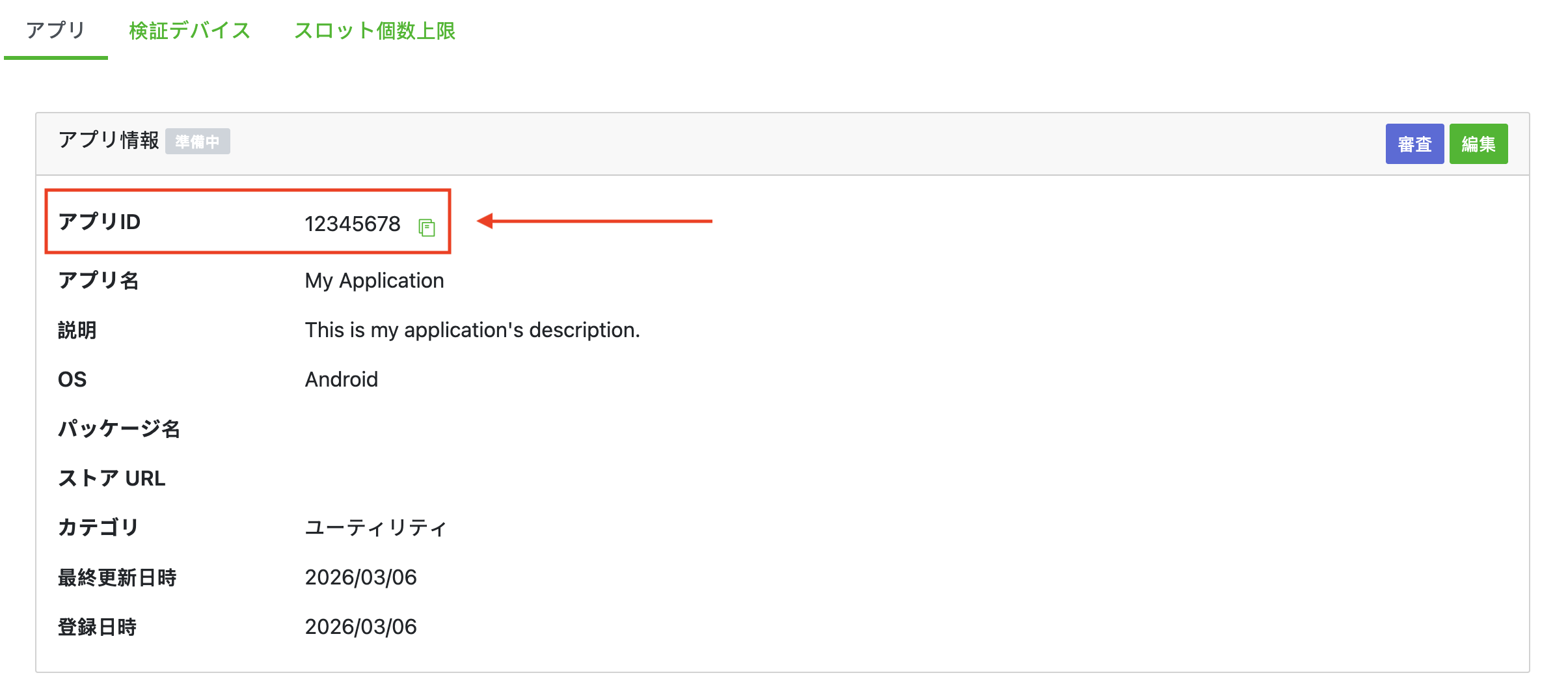
Take note of the App ID.
Create an ad slot
On the App tab, select your app to view your app's details. Under the Slot section, click Add.

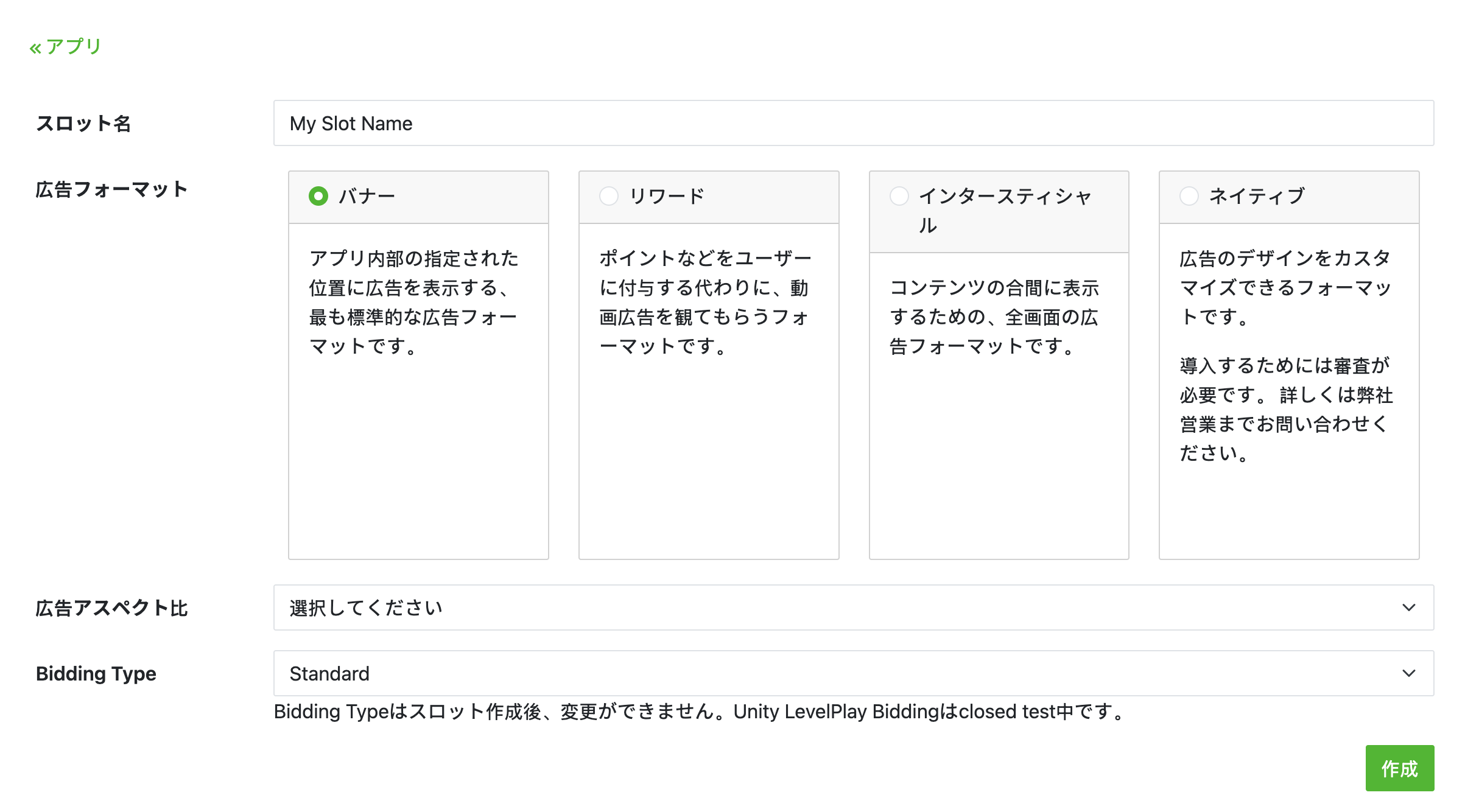
Fill out the form for details about the slot. For Bidding Type, select Standard to configure this slot for waterfall mediation, or Google SDK Bidding to configure this slot for Bidding. Click Create once the form is filled.
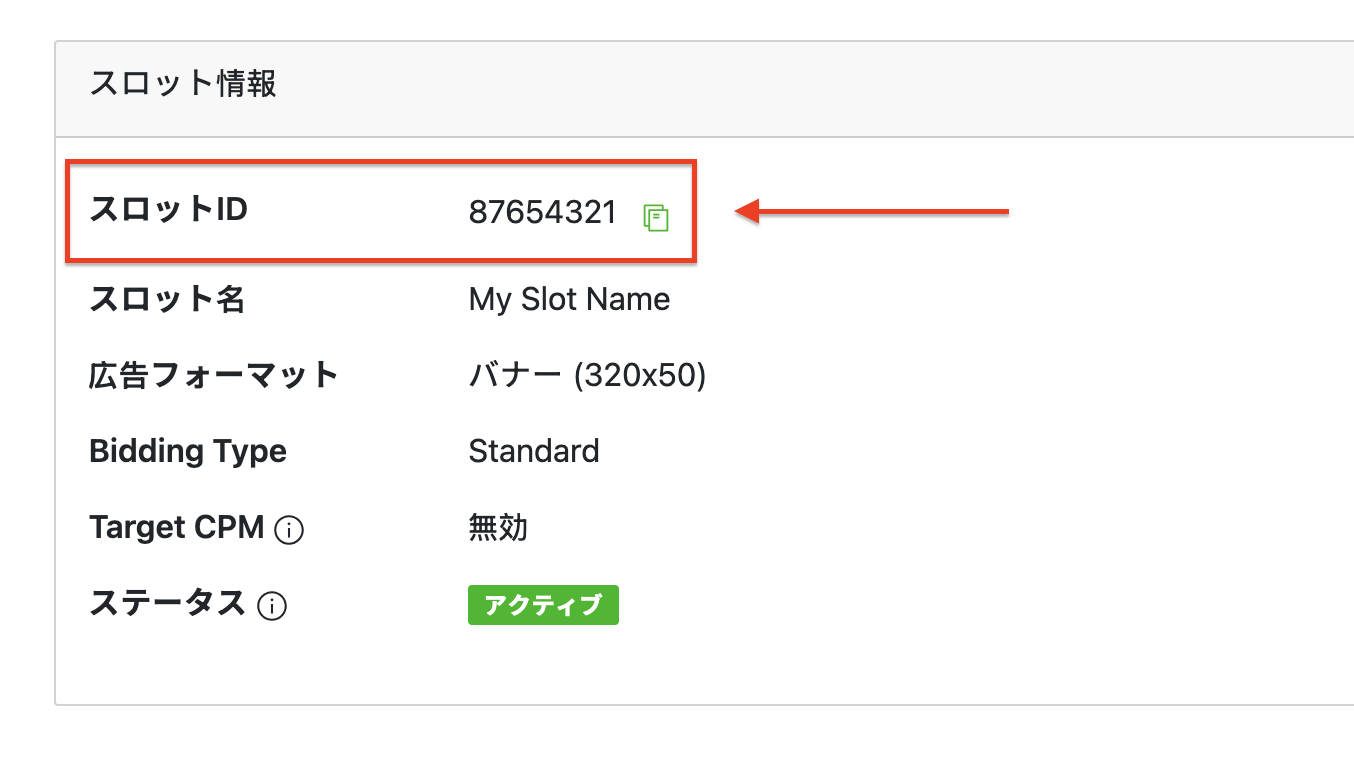
Take note of the Slot ID.
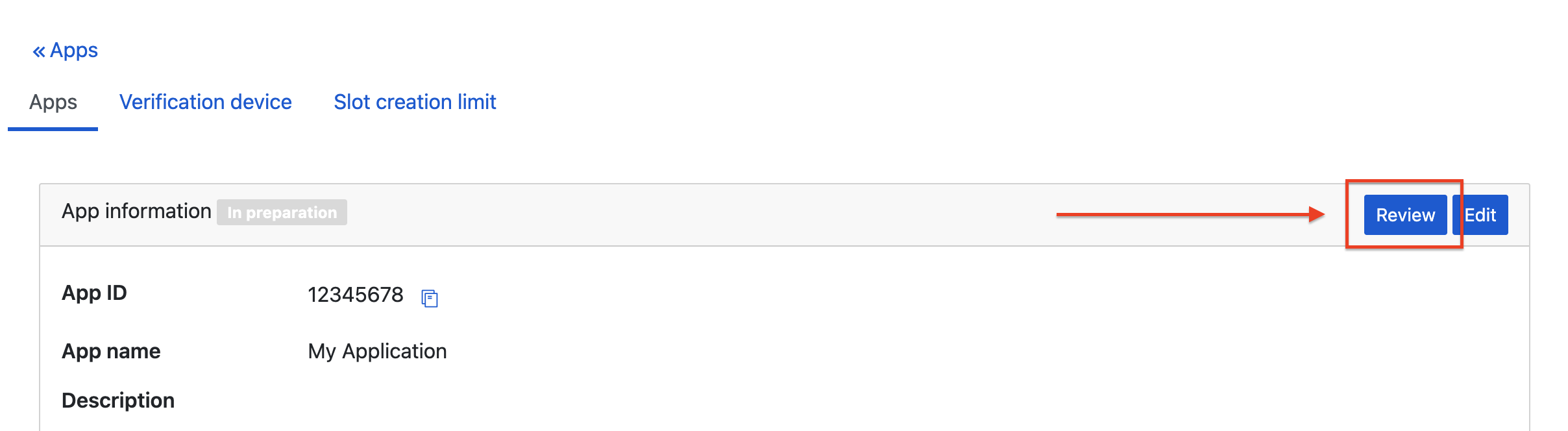
After you create your first slot, click Review on your app's detail page to get approval from LY Ads Network. This may take some time. Contact your LY Ads Network representative if you have any questions.
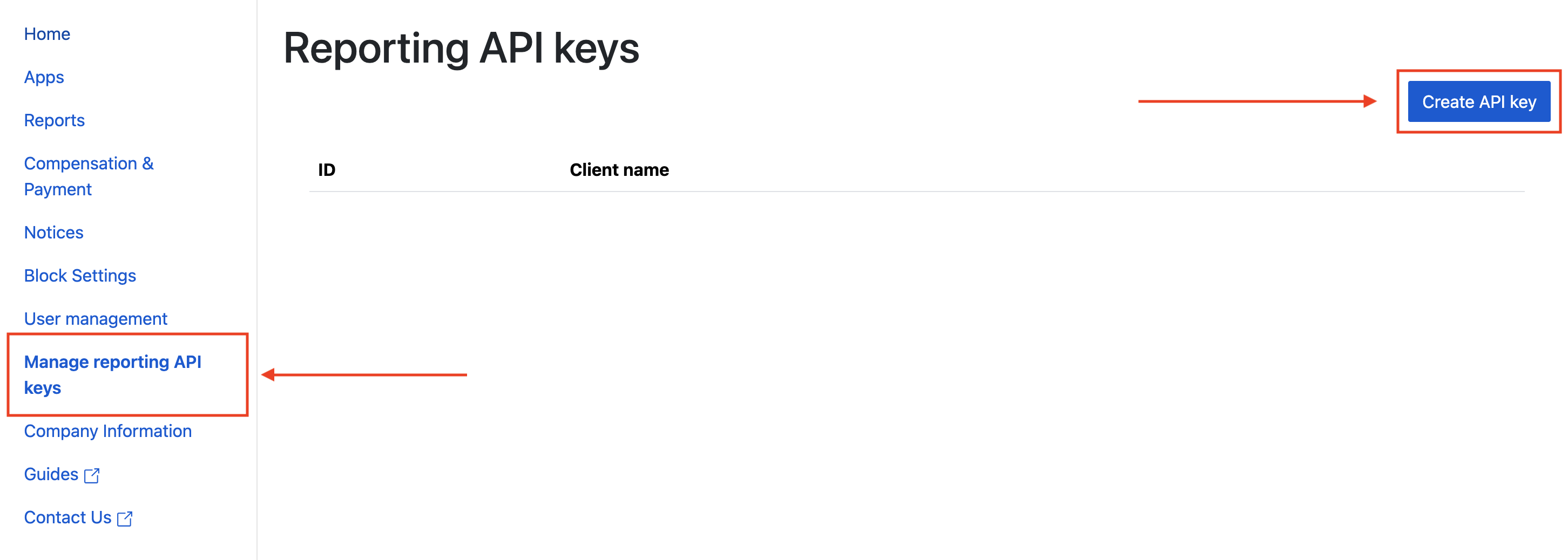
Create a Reporting API Key
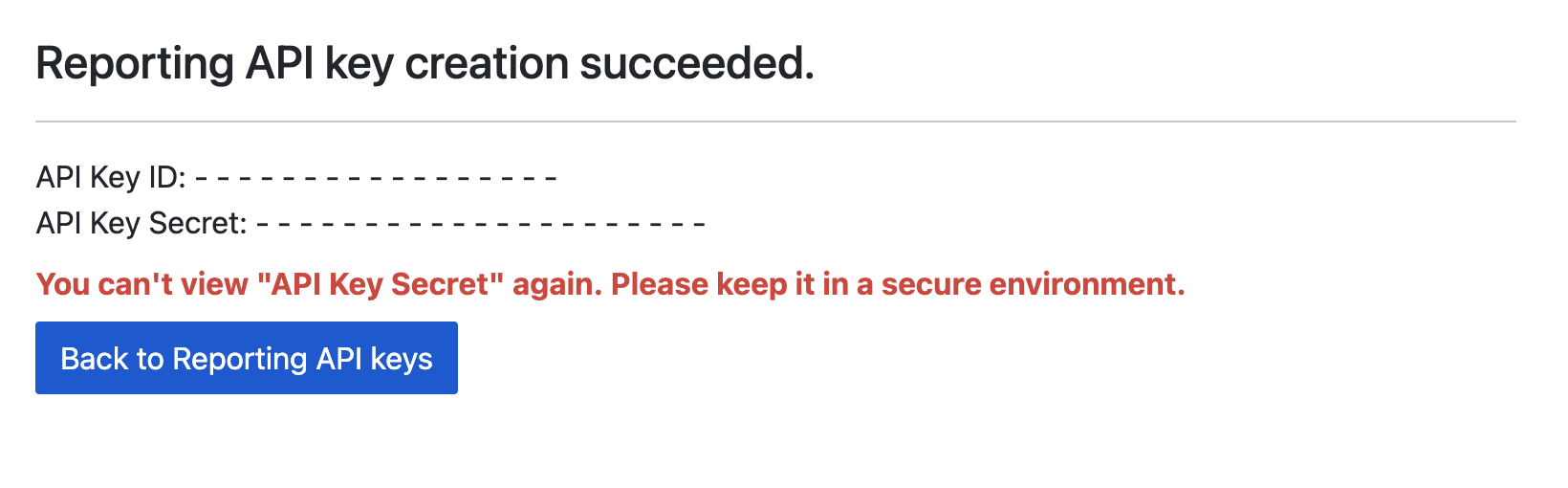
Navigate to the Managing reporting API keys tab and click the Create API key button.
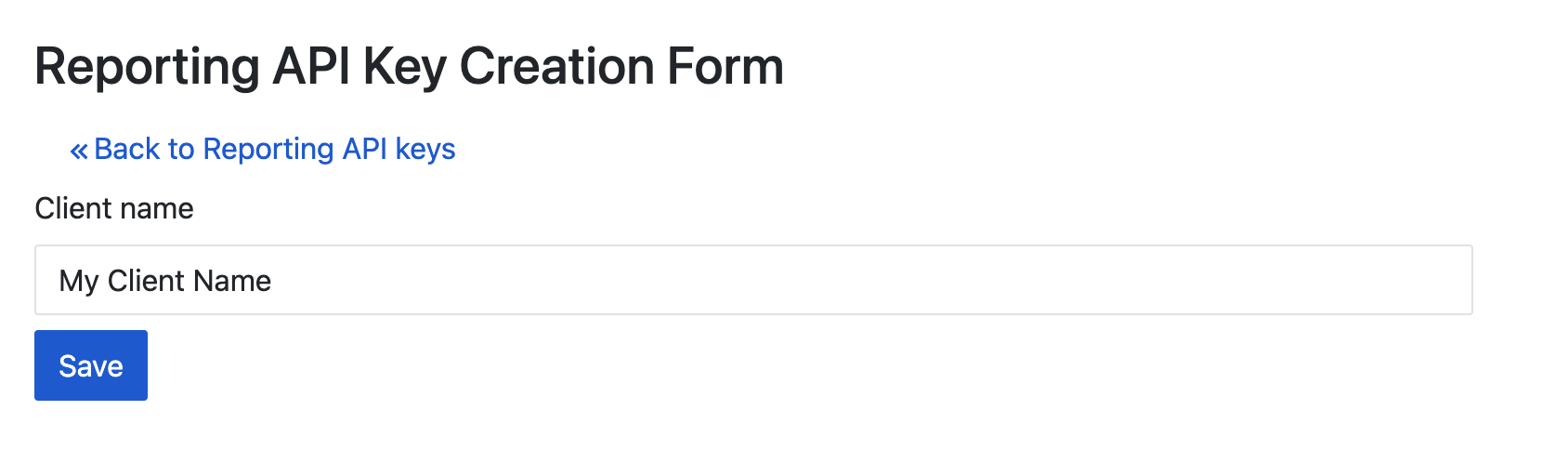
Fill out the form and click Save.
Take note of your API Key ID and API Key Secret.
Update your app-ads.txt
Authorized Sellers for Apps app-ads.txt is an IAB Tech Lab initiative that helps ensure your
app ad inventory is only sold through channels you've identified as authorized. To prevent a
significant loss in ad revenue, you'll need to implement an app-ads.txt file.
If you haven't done so already,
create an app-ads.txt file for Ad Manager.
To implement app-ads.txt for LY Ads Network, see
About app-ads.txt.
Step 2: Set up LY Ads Network demand in Ad Manager UI
Sign in to your Ad Manager account.
Add LY Ads Network in Companies
Bidding
This step isn't required for bidding integrations.
Waterfall
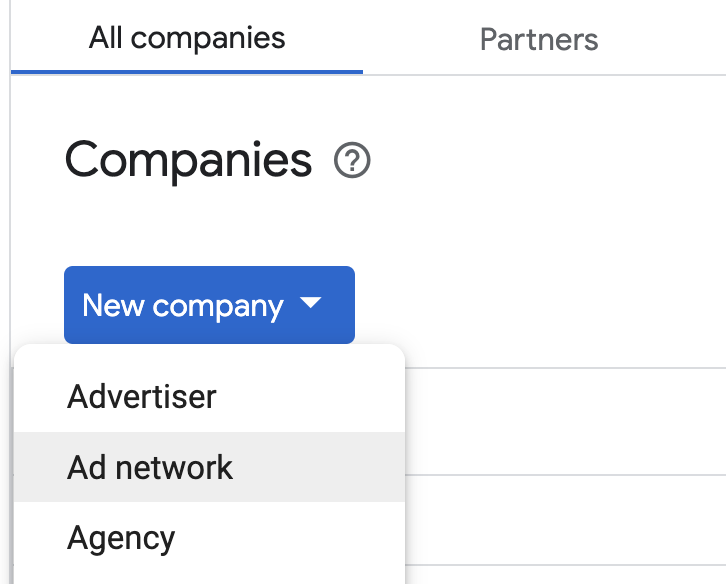
Navigate to Admin > Companies, then click the New company button in the All companies tab. Select Ad network.
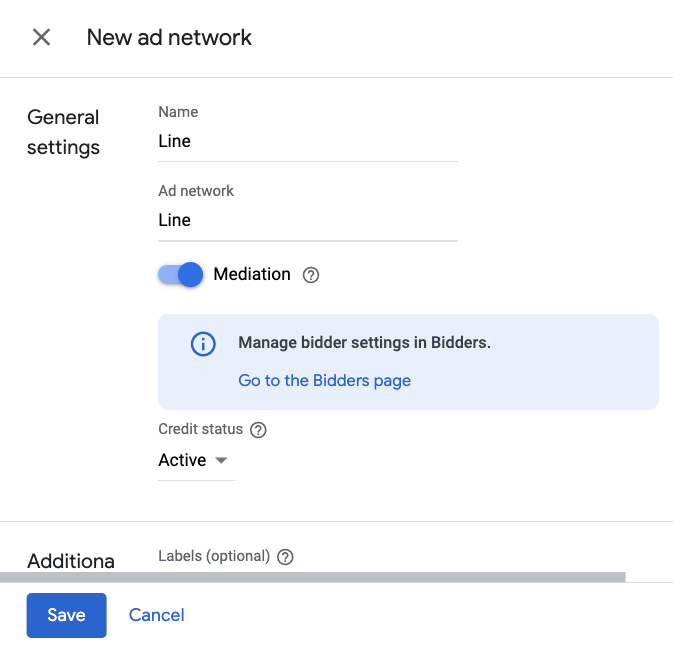
Select LY Ads Network as the Ad network, enter a unique Name and enable Mediation. Turn on Automatic data collection, and enter the API Key ID and API Key Secret obtained in the previous section.
You don't need to enter a Username or Password. Click Save when done.
Enable secure signal sharing
Bidding
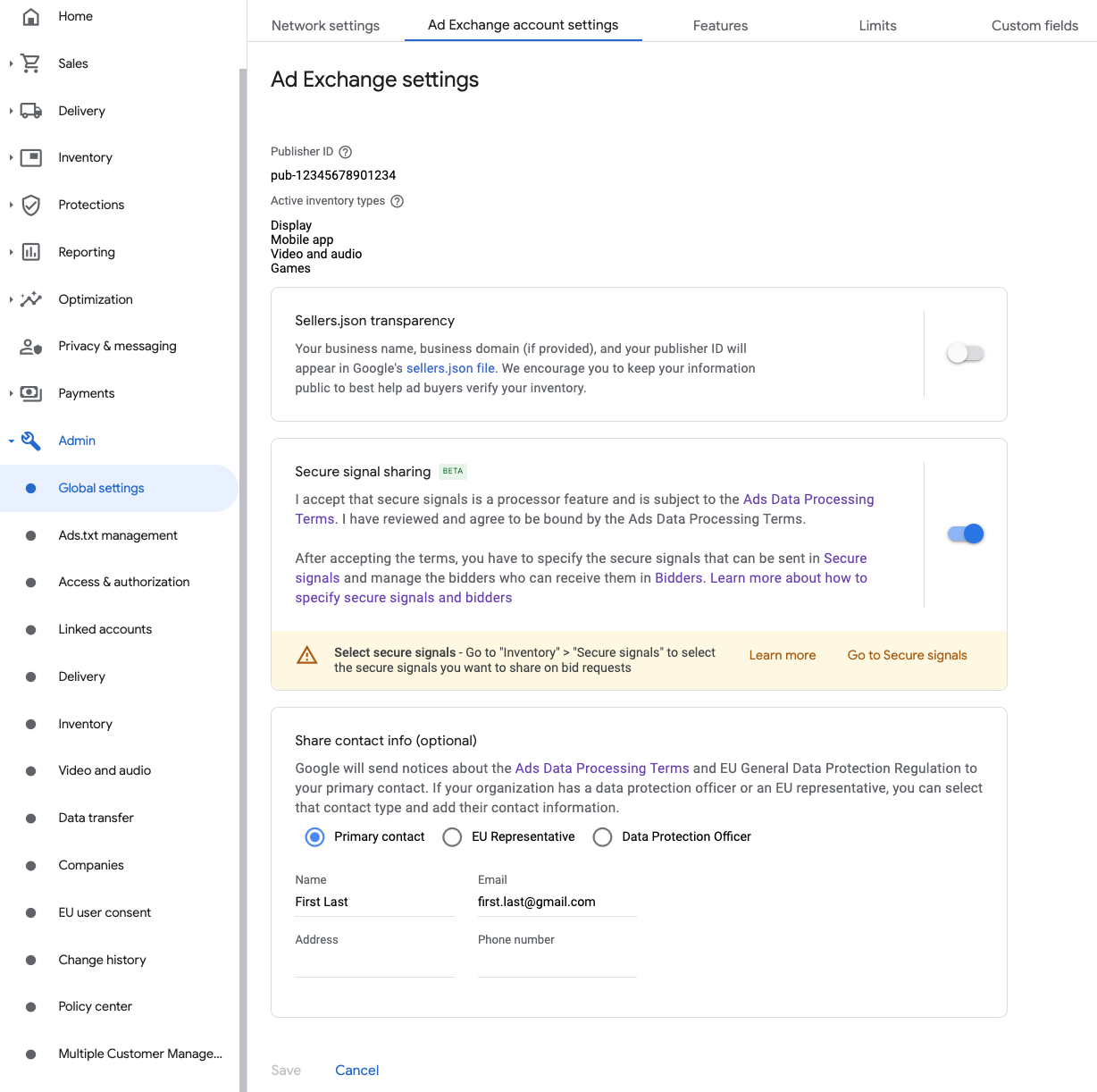
Navigate to Admin > Global settings. Go to the Ad Exchange account settings tab and review and turn on Secure signal sharing. Click Save.
Waterfall
This step isn't required for waterfall integrations.
Share secure signal on bid requests
Bidding
Navigate to Inventory > Secure Signals. Under Secure signals, search for LY Ads Network and turn on Enable app integration.
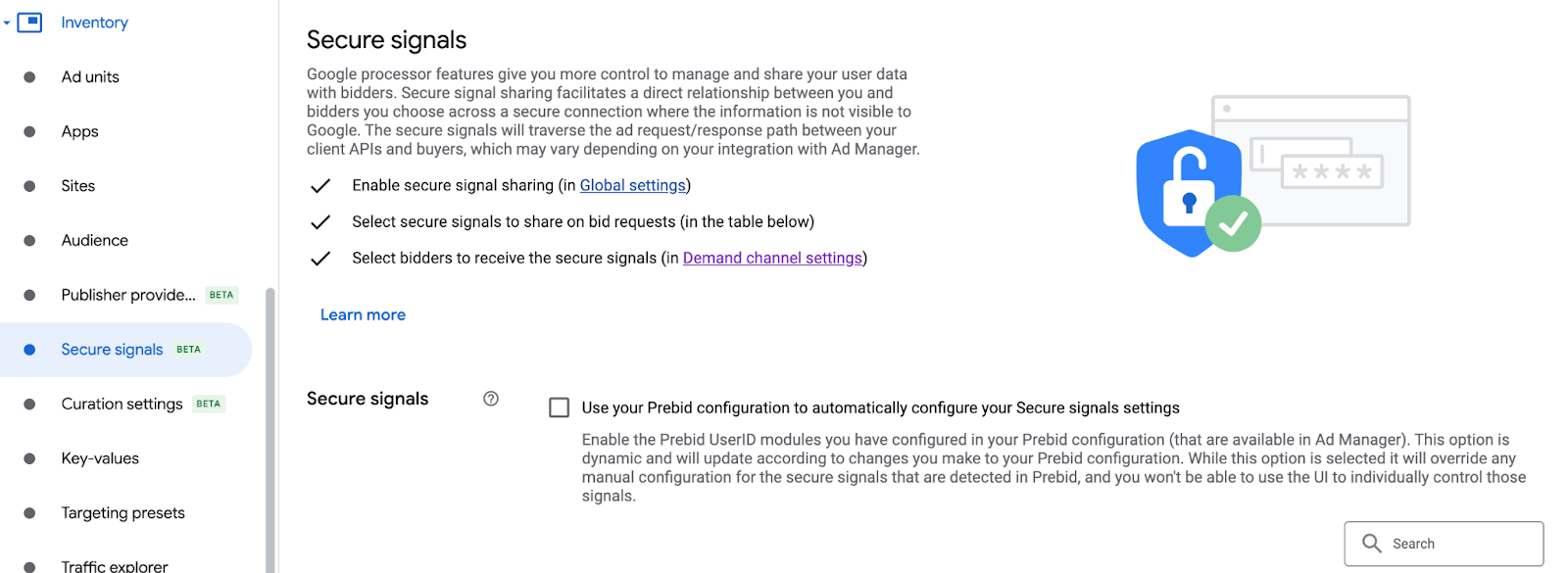
Click Save.
Waterfall
This step isn't required for waterfall integrations.
Allow secure signal sharing for SDK Bidding
Bidding
Navigate to Delivery > Demand channel settings. In the Default settings tab, turn on Allow secure signal sharing for SDK Bidding.
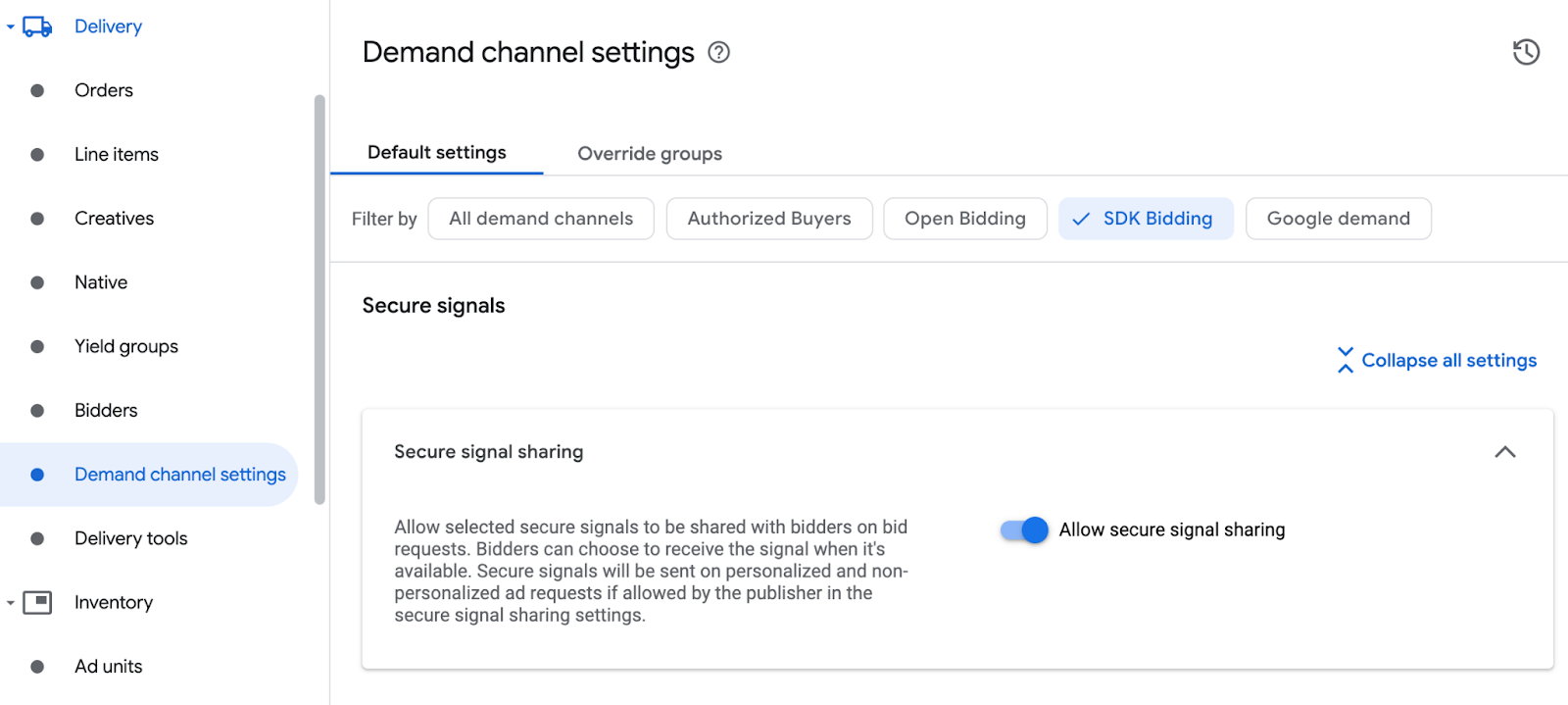
Click Save.
Waterfall
This step isn't required for waterfall integrations.
Configure LY Ads Network bidding
Bidding
Navigate to Delivery > Bidders, and click Go to SDK Bidding.
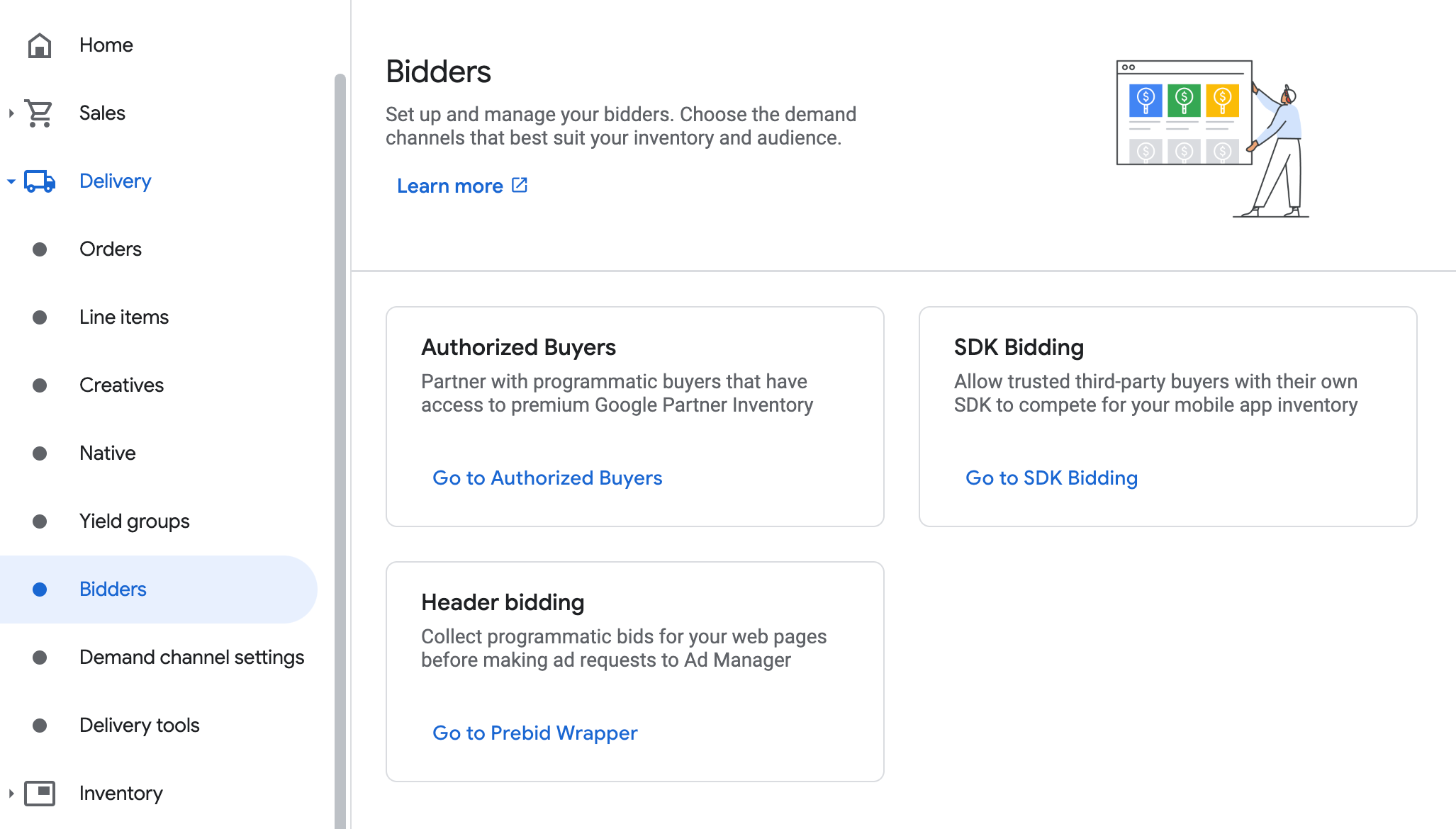
Click New bidder.
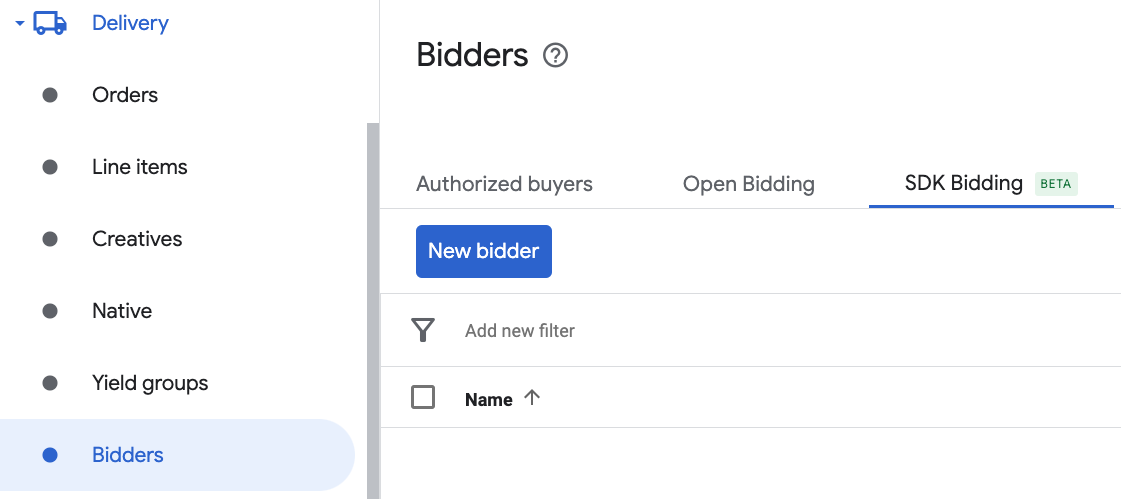
Select LY Ads Network as the bidder.

Click Continue to enable SDK Bidding for this bidder.
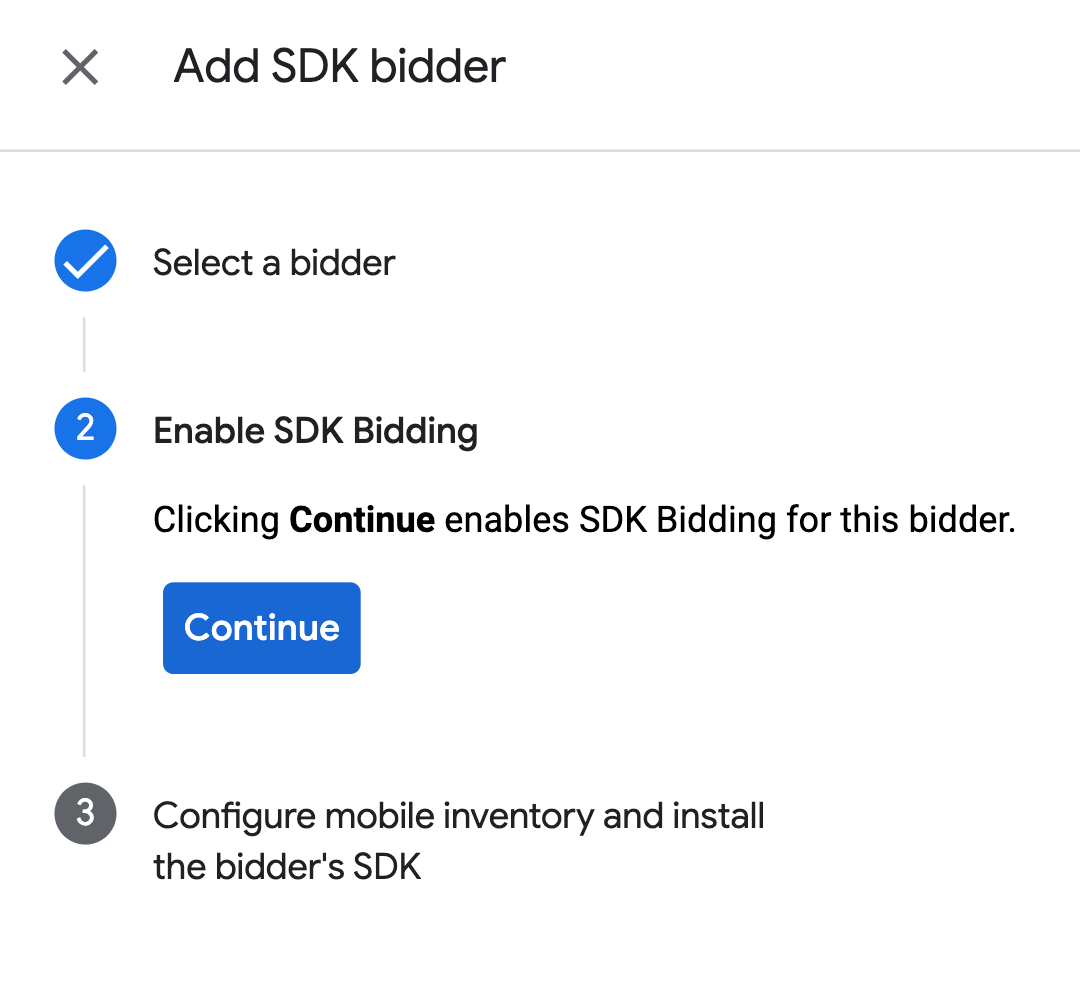
Click Done.
Waterfall
This step isn't required for waterfall integrations.
Configure ad unit mapping
Bidding
Navigate to Delivery > Bidders, and click Go to SDK Bidding.
Select the company for LY Ads Network.
Go to the Ad unit mapping tab and click New ad unit mapping.
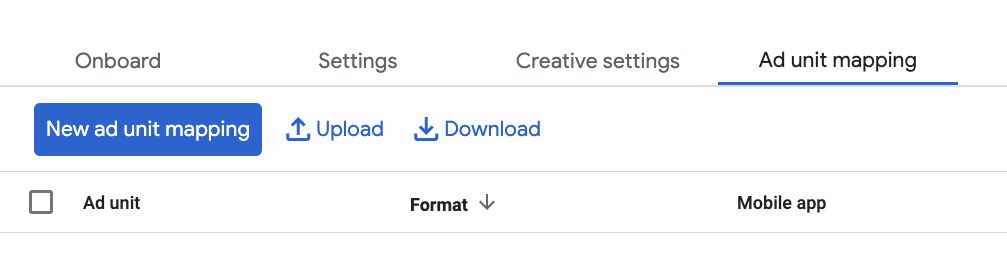
Choose Specific ad unit. Select an ad unit and format, Mobile app as the Inventory type, and your Mobile application. Then, enter Application ID and Slot ID obtained in the previous section.
Finally, click Save.

Waterfall
Navigate to Delivery > Yield groups and click the New yield group button. Select your Inventory and App.
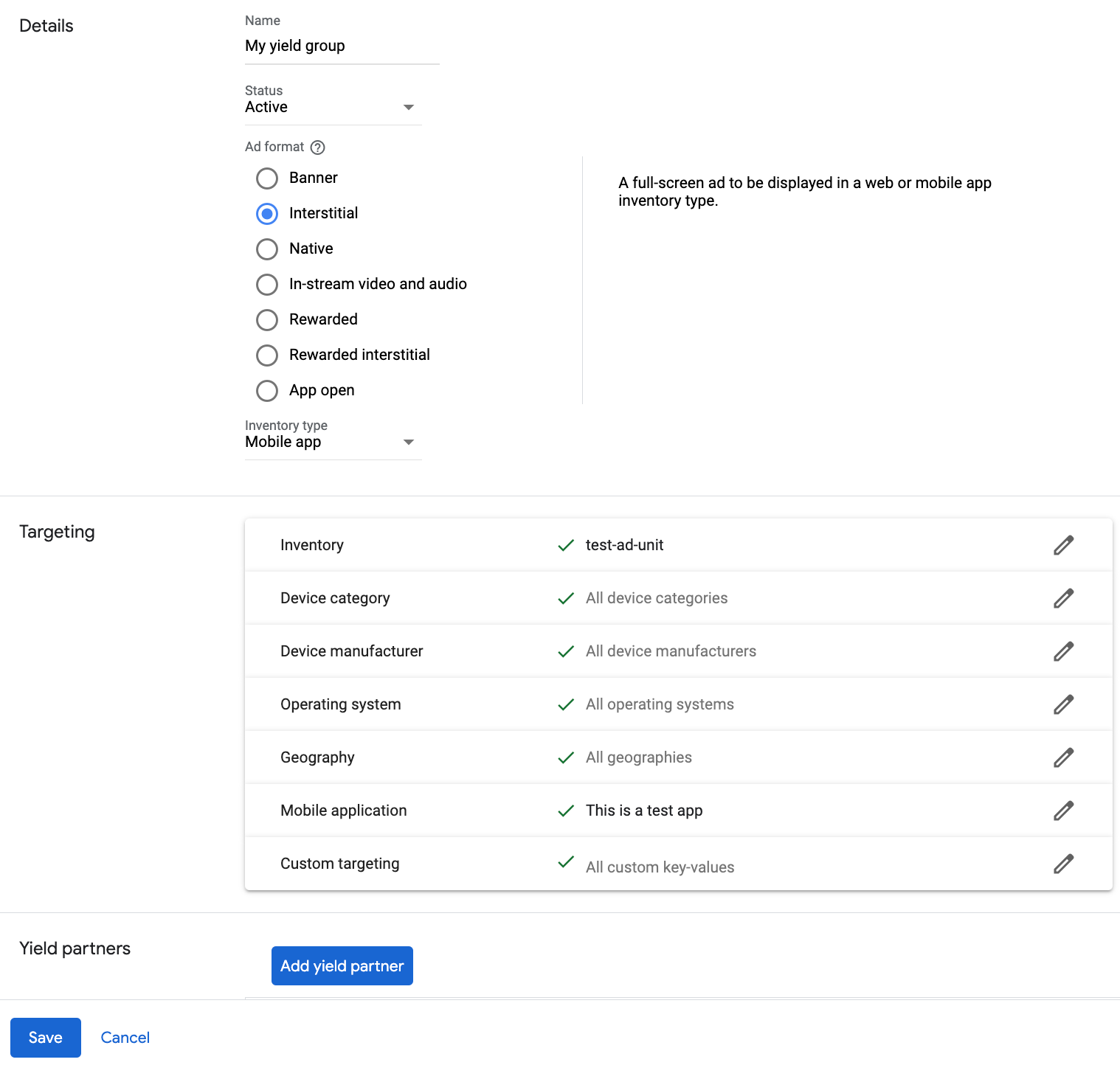
Scroll to Yield partners and click Add mediation partner.

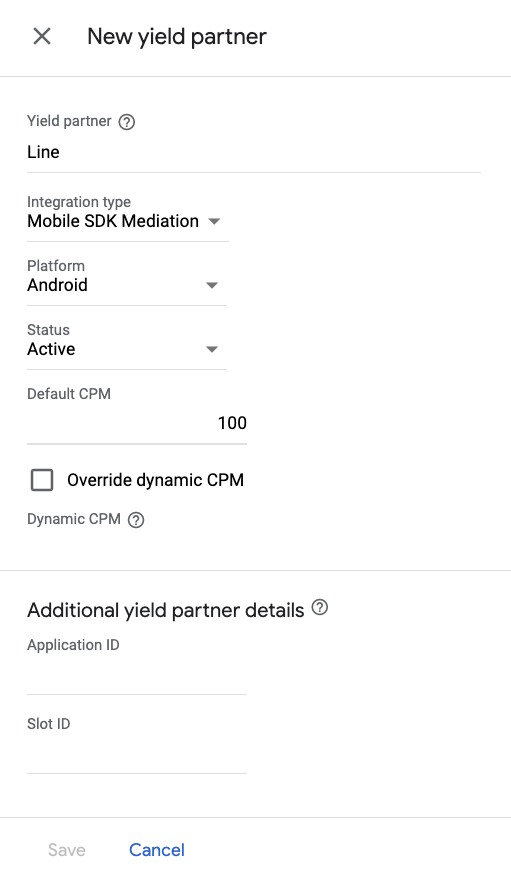
Select the company you created for LY Ads Network in the previous section. Choose Mobile SDK mediation as the Integration type, Android as the Platform, and Active as the Status.
Enter the Application ID and Slot ID obtained in the previous section, and the Default CPM value. Click Save.
Step 3: Import the LY Ads Network SDK and Adapter
Android Studio integration (recommended)
In your app-level gradle file, add the following implementation dependencies and configurations:
Kotlin
dependencies {
    implementation("com.google.android.libraries.ads.mobile.sdk:ads-mobile-sdk:1.4.0")
    implementation("com.google.ads.mediation:line:3.1.1.2")
}

configurations.configureEach {
    exclude(group = "com.google.android.gms", module = "play-services-ads")
    exclude(group = "com.google.android.gms", module = "play-services-ads-lite")
}
Groovy
dependencies {
    implementation 'com.google.android.libraries.ads.mobile.sdk:ads-mobile-sdk:1.4.0'
    implementation 'com.google.ads.mediation:line:3.1.1.2'
}

configurations.configureEach {
    exclude group: 'com.google.android.gms', module: 'play-services-ads'
    exclude group: 'com.google.android.gms', module: 'play-services-ads-lite'
}
Manual integration
Download the latest version of the LY Ads Network SDK's
.aarfile and add it to your project.Navigate to the LY Ads Network adapter artifacts on Google's Maven Repository. Select the latest version, download the LY Ads Network adapter's
.aarfile, and add it to your project.
Step 4: Add required code
No additional code is required for LY Ads Network integration.
Step 5: Test your implementation
Enable test ads
Make sure you register your test device for Ad Manager.
The LY Ads Network adapter contains a helper method to enable test mode for LY Ads Network. You must set this option before you initialize GMA Next-Gen SDK to ensure they get forwarded properly to the LY Ads Network SDK.
Java
Kotlin
Verify test ads
To verify that you are receiving test ads from LY Ads Network, enable single ad source testing in ad inspector using the LY Ads Network ad source(s).
Optional steps
Network-specific parameters
The LY Ads Network adapter supports an additional request parameter which can
be passed to the adapter using the LineExtras class. This class constructor
includes the following parameters:
enableAdSound- A
booleanto specify the default sound start state of banner, interstitial and rewarded ads.
Here's a code example of how to create an ad request that sets these parameters:
Java
Kotlin
Using native ads
Ad rendering
The LY Ads Network adapter populates the following
fields
for a
NativeAd.
| Field | Assets always included by LY Ads Network adapter |
|---|---|
| Headline | |
| Image | |
| Body | |
| App icon | 1 |
| Call to action | |
| Star rating | |
| Store | |
| Price |
1 For native ads, the LY Ads Network SDK does not provide an app icon asset. Instead, the LY Ads Network adapter populates the app icon with a transparent image.
Error codes
If the adapter fails to receive an ad from LY Ads Network, you can check the
underlying error from the ad response using
ResponseInfo.getAdSourceResponses()
under the following classes:
com.line.ads
com.google.ads.mediation.line.LineMediationAdapter
Here are the codes and accompanying messages thrown by the LY Ads Network adapter when an ad fails to load:
| Error code | Domain | Reason |
|---|---|---|
| 1-10 | com.five_corp.ad | LY Ads Network SDK returned an SDK-specific error. See LY Ads Network's documentation for more details. |
| 101 | com.google.ads.mediation.line | Missing or invalid Application ID. |
| 102 | com.google.ads.mediation.line | Missing or invalid Slot ID. |
| 103 | com.google.ads.mediation.line | The requested ad size does not match a LY Ads Network supported banner ad size. |
| 104 | com.google.ads.mediation.line | Failed to load an interstitial or rewarded ad due to missing activity context. |
| 105 | com.google.ads.mediation.line | LY Ads Network SDK failed to show an interstitial or rewarded ad. |
| 106 | com.google.ads.mediation.line | Failed to load a native ad due to missing assets. |
| 107 | com.google.ads.mediation.line | FiveAd SDK returned a null ad loader. |
LINE Android Mediation Adapter Changelog
Version 3.1.1.2
- Pin the adapter's Kotlin dependency to 1.9.0 (the min Kotlin version supported by GMA NextGen SDK).
Built and tested with:
- Google Mobile Ads SDK version 25.4.0.
- Google Mobile Ads Next-Gen SDK version 1.4.0.
- FiveAd SDK version 3.1.1.1.
Version 3.1.1.1
- Maps
AgeRestrictedTreatmentto Line's ChildDirectedTreatment API.
Built and tested with:
- Google Mobile Ads SDK version 25.4.0.
- Google Mobile Ads Next-Gen SDK version 1.2.1.
- FiveAd SDK version 3.1.1.1.
Version 3.1.1.0
- Verified compatibility with FiveAd SDK version 3.1.1.0.
Built and tested with:
- Google Mobile Ads SDK version 25.2.0.
- Google Mobile Ads Next-Gen SDK version 1.2.1.
- FiveAd SDK version 3.1.1.0.
Version 3.1.0.0
- Added property to build the adapter with GMA Next-Gen SDK dependency.
- Verified compatibility with FiveAd SDK version 3.1.0.0.
Built and tested with:
- Google Mobile Ads SDK version 25.1.0.
- Google Mobile Ads Next-Gen SDK version 0.25.0-beta01.
- FiveAd SDK version 3.1.0.0.
Version 3.0.1.2
Built and tested with:
- Google Mobile Ads SDK version 25.1.0.
- FiveAd SDK version 3.0.1.2.
Version 3.0.1.1
- Native ad impressions are now overwritten by FiveAd SDK when using Google Mobile Ads SDK v24.4.0 or above.
Built and tested with:
- Google Mobile Ads SDK version 24.9.0.
- FiveAd SDK version 3.0.1.1.
Version 3.0.1.0
- Added support for forwarding the tagForUnderAgeOfConsent Google Mobile Ads SDK parameter to the FiveAd SDK.
- Verified compatibility with FiveAd SDK version 3.0.1.0.
Built and tested with:
- Google Mobile Ads SDK version 24.9.0.
- FiveAd SDK version 3.0.1.0.
Version 3.0.0.0
- Verified compatibility with FiveAd SDK version 3.0.0.0.
Built and tested with:
- Google Mobile Ads SDK version 24.9.0.
- FiveAd SDK version 3.0.0.0.
Version 2.9.20251028.0
- Verified compatibility with FiveAd SDK version 2.9.20251028.
Built and tested with:
- Google Mobile Ads SDK version 24.7.0.
- FiveAd SDK version 2.9.20251028.0
Version 2.9.20250924.1
- Removed class-level references to Context. Can help reduce memory leak issues.
Built and tested with:
- Google Mobile Ads SDK version 24.7.0.
- FiveAd SDK version 2.9.20250924.1.
Version 2.9.20250924.0
- Verified compatibility with FiveAd SDK version 2.9.20250924.
Built and tested with:
- Google Mobile Ads SDK version 24.6.0.
- FiveAd SDK version 2.9.20250924.0
Version 2.9.20250718.0
- Verified compatibility with FiveAd SDK version 2.9.20250718.
Built and tested with:
- Google Mobile Ads SDK version 24.3.0.
- FiveAd SDK version 2.9.20250718.0.
Version 2.9.20250519.0
- Verified compatibility with FiveAd SDK version 2.9.20250519.
Built and tested with:
- Google Mobile Ads SDK version 24.3.0.
- FiveAd SDK version 2.9.20250519.0.
Version 2.9.20250317.1
- Fixes banner loading dimensions for bidding ads with new FiveAd API
Built and tested with:
- Google Mobile Ads SDK version 24.1.0.
- FiveAd SDK version 2.9.20250317.0
Version 2.9.20250317.0
- Verified compatibility with FiveAd SDK version 2.9.20250317.
Built and tested with:
- Google Mobile Ads SDK version 24.1.0.
- FiveAd SDK version 2.9.20250317.0
Version 2.9.20250110.1
- Updated the minimum required Android API level to 23.
- Updated the minimum required Google Mobile Ads SDK version to 24.0.0.
Built and tested with:
- Google Mobile Ads SDK version 24.0.0.
- FiveAd SDK version 2.9.20250110.0
Version 2.9.20250110.0
- Removed deprecated
UnifiedNativeAdMapperclass in favor ofNativeAdMapper - Fixed signals collection process.
- Fixed initialization process for waterfall interstitial and rewarded ad formats.
- Verified compatibility with FiveAd SDK version 2.9.20250110.
Built and tested with:
- Google Mobile Ads SDK version 23.6.0.
- FiveAd SDK version 2.9.20250110.0
Version 2.9.20241129.0
- Added bidding support for banner, interstitial, rewarded and native ad formats.
- Verified compatibility with FiveAd SDK version 2.9.20241129.
Built and tested with:
- Google Mobile Ads SDK version 23.5.0.
- FiveAd SDK version 2.9.20241129.0
Version 2.8.20240827.0
- Verified compatibility with FiveAd SDK version 2.8.20240827.
Built and tested with:
- Google Mobile Ads SDK version 23.3.0.
- FiveAd SDK version 2.8.20240827.0
Version 2.8.20240808.0
- Verified compatibility with FiveAd SDK version 2.8.20240808.
Built and tested with:
- Google Mobile Ads SDK version 23.2.0.
- FiveAd SDK version 2.8.20240808.0
Version 2.8.20240722.0
- Verified compatibility with FiveAd SDK version 2.8.20240722.
Built and tested with:
- Google Mobile Ads SDK version 23.2.0.
- FiveAd SDK version 2.8.20240722.0
Version 2.7.20240515.0
- Verified compatibility with FiveAd SDK version 2.7.20240515.
Built and tested with:
- Google Mobile Ads SDK version 23.1.0.
- FiveAd SDK version 2.7.20240515.0
Version 2.7.20240214.1
- Updated the minimum required Google Mobile Ads SDK version to 23.0.0.
- Verified compatibility with FiveAd SDK version 2.7.20240214.
Built and tested with:
- Google Mobile Ads SDK version 23.0.0.
- FiveAd SDK version 2.7.20240214.0.
Version 2.7.20240214.0
- Verified compatibility with FiveAd SDK version 2.7.20240214.
Built and tested with:
- Google Mobile Ads SDK version 22.6.0.
- FiveAd SDK version 2.7.20240214.0.
Version 2.7.20240126.0
- Verified compatibility with FiveAd SDK version 2.7.20240126.
Built and tested with:
- Google Mobile Ads SDK version 22.6.0.
- FiveAd SDK version 2.7.20240126.0.
Version 2.7.20240112.0
- Removed deprecated
FiveAdViewEventListenerin favor ofFiveAdCustomLayoutEventListener,FiveAdVideoRewardEventListener,FiveAdInterstitialEventListenerandFiveAdNativeEventListener. - Verified compatibility with FiveAd SDK version 2.7.20240112.
- Updated the minimum required Google Mobile Ads SDK version to 22.6.0.
Built and tested with:
- Google Mobile Ads SDK version 22.6.0.
- FiveAd SDK version 2.7.20240112.
Version 2.6.20230607.1
- Added
LineExtrasclass for publishers to define default sound settings for banner, interstitial and rewarded ad formats. - Updated the minimum required Google Mobile Ads SDK version to 22.4.0.
Built and tested with:
- Google Mobile Ads SDK version 22.4.0.
- FiveAd SDK version 2.6.20230607.
Version 2.6.20230607.0
- Initial release.
- Adds support for banner, interstitial, rewarded and native ad formats.
- Verified compatibility with FiveAd SDK version 2.6.20230607.
Built and tested with:
- Google Mobile Ads SDK version 22.1.0.
- FiveAd SDK version 2.6.20230607.