

مكوّن "البحث عن الأماكن"
يعرض مكوّن "البحث عن الأماكن" في حزمة أدوات Places UI Kit نتائج البحث عن مكان في قائمة.
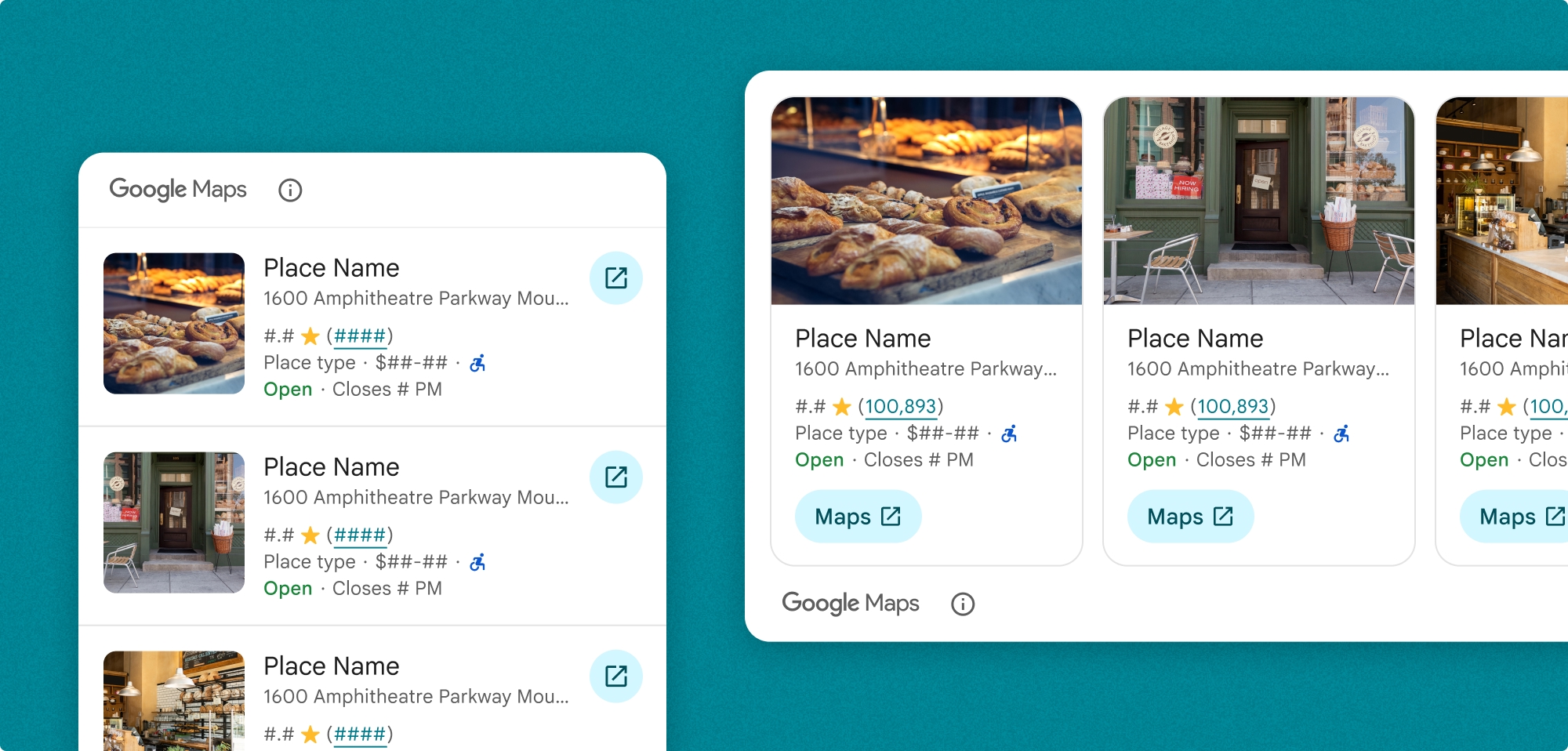
يمكنك تخصيص قائمة "البحث عن أماكن". يمكنك تحديد ما يلي:
- المحتوى المطلوب عرضه
- حجم الوسائط في الوضع العمودي
- اقتطاع النص
- الاتجاه
- عمليات إلغاء المظهر التي تتطابق مع علامتك التجارية ولغة تصميم تطبيقك
- موضع تحديد المصدر
- ما إذا كان يمكن اختيار مكان
يمكنك أيضًا تخصيص الطلب لتنفيذ إما SearchByTextRequest أو SearchNearbyRequest.
الفوترة
يتم تحصيل الرسوم منك في كل مرة يتم فيها تغيير قيمة الربط SearchByTextRequest() أو PlaceSearchViewRequest().
إضافة ميزة "البحث عن الأماكن" إلى تطبيقك
أضِف أداة "البحث عن الأماكن" باستخدام PlaceSearchView class.
Swift
PlaceSearchView(
      orientation: .horizontal, // default is vertical
      request: $placeSearchViewRequest,
      configuration: configuration
)
عندما تريد أن يحمّل تطبيقك نتيجة بحث نصي أو بحث بالقرب منك، عدِّل قيمة PlaceSearchViewRequest.
Swift
// use placeSearchViewRequest = .searchNearby(...) to  configure a searchNearby request

  @State private var let placeSearchViewRequest = .searchByText(
    SearchByTextRequest(
      textQuery: "Googleplex",
      placeProperties: [.all],
      locationBias: CircularCoordinateRegion(
        center: CLLocationCoordinate2D(latitude: 0, longitude: 0),
        radius: 0
      )
    )
  )
يمكنك أيضًا تلقّي عمليات ردّ الاتصال بشكل اختياري عند تحميل المكوّن أو اختيار مكان أو عند حدوث خطأ في تحميل المكوّن.
Swift
.onLoad { places in
  print("places: \(places)")
}
.onRequestError { error in
  print("error: \(error)")
}
.onPlaceSelected { place in
  print("place: \(place)")
}
تخصيص مكوّن "بحث الأماكن"
تخصيص المحتوى
يجب تحديد المحتوى الذي سيعرضه المكوّن.يضبط هذا المثال المكوّن لعرض عنوان "المكان" وتقييمه.
Swift
private let configuration = PlaceSearchConfiguration(
    content: [.address(), .rating()]
)
يمكنك أيضًا تخصيص الجوانب التالية من المحتوى الذي يظهر في مكوّن "البحث عن الأماكن"، وذلك بشكل اختياري:
-
content: المحتوى المعروض في المكوّن mediaSize: حجم الصورة في الاتجاه العمودي للقصاصة القيمة التلقائية هي "صغير". محدّد في المحتوىpreferTruncation: لتحديد ما إذا كان سيتم اقتطاع نص كل عرض من عروض "تفاصيل المكان". القيمة التلقائية هي "خطأ".theme: التصميم المخصّص الذي يتم استخدامه من PlacesMaterialTheme. مزيد من المعلومات حول تغيير المظهرattributionPosition: لتحديد ما إذا كان سيتم عرض بيان تحديد المصدر الخاص بـ "خرائط Google" في أعلى المكوّن أو أسفله. القيمة التلقائية هي .top.selectable: تحدّد ما إذا كان يمكن اختيار كل مكان في القائمة. إذا كان قابلاً للتحديد، سيتم استدعاءonPlaceSelectedبعد اختيار مكان. القيمة التلقائية هي "خطأ".
أضِف إعدادات التخصيص إلى PlaceSearchConfiguration.
Swift
private let configuration = PlaceSearchConfiguration(
    content: [.address, .rating, .media(size: .large)],
    preferTruncation: true, // default is false
    theme: PlacesMaterialTheme(),
    attributionPosition: .bottom, // default is top
    selectable: true // default is false
)
تخصيص اتجاه الشاشة
يكون الاتجاه التلقائي عموديًا. يمكنك تحديد الاتجاه الأفقي في PlaceSearchView.
Swift
PlaceSearchView(
      orientation: .horizontal, // default is vertical
      request: $placeSearchViewRequest,
      configuration: configuration
)
تخصيص المظهر
يمكنك تحديد مظهر يلغي أيًا من سمات النمط التلقائي. القيمة التلقائية هي PlacesMaterialTheme.
راجِع قسم التصميم المخصّص لمزيد من المعلومات حول التصميم.
توفّر حزمة أدوات Places UI Kit مظهرًا داكنًا تلقائيًا، لذا قد تحتاج إلى تخصيص المظهرين الداكن والفاتح. لتخصيص المظهر الداكن، أضِف قيمًا إلى .dark وattribution.darkModeColor في المظهر المخصّص.
أمثلة
إضافة مكوّن "البحث عن الأماكن"
Swift
struct PlaceSearchDemoView: View {
  private let configuration = PlaceSearchConfiguration(
    content: [.address(), .rating(), .type(), .media(size: .large)],
    preferTruncation: true,  // default is false
    theme: PlacesMaterialTheme(),
    attributionPosition: .bottom,  // default is top
    selectable: true  // default is false
  )
  // can also do let placeSearchViewRequest = .searchNearby(...) to  configure a searchNearby request
  @State private var placeSearchViewRequest: PlaceSearchViewRequest = .searchByText(
    SearchByTextRequest(
      textQuery: "Googleplex",
      placeProperties: [.all],
      locationBias: CircularCoordinateRegion(
        center: CLLocationCoordinate2D(latitude: 0, longitude: 0),
        radius: 0
      )
    )
  )
  var body: some View {
    PlaceSearchView(
      orientation: .horizontal,  // default is vertical
      request: $placeSearchViewRequest,
      configuration: configuration
    )
    .onLoad { places in
      print("places: \(places)")
    }
    .onRequestError { error in
      print("error: \(error)")
    }
    .onPlaceSelected { place in
      print("place: \(place)")
    }
  }
}
تخصيص المظهر
توفّر حزمة أدوات Places UI Kit مظهرًا داكنًا تلقائيًا، لذا قد تحتاج إلى تخصيص المظهرين الداكن والفاتح. لتخصيص المظهر الداكن، أضِف قيمًا إلى .dark وattribution.darkModeColor في المظهر المخصّص.
Swift
@Environment(\.colorScheme) var colorScheme
var theme: PlacesMaterialTheme {
    if customTheme {
      var theme = PlacesMaterialTheme()
      var color = PlacesMaterialColor()
      color.surface = (colorScheme == .dark ? .blue : .gray)
      color.outlineDecorative = (colorScheme == .dark ? .white : .black)
      color.onSurface = (colorScheme == .dark ? .yellow : .red)
      color.onSurfaceVariant = (colorScheme == .dark ? .white : .blue)
      color.onSecondaryContainer = (colorScheme == .dark ? .white : .red)
      color.secondaryContainer = (colorScheme == .dark ? .green : .purple)
      color.positive = (colorScheme == .dark ? .yellow : .red)
      color.primary = (colorScheme == .dark ? .yellow : .purple)
      color.info = (colorScheme == .dark ? .yellow : .purple)
      var shape = PlacesMaterialShape()
      shape.cornerRadius = 10
      var font = PlacesMaterialFont()
      font.labelLarge = .system(size: UIFontMetrics.default.scaledValue(for: 18))
      font.headlineMedium = .system(size: UIFontMetrics.default.scaledValue(for: 15))
      font.bodyLarge = .system(size: UIFontMetrics.default.scaledValue(for: 15))
      font.bodyMedium = .system(size: UIFontMetrics.default.scaledValue(for: 12))
      font.bodySmall = .system(size: UIFontMetrics.default.scaledValue(for: 11))
      var attribution = PlacesMaterialAttribution()
      attribution.lightModeColor = .black
      attribution.darkModeColor = .white
      theme.color = color
      theme.shape = shape
      theme.font = font
      theme.attribution = attribution
    } else {
      return PlacesMaterialTheme()
    }
}