הגדרה עם DAI בשירות מלא

בחירת פלטפורמה: HTML5 Android iOS tvOS Cast Roku

המדריך הזה עוסק בשילוב של IMA DAI SDK באפליקציה של נגן וידאו. אם אתם רוצים לראות או לעקוב אחרי שילוב לדוגמה, הורידו את BasicExample מ-GitHub.

סקירה כללית על IMA DAI

הטמעת IMA DAI כוללת ארבעה רכיבי SDK עיקריים, כפי שמוצג במדריך הזה:

  • IMAAdDisplayContainer – אובייקט קונטיינר שנמצא מעל רכיב הפעלת הסרטון ומכיל את רכיבי ממשק המשתמש של המודעה.
  • IMAAdsLoader – אובייקט שמבקש שידורים ומטפל באירועים שמופעלים על ידי אובייקטים של תגובה לבקשת שידור. צריך ליצור מופע של טוען מודעות אחד בלבד, שאפשר לעשות בו שימוש חוזר לאורך כל חיי האפליקציה.
  • ‫ IMAStreamRequest – IMAVODStreamRequest או IMALiveStreamRequest. אובייקט שמגדיר בקשה לשידור. בקשות לשידור יכולות להיות לווידאו על פי דרישה (VOD) או לשידורים חיים. בבקשות לשידור חי מצוין מפתח נכס, ובבקשות ל-VOD מצוינים מזהה CMS ומזהה סרטון. שני סוגי הבקשות יכולים לכלול מפתח API שנדרש כדי לגשת לשידורים שצוינו, וקוד רשת של Google Ad Manager כדי ש-IMA SDK יטפל במזהי מודעות כפי שצוין בהגדרות של Google Ad Manager.
  • IMAStreamManager – אובייקט שמטפל בסטרימינג של הטמעת מודעות דינמיות ובאינטראקציות עם הקצה העורפי של DAI. מנהל השידור גם מטפל בפינגים למעקב ומעביר אירועים של שידורים ומודעות לבעל האפליקציה.

דרישות מוקדמות

לפני שמתחילים, צריך:

אתם צריכים את הפרמטרים גם כדי לבקש את השידור מ-IMA SDK. לדוגמאות של פרמטרים של בקשות, ראו דוגמאות לשידורים.

פרמטרים של שידור חי
מפתח נכס מפתח הנכס שמזהה את השידור החי שלכם ב-Google Ad Manager.
לדוגמה: c-rArva4ShKVIAkNfy6HUQ
פרמטרים של שידור VOD
מזהה מקור התוכן המזהה של מקור התוכן מ-Google Ad Manager.
לדוגמה: 2548831
מזהה סרטון מזהה הסרטון מ-Google Ad Manager.
לדוגמה: tears-of-steel
פרמטרים נפוצים (VOD ושידור חי)
קוד הרשת הקוד של רשת Google Ad Manager.
לדוגמה: 21775744923

יוצרים פרויקט Xcode חדש

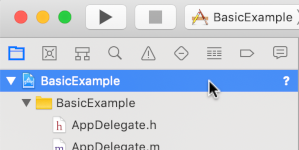
ב-Xcode, יוצרים פרויקט iOS חדש באמצעות Objective-C בשם BasicExample.

הוספת IMA DAI SDK לפרויקט Xcode

כדי להתקין את IMA SDK, בוחרים את השיטה המועדפת.

מומלץ: להתקין את ה-SDK באמצעות Swift Package Manager

ערכת Interactive Media Ads SDK תומכת ב-Swift Package Manager החל מגרסה 3.18.4. כדי לייבא את חבילת Swift, פועלים לפי השלבים הבאים:

  1. ב-Xcode, מתקינים את חבילת Swift של IMA DAI SDK: עוברים אל File > Add Packages (קובץ > הוספת חבילות).

  2. בחלון שמופיע, מחפשים את המאגר של IMA DAI SDK Swift Package ב-GitHub:

    https://github.com/googleads/swift-package-manager-google-interactive-media-ads-ios
    
  3. בוחרים את הגרסה של חבילת Swift של IMA DAI SDK שבה רוצים להשתמש. בפרויקטים חדשים, משתמשים באפשרות Up to Next Major Version.

אחרי שתסיימו, פלטפורמת Xcode תטפל ביחסי התלות שבחבילה ותוריד אותם ברקע. לפרטים נוספים על הוספת יחסי תלות של חבילות, קראו את המאמר של אפל.

הורדה והתקנה של ה-SDK באופן ידני

אם אתם לא רוצים להשתמש ב-Swift Package Manager, אתם יכולים להוריד את IMA SDK ולהוסיף אותו לפרויקט באופן ידני.

יצירת נגן וידאו

מטמיעים נגן וידאו ב-view controller הראשי, ועוטפים נגן AV ב-UI view. ערכת IMA SDK משתמשת בתצוגת ממשק המשתמש כדי להציג רכיבים של ממשק המשתמש של המודעה.

Objective-C

#import "ViewController.h"

#import <AVKit/AVKit.h>

/// Content URL.
static NSString *const kBackupContentUrl =
    @"http://devimages.apple.com/iphone/samples/bipbop/bipbopall.m3u8";

@interface ViewController ()
/// Play button.
@property(nonatomic, weak) IBOutlet UIButton *playButton;

@property(nonatomic, weak) IBOutlet UIView *videoView;
/// Video player.
@property(nonatomic, strong) AVPlayer *videoPlayer;
@end

@implementation ViewController

- (void)viewDidLoad {
  [super viewDidLoad];
  self.view.backgroundColor = [UIColor blackColor];

  // Load AVPlayer with the path to your content.
  NSURL *contentURL = [NSURL URLWithString:kBackupContentUrl];
  self.videoPlayer = [AVPlayer playerWithURL:contentURL];

  // Create a player layer for the player.
  AVPlayerLayer *playerLayer = [AVPlayerLayer playerLayerWithPlayer:self.videoPlayer];

  // Size, position, and display the AVPlayer.
  playerLayer.frame = self.videoView.layer.bounds;
  [self.videoView.layer addSublayer:playerLayer];
}

- (IBAction)onPlayButtonTouch:(id)sender {
  [self.videoPlayer play];
  self.playButton.hidden = YES;
}

@end

Swift

// Copyright 2024 Google LLC. All rights reserved.
//
//
// Licensed under the Apache License, Version 2.0 (the "License"); you may not use this
// file except in compliance with the License. You may obtain a copy of the License at
//
//     http://www.apache.org/licenses/LICENSE-2.0
//
// Unless required by applicable law or agreed to in writing, software distributed under
// the License is distributed on an "AS IS" BASIS, WITHOUT WARRANTIES OR CONDITIONS OF
// ANY KIND, either express or implied. See the License for the specific language governing
// permissions and limitations under the License.

import AVFoundation
import UIKit

class ViewController: UIViewController {

  /// Content URL.
  static let backupStreamURLString =
    "http://devimages.apple.com/iphone/samples/bipbop/bipbopall.m3u8"

  /// Play button.
  @IBOutlet private weak var playButton: UIButton!

  @IBOutlet private weak var videoView: UIView!
  /// Video player.
  private var videoPlayer: AVPlayer?

  override func viewDidLoad() {
    super.viewDidLoad()

    playButton.layer.zPosition = CGFloat(MAXFLOAT)

    // Load AVPlayer with path to our content.
    // note: this unwrap is safe because the URL is a constant string.
    let contentURL = URL(string: ViewController.backupStreamURLString)!
    videoPlayer = AVPlayer(url: contentURL)

    // Create a player layer for the player.
    let playerLayer = AVPlayerLayer(player: videoPlayer)

    // Size, position, and display the AVPlayer.
    playerLayer.frame = videoView.layer.bounds
    videoView.layer.addSublayer(playerLayer)
  }

  @IBAction func onPlayButtonTouch(_ sender: Any) {
    videoPlayer?.play()
    playButton.isHidden = true
  }
}

מאתחלים את טוען המודעות

מייבאים את IMA SDK אל ה-view controller ומאמצים את הפרוטוקולים IMAAdsLoaderDelegate ו-IMAStreamManagerDelegate כדי לטפל באירועים של טוען המודעות ומנהל השידורים.

מוסיפים את המאפיינים הפרטיים האלה כדי לאחסן רכיבים מרכזיים של IMA SDK:

  • IMAAdsLoader
    • מנהלת את הבקשות לשידור לאורך כל חיי האפליקציה.
  • IMAAdDisplayContainer
    • מטפל בהוספה ובניהול של רכיבים בממשק המשתמש של המודעות.
  • ‫IMAAVPlayerVideoDisplay – מנהל את התקשורת בין IMA SDK לבין נגן המדיה ומטפל במטא-נתונים מתוזמנים.
  • ‫IMAStreamManager – מנהל את הפעלת השידור ומפעיל אירועים שקשורים למודעות.

מאתחלים את טוען המודעות, את מאגר המודעות לתצוגה ואת סרטון הווידאו לתצוגה אחרי שהתצוגה נטענת.

Objective-C

@import GoogleInteractiveMediaAds;

// ...

@interface ViewController () <IMAAdsLoaderDelegate, IMAStreamManagerDelegate>
/// The entry point for the IMA DAI SDK to make DAI stream requests.
@property(nonatomic, strong) IMAAdsLoader *adsLoader;
/// The container where the SDK renders each ad's user interface elements and companion slots.
@property(nonatomic, strong) IMAAdDisplayContainer *adDisplayContainer;
/// The reference of your video player for the IMA DAI SDK to monitor playback and handle timed
/// metadata.
@property(nonatomic, strong) IMAAVPlayerVideoDisplay *imaVideoDisplay;
/// References the stream manager from the IMA DAI SDK after successful stream loading.
@property(nonatomic, strong) IMAStreamManager *streamManager;

// ...

@end

@implementation ViewController

- (void)viewDidLoad {
  [super viewDidLoad];

  // ...

  self.adsLoader = [[IMAAdsLoader alloc] initWithSettings:nil];
  self.adsLoader.delegate = self;

  // Create an ad display container for rendering each ad's user interface elements and companion
  // slots.
  self.adDisplayContainer =
      [[IMAAdDisplayContainer alloc] initWithAdContainer:self.videoView
                                          viewController:self
                                          companionSlots:nil];

  // Create an IMAAVPlayerVideoDisplay to give the SDK access to your video player.
  self.imaVideoDisplay = [[IMAAVPlayerVideoDisplay alloc] initWithAVPlayer:self.videoPlayer];
}

Swift

import GoogleInteractiveMediaAds
// ...

class ViewController: UIViewController, IMAAdsLoaderDelegate, IMAStreamManagerDelegate {
  // ...

  /// The entry point for the IMA DAI SDK to make DAI stream requests.
  private var adsLoader: IMAAdsLoader?
  /// The container where the SDK renders each ad's user interface elements and companion slots.
  private var adDisplayContainer: IMAAdDisplayContainer?
  /// The reference of your video player for the IMA DAI SDK to monitor playback and handle timed
  /// metadata.
  private var imaVideoDisplay: IMAAVPlayerVideoDisplay!
  /// References the stream manager from the IMA DAI SDK after successfully loading the DAI stream.
  private var streamManager: IMAStreamManager?

  // ...

  override func viewDidLoad() {
    super.viewDidLoad()

    // ...

    adsLoader = IMAAdsLoader(settings: nil)
    adsLoader?.delegate = self

    // Create an ad display container for rendering ad UI elements and the companion ad.
    adDisplayContainer = IMAAdDisplayContainer(
      adContainer: videoView,
      viewController: self,
      companionSlots: nil)

    // Create an IMAAVPlayerVideoDisplay to give the SDK access to your video player.
    imaVideoDisplay = IMAAVPlayerVideoDisplay(avPlayer: videoPlayer)
  }

שליחת בקשה לשידור

כשמשתמש לוחץ על כפתור ההפעלה, שולחים בקשה חדשה לשידור. משתמשים בכיתה IMALiveStreamRequest לשידורים חיים. לשידורי VOD, משתמשים במחלקה IMAVODStreamRequest.

הבקשה לשידור דורשת את הפרמטרים של השידור, וגם הפניה למאגר להצגת המודעות ולתצוגת הסרטון.

Objective-C

- (IBAction)onPlayButtonTouch:(id)sender {
  [self requestStream];
  self.playButton.hidden = YES;
}

- (void)requestStream {
  // Create a stream request. Use one of "Live stream request" or "VOD request", depending on your
  // type of stream.
  if (kStreamType == StreamTypeLive) {
    // Live stream request. Replace the asset key with your value.
    IMALiveStreamRequest *request =
        [[IMALiveStreamRequest alloc] initWithAssetKey:kLiveStreamAssetKey
                                           networkCode:kNetworkCode
                                    adDisplayContainer:self.adDisplayContainer
                                          videoDisplay:self.imaVideoDisplay
                                           userContext:nil];
    request.useHLSInterstitials = YES;
    [self.adsLoader requestStreamWithRequest:request];
  } else {
    // VOD request. Replace the content source ID and video ID with your values.
    IMAVODStreamRequest *request =
        [[IMAVODStreamRequest alloc] initWithContentSourceID:kVODContentSourceID
                                                     videoID:kVODVideoID
                                                 networkCode:kNetworkCode
                                          adDisplayContainer:self.adDisplayContainer
                                                videoDisplay:self.imaVideoDisplay
                                                 userContext:nil];
    [self.adsLoader requestStreamWithRequest:request];
  }
}

Swift

@IBAction func onPlayButtonTouch(_ sender: Any) {
  requestStream()
  playButton.isHidden = true
}

func requestStream() {
  // Create a stream request. Use one of "Livestream request" or "VOD request".
  if ViewController.requestType == StreamType.live {
    // Livestream request.
    let request = IMALiveStreamRequest(
      assetKey: ViewController.assetKey,
      networkCode: ViewController.networkCode,
      adDisplayContainer: adDisplayContainer!,
      videoDisplay: imaVideoDisplay,
      userContext: nil)
    request.useHLSInterstitials = true
    adsLoader?.requestStream(with: request)
  } else {
    // VOD stream request.
    let request = IMAVODStreamRequest(
      contentSourceID: ViewController.contentSourceID,
      videoID: ViewController.videoID,
      networkCode: ViewController.networkCode,
      adDisplayContainer: adDisplayContainer!,
      videoDisplay: imaVideoDisplay,
      userContext: nil)
    adsLoader?.requestStream(with: request)
  }
}

האזנה לאירועי טעינת שידור

הכיתה IMAAdsLoader קוראת לשיטות IMAAdsLoaderDelegate כשהבקשה לסטרימינג מאותחלת בהצלחה או נכשלת.

ב-delegate method‏ adsLoadedWithData, מגדירים את IMAStreamManagerDelegate. מאתחלים את מנהל השידורים. במהלך ההפעלה, מנהל השידור מתחיל את ההפעלה.

ב-delegate method‏ failedWithErrorData, מתעדים את השגיאה ביומן. אם רוצים, מפעילים את השידור החי לגיבוי. שיטות מומלצות ל-DAI

Objective-C

- (void)adsLoader:(IMAAdsLoader *)loader adsLoadedWithData:(IMAAdsLoadedData *)adsLoadedData {
  NSLog(@"Stream created with: %@.", adsLoadedData.streamManager.streamId);
  self.streamManager = adsLoadedData.streamManager;
  self.streamManager.delegate = self;
  [self.streamManager initializeWithAdsRenderingSettings:nil];
}

- (void)adsLoader:(IMAAdsLoader *)loader failedWithErrorData:(IMAAdLoadingErrorData *)adErrorData {
  // Log the error and play the content.
  NSLog(@"AdsLoader error, code:%ld, message: %@", adErrorData.adError.code,
        adErrorData.adError.message);
  [self.videoPlayer play];
}

Swift

func adsLoader(_ loader: IMAAdsLoader, adsLoadedWith adsLoadedData: IMAAdsLoadedData) {
  print("DAI stream loaded. Stream session ID: \(adsLoadedData.streamManager!.streamId!)")
  streamManager = adsLoadedData.streamManager!
  streamManager!.delegate = self
  streamManager!.initialize(with: nil)
}

func adsLoader(_ loader: IMAAdsLoader, failedWith adErrorData: IMAAdLoadingErrorData) {
  print("Error loading DAI stream. Error message: \(adErrorData.adError.message!)")
  // Play the backup stream.
  videoPlayer.play()
}

האזנה לאירועים של מודעות

ה-IMAStreamManager קורא ל-methods של IMAStreamManagerDelegate כדי להעביר אירועים ושגיאות של סטרימינג לאפליקציה.

בדוגמה הזו, מתעדים את אירועי המודעות הראשיים במסוף:

Objective-C

- (void)streamManager:(IMAStreamManager *)streamManager didReceiveAdEvent:(IMAAdEvent *)event {
  NSLog(@"Ad event (%@).", event.typeString);
  switch (event.type) {
    case kIMAAdEvent_STARTED: {
      // Log extended data.
      NSString *extendedAdPodInfo = [[NSString alloc]
          initWithFormat:@"Showing ad %ld/%ld, bumper: %@, title: %@, description: %@, contentType:"
                         @"%@, pod index: %ld, time offset: %lf, max duration: %lf.",
                         (long)event.ad.adPodInfo.adPosition, (long)event.ad.adPodInfo.totalAds,
                         event.ad.adPodInfo.isBumper ? @"YES" : @"NO", event.ad.adTitle,
                         event.ad.adDescription, event.ad.contentType,
                         (long)event.ad.adPodInfo.podIndex, event.ad.adPodInfo.timeOffset,
                         event.ad.adPodInfo.maxDuration];

      NSLog(@"%@", extendedAdPodInfo);
      break;
    }
    case kIMAAdEvent_AD_BREAK_STARTED: {
      NSLog(@"Ad break started");
      break;
    }
    case kIMAAdEvent_AD_BREAK_ENDED: {
      NSLog(@"Ad break ended");
      break;
    }
    case kIMAAdEvent_AD_PERIOD_STARTED: {
      NSLog(@"Ad period started");
      break;
    }
    case kIMAAdEvent_AD_PERIOD_ENDED: {
      NSLog(@"Ad period ended");
      break;
    }
    default:
      break;
  }
}

- (void)streamManager:(IMAStreamManager *)streamManager didReceiveAdError:(IMAAdError *)error {
  NSLog(@"StreamManager error with type: %ld\ncode: %ld\nmessage: %@", error.type, error.code,
        error.message);
  [self.videoPlayer play];
}

Swift

func streamManager(_ streamManager: IMAStreamManager, didReceive event: IMAAdEvent) {
  print("Ad event \(event.typeString).")
  switch event.type {
  case IMAAdEventType.STARTED:
    // Log extended data.
    if let ad = event.ad {
      let extendedAdPodInfo = String(
        format: "Showing ad %zd/%zd, bumper: %@, title: %@, "
          + "description: %@, contentType:%@, pod index: %zd, "
          + "time offset: %lf, max duration: %lf.",
        ad.adPodInfo.adPosition,
        ad.adPodInfo.totalAds,
        ad.adPodInfo.isBumper ? "YES" : "NO",
        ad.adTitle,
        ad.adDescription,
        ad.contentType,
        ad.adPodInfo.podIndex,
        ad.adPodInfo.timeOffset,
        ad.adPodInfo.maxDuration)

      print("\(extendedAdPodInfo)")
    }
    break
  case IMAAdEventType.AD_BREAK_STARTED:
    print("Ad break started.")
    break
  case IMAAdEventType.AD_BREAK_ENDED:
    print("Ad break ended.")
    break
  case IMAAdEventType.AD_PERIOD_STARTED:
    print("Ad period started.")
    break
  case IMAAdEventType.AD_PERIOD_ENDED:
    print("Ad period ended.")
    break
  default:
    break
  }
}

func streamManager(_ streamManager: IMAStreamManager, didReceive error: IMAAdError) {
  print("StreamManager error with type: \(error.type)")
  print("code: \(error.code)")
  print("message: \(error.message ?? "Unknown Error")")
}

מפעילים את האפליקציה. אם היא פועלת כמו שצריך, מבקשים ומפעילים שידורי Google DAI באמצעות IMA SDK. כדי לקבל מידע על תכונות מתקדמות יותר של ה-SDK, אפשר לעיין במדריכים אחרים שמפורטים בסרגל הצד הימני או בדוגמאות ב-GitHub.