
Intelligent Notetaking Connected
to Your Actual Work
Runs locally on your Mac Works offline
Be completely present
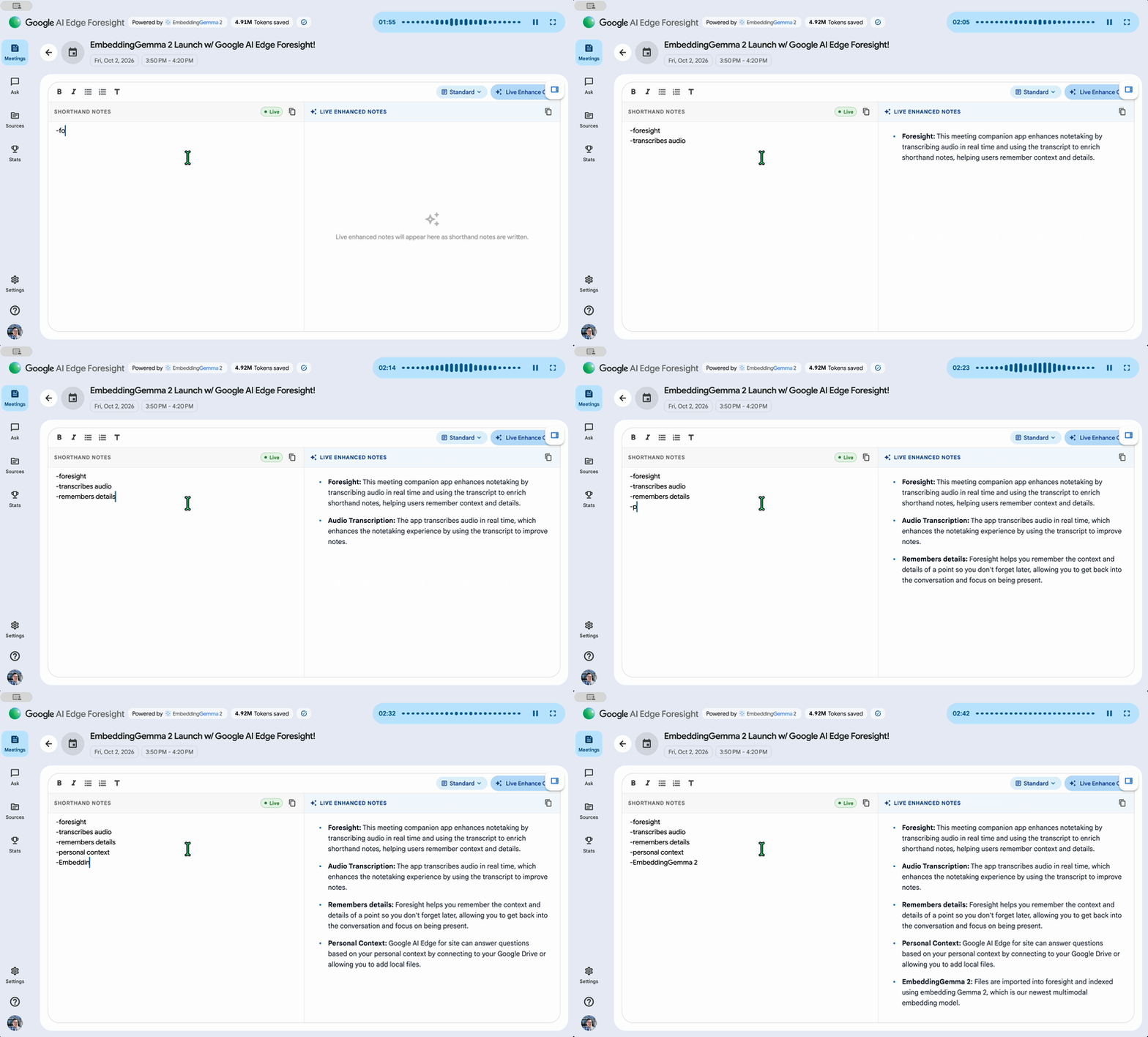
Google AI Edge Foresight listens in the background so you don’t have to focus on taking detailed notes. Simply scribble shorthand bullets for things you want to remember, and Foresight enriches them into polished notes using the meeting transcript instantly.
It learns what you know
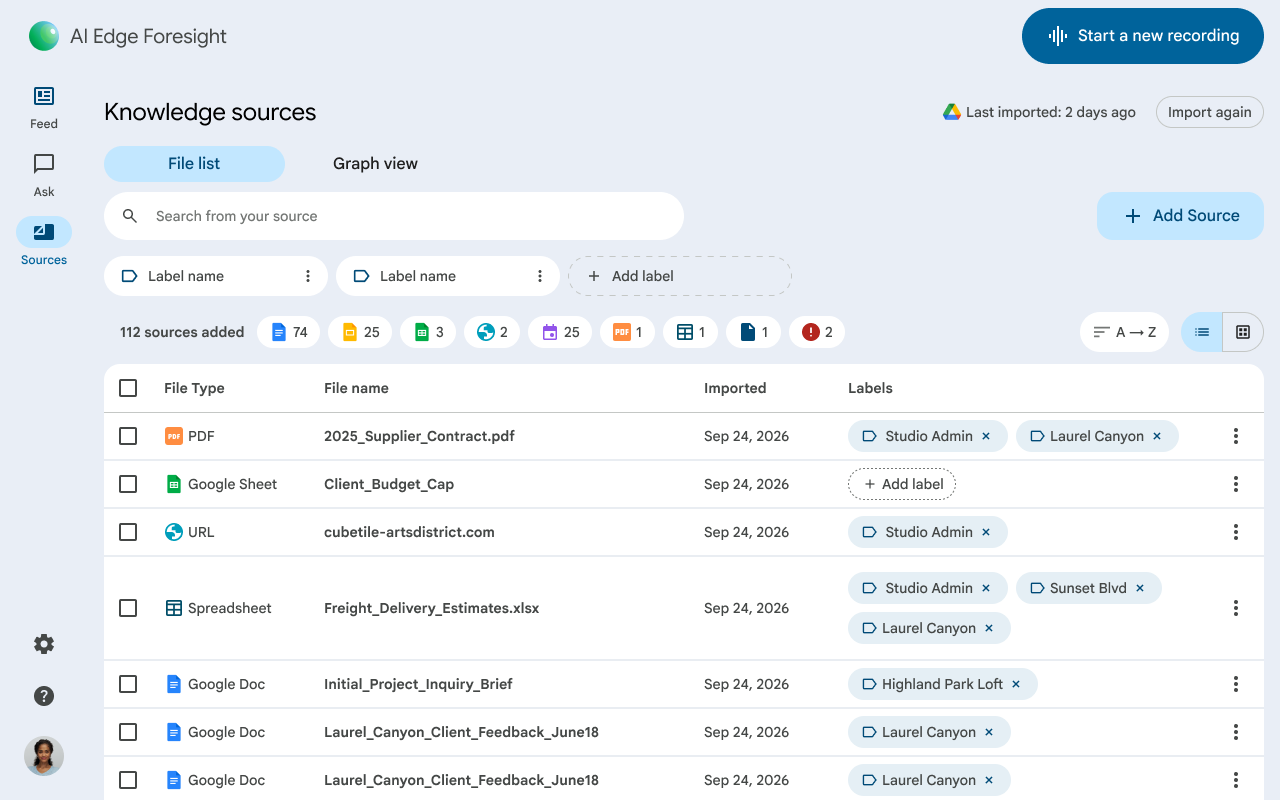
Simply point Google AI Edge Foresight to your project folders, reference materials, diagrams, and calendar. It automatically understands your work without needing to manually organize your files, to ensure critical information is ready whenever you need it.
Answers when it matters
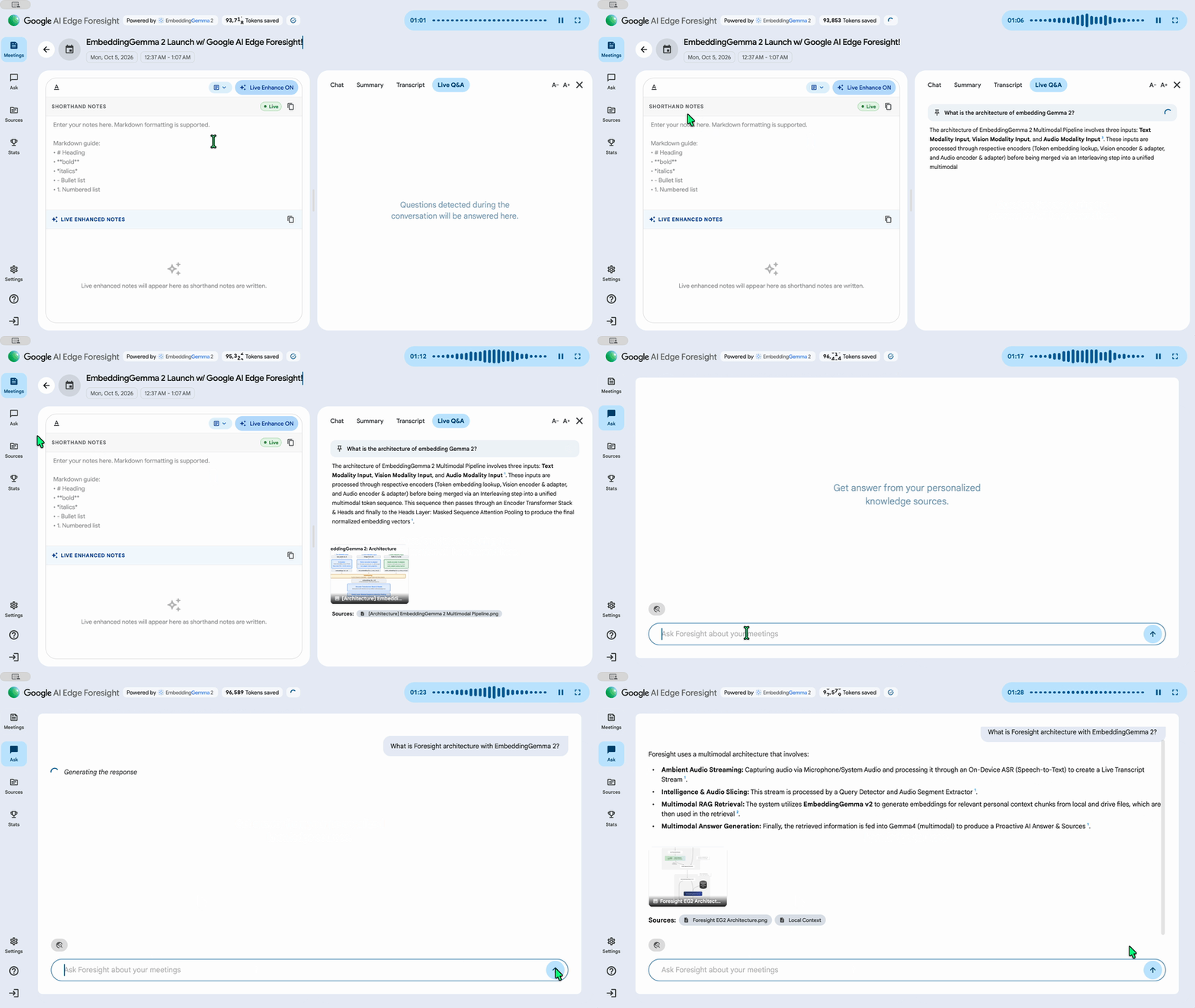
After Google AI Edge Foresight learns about your work, it references your files to help you answer questions. Whether it’s through chat, or if you want Live Assistance for automatic answers, Foresight helps you reduce prep time and “circle backs” by making sure you have the information you need so you can move forward faster.

Powered by
EmbeddingGemma 2
EmbeddingGemma 2 is a 740M parameter on-device multimodal embedding model which maps text, image, video, and audio into a single vector space. This enables cross-modal semantic retrieval, eliminating intermediate translation steps. Combined with Gemma 4, it delivers fully on-device RAG pipelines for real-time local search and contextual grounding with no network latency.
Frequently asked questions
All AI inference runs 100% locally on your device using on-device Gemma models. Your personal knowledge sources, meeting audio, and notes never leave your computer.
No personal files, recordings, or transcripts are ever transmitted to external cloud servers, ensuring strict privacy compliance for confidential documents and proprietary discussions.
Foresight supports PDFs, Google Docs, Microsoft Office formats, plain text, Markdown, and web bookmarks.
You can tag sources with custom labels, filter by category, and semantically search across thousands of pages in milliseconds without cloud indexing.
Foresight runs unobtrusively on your desktop alongside Google Meet, Zoom, or offline conversations, transcribing local system audio in real time.
When questions or topics from your imported files arise in conversation, Foresight displays proactive context cards with exact citations.
Yes. Foresight is completely offline-first. Both the Gemma model and the local vector embeddings engine run on your hardware without internet.
You can travel, fly on airplanes, or work in air-gapped secure facilities with full assistance and query capabilities.
Foresight is optimized for Apple Silicon.
Thanks to lightweight Gemma quantization and memory-efficient vector kernels, Foresight maintains a light footprint with low battery drain.
For Google Workspace (enterprise) accounts, Early Access Apps and Core Data Access are turned off by default. If your account shows a sign-in error or service restriction, an organization administrator must enable both settings in the Google Admin console.
To enable Foresight for your organization, your Google Workspace administrator must complete two configuration steps:
- Enable Early Access Apps (Enables Sign-in): In the Google Admin console, navigate to Apps > Additional Google services > Early Access Apps. Click Service status, set it to ON for everyone (or turn ON for specific organizational units or groups), and click Save.
- Enable Core Data Access (Enables Workspace Data): On the same Settings for Early Access Apps page, click Core Data Access Permissions. Check “Allow users at your organization to access Google Workspace and Customer Data using Early Access apps”, and click Save.
Note: Changes made in the Google Admin console can take up to 24 hours to propagate across your organization. For complete details, see the Google Workspace Admin Help article on turning Early Access apps on or off.
Get Google AI Edge Foresight
for your desktop
Private, intelligent, and always with you. Experience the power of on-device Gemma.